


Your digital life – encompassing everything from your messages to social media posts – is often more exposed than you know. There are situations in which accessing an Instagram account is legitimate and necessary, e.g., recovering a hacked account, monitoring your child’s online activity and parental control, or even managing an important business account. In this guide, we’ll explain the top apps to monitor Snapchat accounts. We will shed light on how these tools function, what their limitations in the real world are, and the legal boundaries you cannot cross.
Best Snapchat Hacking Apps
- Spynger – Stealthy Snapchat spy tool with real-time message tracking and Snap recovery.
- xMobi – Discreet phone monitoring app with social media and call tracking.
- mSpy – Leading parental control app for Snapchat, WhatsApp, and GPS tracking.
- eyeZy – Powerful phone spy software with hidden keylogger and social media monitoring.
- Hoverwatch – Call recorder & tracker with stealth mode for Android and PC.
- uMobix – Real-time phone surveillance with live screen viewing and alerts.
- Cocospy – No-jailbreak iPhone & Android tracker for messages and location.
1. Spynger
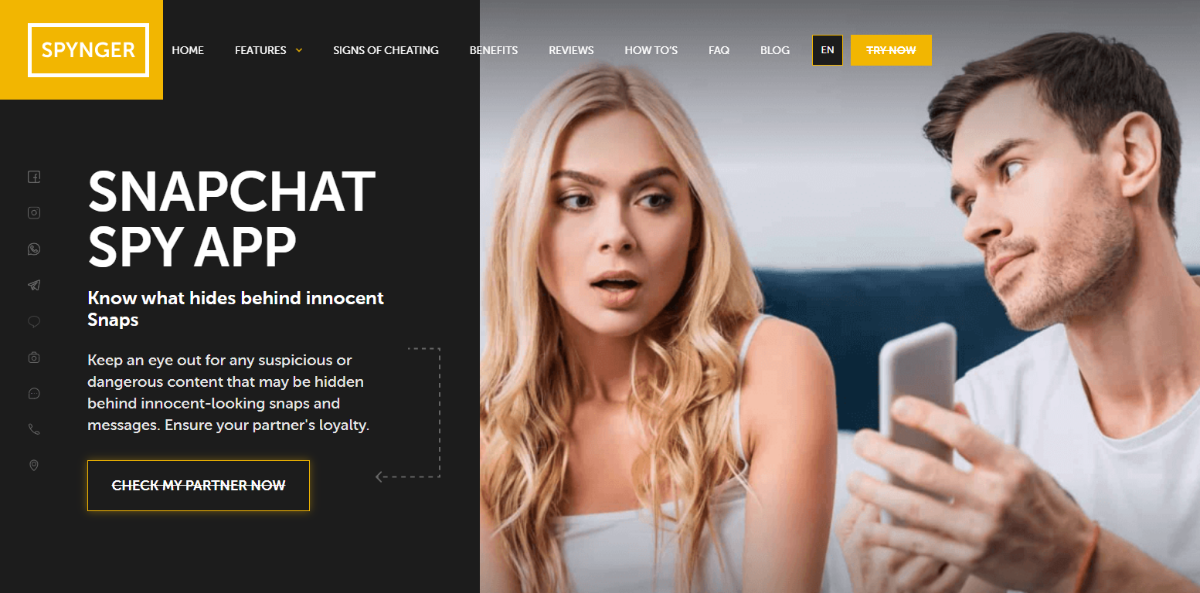
Spynger is a powerful monitoring app that doubles as a Snapchat hacking tool, allowing users to secretly track messages, snaps, and multimedia files sent or received on a target’s device. Marketed as a parental control and employee monitoring solution, the app provides stealth access to Snapchat activity without the user knowing.
Using Spynger involves three simple steps:
- Sign Up – Create an account on Spynger’s official website.
- Install & Set Up – Download and install the app on the target device (physical access required).
- Start Monitoring – Log in to your Spynger dashboard to view all tracked data remotely.
Key Features
- Snapchat Spy – View sent/received messages, disappearing snaps, videos, and photos (with timestamps).
- Stealth Mode – Runs invisibly in the background without detection.
- Location Tracking – Real-time GPS tracking and geofencing alerts.
- Social Media Monitoring – Tracks WhatsApp, Facebook, Instagram, and more.
- Call & SMS Logs – Records incoming/outgoing calls and text messages.
- Keylogger – Captures every keystroke, including passwords.
- Affordable Pricing – Multiple subscription plans available.
2. xMobi

With just the username of the target on Snapchat, xMobi can help you hack into the Snapchat account of the person. The hacking process is easy and simple. You do not need to know any technical information to use the hacker tool.
This Snapchat hacker app uses remote operation from the target device. You do not need a software download to use the app. It uses enhanced encryption and top-quality data protection. The app works stealthily and ensures full confidentiality while the account is hacked. Due to the use of the best algorithm and optimized server configuration, the target will not be aware of the monitoring.
Key Features
- Read the chats, outgoing messages, and incoming messages.
- You can change the page password if needed.
- The app helps to view private and hidden information.
- You can view all video files and photos that are hidden by the target.
- The app helps access the list of private friends of the target user.
With just the Snapchat user name of the target, you can find all the above information about the user in just a few minutes. However, make sure that you are allowed to access the information of the person. For instance, if the target is your child under the age of 18, and you are the monitoring is legal.
3. mSpy

mSpy is a parental control app that provides powerful tracking features. It helps in easy monitoring of all the Snapchat messages, snaps, and other information. The app has been in use for more than a decade and boasts 1.5 million customers from 180 countries worldwide.
You need to just use the Snapchat tab in the dashboard of the mSpy app to view the conversations. You can view the disappearing conversations with the special solution present in the tracking app. For any assistance you need concerning the use of the app, full support is provided 24/7 via a chat or call feature. You can review any picture or video file from the Snapchat account of the target. All information about the user is protected and kept confidential. Using the app is a simple process and involves three easy steps.
- Create an account on the official site using your email address. You can use the account to monitor the target device.
- Choose a subscription plan from the various available plans and pay for the chosen plan.
- You can now log in to your account. On the control panel, you can start monitoring the data from the target device.
Key Features
- It is an affordably priced app.
- The app works in hidden or stealth mode, so the target will not be aware of the monitoring.
- You can view all sent and received messages on Snapchat.
- The app reveals texts, videos, photos, emojis, and GIFs complete with timestamps and dates.
- In addition to Snapchat spying, the app uses location monitoring, keyword alerts, keylogger, web history, and more.
4. eyeZy

Eyezy is a parental control app that provides the best monitoring solution. It aims to provide information that puts parents’ minds at ease or confirms their suspicions.
The app enables you to hack Snapchat without the knowledge of child. It uses advanced tech to ensure efficient monitoring. Eyezy provides 24/7 support to users. To get started with the app, you need to complete the steps shown below:
- Choose from the different membership plans available on the official site.
- Install the app with the friendly Installer guide. The 24/7 support also offers help in installing the app properly.
- You can log in to your account’s dashboard and find all the details you are looking for in the target device via the various monitoring features.
The Snapchat monitoring feature allows you to access all the information you need to know from the control panel. By having access to all Snapchat conversations, you can know whether they are chatting inappropriately.
Key Features
- You can view all the private conversations of the target on Snapchat.
- In addition to conversations, the app allows monitoring of shared photos on Snapchat.
- The screen recorder feature ensures all messages are recorded, including deleted messages.
- It works in hidden or stealth mode, so the target will not be aware of its presence.
- It uses a location finder, allowing you to know where the target is at any time.
- Geo-fencing alerts are present to notify you when your child enters a pre-set risky area.
5. Hoverwatch

Hoverwatch is a monitoring app that has effective Snapchat spying features. It helps to track your children and employees without hassle. For employers worried about the time their employees spend on social media during office hours, the app helps in efficient monitoring.
For concerned parents, finding out what their children are doing on their smartphones is easier with the Snapchat monitoring feature. Further, the geolocation feature keeps parents informed of where the child is at any particular time. Using the Snapchat hack app is easy. You need to complete the following steps:
- Register for a free account online on the official Hoverwatch website using your email.
- Download the software from your online account and install it on the target device.
- Start monitoring the recorded data, calls, and other info from your online account.
Key Features
- The app gathers all Snapchat details on the target device.
- It can gather info from other social media apps like Viber, WhatsApp, Skype, Line, Facebook Messenger, and more.
- It can also track MMS and SMS info.
- You can view shared audio, video, picture, and document files. You can download the files to your account, including deleted messages.
- The software can record calls made from IM apps like Viber and WhatsApp or from the SIM card.
- You can view the Internet browsing history even if the browsing or downloading was done in Private mode.
- The app can be set to take photos whenever any person unlocks the device. The pictures are uploaded to your account, and you can access them at any time.
- You also get notifications if the user replaces the SIM card in the target device.
6. uMobix

For parents who want to monitor the real-time activities of their children on their smartphones, uMobix is a great choice. It works on Android and iOS devices.
You can monitor more than 30 popular apps, including Snapchat. uMobix does not take much time for installation. You just need 5 to 10 minutes to complete the process, and you need not be tech-savvy to use the app. The subscription packages are affordable. You get automatic updates every 5 minutes, so you need not miss any small detail. Here are the steps needed to set up the software and use it:
- Create an account using your email address. Choose a subscription plan and complete the payment. You will receive instructions in your email for the installation.
- If it is an Android device that you want to monitor, install the software on the device. If it is an Apple device, provide iCloud details of the device in your account.
- You will start receiving data in your account, allowing you to track the messages, pictures, and other details you want to monitor.
Key Features
- Using uMobix, you can access the photos posted by the user, including the deleted pictures.
- You can read all Snapchat conversations, view the contact info, and monitor private conversations.
- View the entire contact list of the user and the chat history on Snapchat.
- View the profile details like name, avatar, nickname, bitmoji, pictures, and their location.
7. Cocospy

Cocospy is a parental control app that can track and perform remote surveillance of the target device stealthily. It helps you monitor the activities of your children or employees without their knowledge.
This monitoring app is compatible with Android and iOS devices. It can track locations, calls, apps, and messages discreetly and remotely. Cocospy is used by more than one million people from over 190 countries. It is a secure, reliable, and safe app that provides 24/7 assistance to the user. Using the monitoring app requires three simple steps, as shown below:
- Create an account using your email ID.
- Install the software on the target device. The installation prompts help to install the software easily, whether the target device is an Android or iOS device.
- After installation, you can log in to your account and start monitoring remotely.
Key Features
- You can view the saved contacts and identify the suspicious contacts.
- Read group and individual conversations on Instagram, Facebook, WhatsApp, and Snapchat.
- View the shared media files.
- Check the outgoing or incoming calls, their duration, phone number, and timestamps.
- Use the geo-fencing feature to mark zones and receive alerts when the marked area is breached.
- View the browser activity of the target device, the frequency of visits, and timestamps.
- Use the keylogger feature to gather info on the keystrokes used in the target device.
- View the video and photo files on the target device.
8. Spyine

Spyine offers covert monitoring features that work on any smartphone or tablet device. It uses phone monitoring features that you can access from your web browser remotely. The hacking app is easy to set up, and you can control it effectively after installation. You will receive updates on the app’s dashboard. Setting up the app does not require a jailbreak or rooting. You can download the software if the target device uses the Android version, and if it is the iOS version, the process is web-based and completed quickly without any download.
To access the Snapchat info of the target device, use the Social Apps feature on the selection menu present on the left side of the app. Pick the Snapchat option, which will open up all the personal and group messages of the target. The auto-archiving feature helps to read deleted messages. The app works remotely and cannot be detected by the target device user. In Android devices, the app remains invisible on the phone, and in the iOS version, it works remotely without any software installation. To install the software, just three simple steps are needed:
- Register for a new account on Spyine using your email address.
- Set up the app in a few minutes with the installation instructions you receive in your email.
- Log in to the Spyine dashboard and start receiving all monitoring data from the target device.
Key Features
- To track the Snapchat account of the user in secret, you can use your web browser.
- The app tracks all the incoming and outgoing messages on Snapchat.
- It can read the deleted or out-of-date messages on Snapchat.
- You can get access to the contacts and shared media files on the platform.
- The app allows fast Snapchat access from your web browser.
- It can track other social media apps like Instagram, WhatsApp, Viber, and Facebook.
- Geofence alert, location tracking, SMS tracking, and SIM location tracking are other features found in the app.
9. FlexiSPY

Flexispy offers effective monitoring and tracking of your child, employee, or partner. The app can remotely monitor the online and offline activities of the target device. Flexispy can monitor and record social media messages, including Snapchat, WhatsApp, Viber, Instagram, and more. Setting up the app requires a few simple steps:
- Visit the website and create an account.
- Choose a membership plan and complete the purchase.
- Install it in the target device and start monitoring from the dashboard of your Flexispy account.
In the case of an Android device, you can install the app directly. For iOS devices, you have to jailbreak the device for installation. In Android, the direct installation provides access only to a few features. To access all the features, you need to root the target device.
Key Features
- It tracks all text messages that the target device sends or receives.
- It can track all social media platforms such as WhatsApp, Facebook, Viber, Skype, Snapchat, and more.
- With the basic plan, you can view the texts, videos, call logs, and images. When you choose the premium plans, you can listen to and record the phone calls.
- The app can control the camera of the target device and take pictures or record videos without the knowledge of the owner.
- Keylogger, location tracking, ambient recording, and call recording are other features of this tracking app.
10. Mobilespy

MobileSpy is a monitoring software that offers 24/7 parental control. Parents concerned about what their children are up to on various social media apps can use this app. It helps to control their devices and create a safe online experience for them. The app boasts a reliable and robust set of monitoring features that remotely track the online activities of the target device. It offers 30 functional features at an affordable price. It works on Android and iOS devices. To start using the app, you need to complete the following steps:
- Register for an account on the official MobileSpy site. Use your email ID to create the account.
- Download MobileSpy and install it on the target device with the help of the instructions provided.
- When the app is running, log in to the account and start monitoring all the activities of the target device.
Key Features
- It can monitor and access all the activities on social media platforms like Snapchat, WhatsApp, Viber, Facebook, Skype, Tinder, and Instagram.
- You can set up alerts for contact, profanity use, geographic borders, and many more with the geo-fencing feature.
- The app allows viewing and downloading all photos, screenshots, videos, and other files on the target device.
- All online activities of the target are tracked remotely without their knowledge.
- You can keep track of the web history and the websites the target has visited.
11. iKeyMonitor

For parents who are in search of an effective parental control app to protect their kids, iKeyMonitor offers a comprehensive monitoring solution. It is used by over 400,000 parents from 100 countries. The app helps to protect children from online risks like cyberbullying. It can monitor phone activities like text messages, calls, browsing history, and more. You can view chat messages on Snapchat, WhatsApp, and more. You can listen to live surroundings and capture screenshots in real-time on social media platforms.
With the monitoring capabilities of the software, you can take proactive measures like
- Block inappropriate sites, games, or apps
- Set limits for screen time
- Get instant notification
iKeyMonitor uploads info gathered from the target device to its cloud panel. You need to just install the app on the target device and use the app to monitor the activities. You can install the app and use it by completing the steps below:
- Register to create a free account.
- Log in to the Cloud Panel to download the app.
- View the recorded data on the cloud panel.
Key Features
- It can monitor any app on the target device by recording the typed keystrokes.
- It records both sides of the chat messages on Snapchat, WhatsApp, Facebook, and other platforms.
- It can take live photos and screenshots. You can see the surroundings of the target and check on the activities of the device.
- The ambient sound recording feature alerts you to inappropriate sounds so you can take immediate action to safeguard your children.
- It is discrete and tamper-proof. You can set a password and access code or URL to prevent the uninstallation of the app.
- It supports multiple languages.
- Live chat support is available 24/7 for iPhone and Android users.
- It offers a 30-day money-back guarantee.
12. SpyMyFone

SpyMyFone is a phone monitoring app that is convenient to use by parents looking to monitor the activities of their children. The various features are available on iOS and Android devices. The Snapchat hack app has many useful features that involve tracking all activities of the target device directly from the web browser on your phone, desktop, or laptop. The monitoring app offers a dashboard that lets you access all features of the app from your mobile device. Installing the app is done by the following steps:
- Register for the service by creating an account using your email address.
- The Setup Wizard will guide you through the steps for installing the app on the target device.
- After installation is complete, activate the app on the target device.
Now you can access the target device remotely and start tracking the activities.
Key Features
- It can monitor the incoming and outgoing calls and text messages.
- You can read all messages on the messenger apps like Snapchat, WhatsApp, Facebook Messenger, Skype, and more.
- It can track the live GPS location of the target device using the geofencing feature. By setting predefined limits, you will get alerts when the target device leaves the specified area.
- The app can remotely control the target device by accessing the settings, blocking unwanted apps, and more.
- You can take screenshots directly on the target device.
- The app sends instant alerts on SIM card removal, location alerts, and more.
13. Mobistealth

Over 500k parents find Mobistealth a trusted monitoring app. It can monitor SMS, calls, location, Snapchat, Facebook, WhatsApp, and more. The app is compatible with mobile devices and desktops. You do not need to jailbreak or root the device to use the tracking app. The Snapchat hacker app is an intuitive app that checks all elements of the phone activity, including social media sharing and recording the surrounding audio. It works 24/7, continuously recording the activities on the target device. It is fully tamperproof and provides remote data access. The setup is simple and completed within a few minutes. The installation steps are shown below:
- The first step is to register for the service by choosing a pricing plan that works for you.
- Install the app on the target device. It is hidden after installation. For installing on an iPad or iPhone, you need to have the device’s iTunes credentials.
- Log in to the account you created and use the control panel of the app to monitor the target device.
Key Features
- It monitors the outgoing and incoming SMS messages and calls.
- You can record the phone numbers of the contacts saved on the device.
- The location tracking feature allows you to know where the device is at any given time.
- It can monitor outgoing text chat, pictures, and videos on Snapchat, Facebook Messenger, WhatsApp, Viber, and more.
- It uses a keylogging feature to capture keystrokes on the target device for tracking the device’s activities
- It records the surroundings of the target device and the calls sent and received from the target device.
- The app has an email tracker feature that allows you to access the Gmail activity of the target device.
- Monitoring of pictures, web browsing activity, and more features are available with the app.
Alternative Hacking Methods: Understanding the Real Risks
Commercial monitoring applications are one thing, but the internet is full of “alternative hacking methods.” We will explore these, not because they might be something we would do unethically, but to understand the technical realities of the actual risks. (Like using a “free Instagram hack” tool downloaded from a torrent website practically invites malware to a party!)
A. Phishing Attacks: The Art of Digital Trickery
Phishing might be one of the oldest or most persistent cybersecurity attacks, as it relies on human trust rather than defects in a system. It is all just deception.
How it Works: An attacker would create a false Instagram login page that looks like the real one with the pretense of using a different URL (e.g., instagam.com.login.xyz, and not instagram.com). The “phishing link” is then delivered in many ways:
- SMS (Smishing): A text message might say, “Your account shows unusual activity. Please verify your login here: [malicious link].”
- Email (Phishing): A seemingly real email from “Instagram Support” requesting immediate action.
- Direct Messages: It is even possible to receive direct messages on other social platforms that contain these links.
Browser Phishing Protection (and why it doesn’t work): In the past few years, many web browsers (generally Chrome, Firefox, and Edge) have phishing protection mechanisms that rapidly check a website against a list of known malicious domains. Thus, many users receive alerts, showing a “Deceptive Site Ahead” or “Your Connection Is Not Private.” Even if many modern web browsers check SSL certificates, a false site can still mimic a legitimate site’s SSL, although the modern browsers will display a warning. Despite all these mechanisms, many fall victim due to user behaviors: in a rush, preoccupied by other messages, or they simply don’t understand the warning signs. (How many times have you clicked the “Proceed” button after a warning?)
The 2FA Hurdle: But if you manage to successfully host a fake login page, Instagram’s two-factor authentication (2FA) is a significant mitigative hurdle. If an account has 2FA enabled, even when someone has success in entering their password on your fake login page, they will be asked to enter a second code (from either an authenticator app or via SMS). You’re stuck without them accessing their device or SIM. This means that pure phishing is generally unreliable as a means of bypassing 2FA without adding a second, more difficult layer of social engineering.
B. Resetting the Password via Email or SMS: A Dead End for Outsiders
This sequence, at its root, is using Instagram’s legitimate “Forgot Password?” solution, which will send an email reset link or SMS reset code to an email or phone number associated with the account.
- Why it’s Rarely Viable: At its base level, this sequence is not practical unless you can directly access the target’s email inbox or have direct possession of their phone to receive an SMS. You cannot “guess” the very likely existing email if you don’t compromise it first, which means some version of successfully phishing their email provider or being the victim of a SIM swap.
- SIM Swap Attacks: A SIM swap is where an attacker convinces a mobile provider to transfer the target’s phone number to the SIM card that they control. (That sounds ridiculous, but it happens.) Once the attacker controls the number, they can receive SMS-based 2FA codes and password reset links. This requires a considerable amount of illegal and potentially criminal effort.
- Detection Risk: Instagram is very aware of suspicious logins. If an unusual device or location requests a password reset, Instagram usually sends a notification to the original linked device(s) on the account or to the linked email address as well. This alerts the user immediately that someone has compromised their account, and they can take action to secure their account.
C. Keylogger Use: The Hidden Sentry (Often Not So Hidden)
A keylogger is a piece of software or hardware that records every keystroke captured on a device. Sounds like a golden ticket to passwords and messages, right? Not so fast.
- How it Works (and Fails): Software keyloggers need to be installed on the target device. Once installed and activated, the software will log all typing and send that data to the attacker. Hardware keyloggers are physical devices that are plugged into a keyboard cable.
- Android Permissions and Challenges: On Android, installing a keylogger application often requires extensive user permissions similar to those of monitoring applications, namely in the area of Accessibility Services (to read input text) or rooting the device for more access. Most apps often flag “keyboard” input permissions as extremely sensitive.
- iPhone Installation Nightmares: iPhone devices are locked down by design, and without root or Jailbreak, there is little going to be viable for installing a keylogger application that bypasses Apple’s security sandbox, which permits iOS applications to monitor system-wide keystrokes. The ecosystem is designed to disallow apps from interfering with or poking around each other’s data or interfacing with other system-level inputs.
- Antivirus Auto-Detection: Most present-day antivirus and anti-malware software is purpose-built to detect, identify, and isolate keyloggers, which are assumed to be threats, leading security companies to devote attention to building unique defenses. They all look for the same asinine behaviors, for example, an app attempting to monitor keyboard input without any prior activity from the user. In short, keyloggers, if even installed, have a very short shelf life on a protected device.
D. Instagram Session Hijacking: A Fading Threat (Mostly)
Session hijacking is taking over an active user session, “stealing” someone’s login without their password.
1. The Old Way (and why it’s mostly dead): In the past, session hijacking was usually done by:
- Cookie Theft: Stealing a browser’s session cookie (the session token that is keeping you logged in). It is done using malicious JavaScript, Malware on the device, or sniffing the packets as the user communicates over an unencrypted network.
- Packet Sniffing: Attackers used tools like Wireshark to listen in on network traffic. If a user logged onto a website using unencrypted HTTP, the session cookie (and the password) could be sniffed.
- ARP Spoofing: In an ARP Spoofing attack, an attacker makes changes to the network address table to point to their device, allowing the attacker to sniff packets between devices on the same local area network.
- The HTTPS Revolution: Instagram, like nearly all major online services, now mandates HTTPS (Hypertext Transfer Protocol Secure) for all connections. This is transformative. HTTPS encrypts all traffic from your browser/app to Instagram’s servers. Therefore, even if the attacker sniffs packets, they will only receive obfuscated, unreadable data. (It would be like trying to eavesdrop on a public conversation that is taking place in a soundproof room.)
2. Modern Compromise: To hijack a session today, the attacker would need to compromise the device or even the browser itself. That usually means:
- Physical Access: Install either malware or a malicious browser extension directly onto the device.
- Malicious Browser Extensions: Convince a user to install a rogue browser extension that allows the hijacker to steal session cookies from within the browser itself.
- Man-in-the-Browser Attacks: This would mean using some of the most sophisticated malware online to intercept and manipulate traffic after the browser has already decrypted it, but before it renders the info on screen. Session hijacking is no longer a compromised technology; it has become much more of a system compromise.
What You Need to Know?
The confusion with monitoring apps is deciphering through all the marketing mumbo jumbo to find the unadulterated truth. These are the facts you should really know that are not usually mentioned in ad copy, but are important for making educated, safe, and legal choices.
Tool Legitimacy & Trustworthiness: Are These Apps Even Real?
The market for monitoring apps is the wild west, unfortunately. There are a lot of shady providers with suspicious claims and scams everywhere. Before you even consider installing one, ask yourself:
- Are Spynger or xMobi (or any other app) legitimate?
There’s a fair amount of reviews stating that they work, but “authentic” also means honest and ethical. Many of the apps operate in a grey area of legality while trying to push the boundaries of what is legal. Always check independent tech reviews; do not just read the reviews on their websites. Discussions often happen on cybersecurity forums, too, and these can be helpful to understand.
- What’s their Refund Policy?
Be very cautious of “no-refund” policies or ambiguous guarantees. A legitimate service will have something like a clear, public, time-limited refund policy that clarifies that if their product doesn’t deliver as promised, you’ll get a reimbursement. Scammers typically make it impossible to get your money back. (Really, read the fine print before you hit “buy”.)
- User Reviews or Known Scam Alerts?
Investigate if there are user reviews from independent sites. Do any of them have consistent complaints about broken features or hidden fees, or horrible customer support? Be particularly alert for red flags like:
- Guaranteed “100% undetectable” claims (no app is).
- Promises of remote, no-installation “hacks” (these are scams).
- Overly aggressive sales tactics.
Tool Setup Challenges: The Hidden Hurdles
Installing these applications is not as simple as downloading a game from the App Store. There are mainly some technical and security challenges:
What Permissions are Needed?
Like we discussed, these apps require heavily privileged permissions (Accessibility, Storage, Usage Data, Contacts, etc.). It is important to understand why heavy permissions are required and the security implications. Giving large privileges to a third-party app opens major privacy holes.
Common Installation Roadblocks:
- “Unknown Sources” on Android: You have to allow “installation from unknown sources,” which is an enormous security risk for unknown third-party apps to install.
- Antivirus Blocking: Security software on the target device might spy and detect the installation action or flag the monitoring app as “malware”.
- Device Compatibility: Not all apps work on all Android versions or iOS devices (especially newer ones). Check compatibility before purchase.
- Physical Access: You will have to physically access the device for most functions on Android, and all features on iOS (unless iCloud syncing works for your purposes).
- Root/Jailbreak: Many advanced features will only work with root (Android) or jailbreak (iOS) access; this voids warranties and compromises device security completely. (This is a trade-off that you must understand.)
Troubleshooting Tips: When Monitoring Goes Awry
So, you have installed the app, and now nothing shows up on your dashboard? Here are the most common things to follow to troubleshoot:
- Check Internet Connection: The target device must have good internet access to successfully upload the monitoring data.
- Confirm Permissions: Verify all permissions were granted during installation. Android users frequently lose or reset their app permissions during updates.
- Turn Off Battery Optimization: A lot of Android devices utilize strong battery optimization that can kill background apps. Add it to the whitelist for monitoring apps.
- Check for Antivirus/Security App Interference: The target device may have identified the app and placed it in quarantine.
- Update the App: Make sure the monitoring app is up-to-date, as the target device may have changed its operating system version, or the Instagram app may have changed its operating system version.
- Restart the Target Device: At times, a simple restart can address glitches.
- Re-Installation (as a last resort): If all else has failed, then try a clean re-installation (paying careful attention to the steps you followed in the initial installation).
Legal Use Cases Only: Your Responsibility, Plain and Simple
Let’s reiterate this because it’s paramount: The tools discussed here should ONLY be used in line with local, state, and national laws, and strict ethical standards.
- Recovering Accounts: Using a recovery method for your account when you’re locked out is perfectly legal.
- Parental Control with Consent: Tracking a minor child legally responsible for is generally accepted, but many jurisdictions require notice to the minor child that they are being tracked on their device. Ignorance of the law is no excuse.
- Personal Device Monitoring: Installing on your devices to locate them, if lost or stolen, or to track your usage.
- Explicit, Informed Consent: For any adult, you must have their explicit, written, and informed consent before installing monitoring software on their device. Anything less is illegal surveillance.
FAQs
Why Use a Snapchat Hacking App?
The popularity of Snapchat makes it a source of concern for many. Parents worry about the time their children spend on the platform. Employers are worried about the platform affecting the productivity of their employees. A suspicious spouse may want to know what his or her partner is up to on the messaging app. Whatever the reason is, people try to monitor the activities in some way or another. A Snapchat hacker app can help in this task effectively.
How Does a Hacking App Work?
Different apps have different built-in features for monitoring. But the main aim of the app is to secretly monitor the target device. It runs in the target device and is not visible to the user. To make a hacking app work, you need to install it on the target device. After installation, you use a key or code to link to the device and start monitoring the activities.
Is It Difficult to Hack Into Someone’s Snapchat Account?
Social media accounts like Snapchat, WhatsApp, and more use a high level of security measures to protect the privacy of users. Firewalls and robust encryption are used for account security. So, it is not very difficult to hack into a Snapchat account. However, the Snapchat hacker apps that we have listed help to make the task easier. They work stealthily and provide effective monitoring features.
Is Snapchat Hacking Legal?
If you are a parent looking to safeguard your child from cybercriminals and exposure to inappropriate content, the use of a hacking app is legal. Further, the child should be under the age of 18 and residing with you. In all other cases, the use of the app is subject to the rules and regulations in your specific location. Be sure to check the legalities concerning the use of such monitoring apps in your region.
How Does a Hacking App Help?
When you use one of these apps, it can help you track a person’s phone calls, text messages, and browsing information. You can monitor who your child is sending messages or chatting with. You can protect your child from cybercriminals by using parental controls.
Can I Monitor Someone’s Snapchat without Them Knowing?
Yes, you can use any of the top hacking apps listed in our guide to track a person without their knowledge. The apps work in stealth mode, so the person you are spying on will not be aware of it.
Can I Use a Snapchat Hacker App without Software Installation?
A software installation is necessary for monitoring the target device. Based on the type of target device, the process of installation process differs. If it is an Android, most hacking apps require rooting, and if the target device is an iOS-supported device, a jailbreak may be needed.
Can I View Deleted Messages with A Snapchat Hack App?
The monitoring features of a hacking app, including Keylogger, will help you monitor the incoming and outgoing messages, as well as the deleted messages. The messages are saved to your account, and you can read them even after they are deleted from the target device.









