


BEST VPN SERVICES



Revolutionizing communication, commerce, entertainment, information access, and so much more, the internet has brought about incredible changes in our lives. It has changed the way we live, but with great power comes great responsibility – and huge online risks. However, the more dependent we become on the internet, the less tolerant we become of its limitations.
From the all-too-common regional blocks on streaming services you love and broadband Internet Service Providers (ISPs) throttling speeds, to the perils of online surveillance, data breaches, and identity theft, it can be hard to navigate the web safely without some serious protection. That’s where a Virtual Private Network (VPN) comes in.
A VPN allows you to browse the internet privately and securely, through a secure, encrypted tunnel that keeps your real IP address hidden and keeps your sensitive information safe. Not only will this help you browse the web anonymously, but it also safeguards your sensitive data while still getting the fastest speeds possible.
This article covers the best VPN services in 2026. Let’s get to it!
Best VPN Provider 2026
According to our research, the following are the very best VPN services in 2026 that you ought to try:
- NordVPN: The #1 winner. A great balance of security, speed, and unblocking capabilities for a favorable price.
- Surfshark: A feature-packed budget VPN, with unlimited device connections, and good privacy features.
- Proton VPN: An excellent privacy-first VPN with great transparency, speed, and a generous free tier.
- Total VPN: Known for its ease of setup and user-friendly interface, a decent option for users who want online protection without much tweaking.
- ExpressVPN: A great top-placed option, especially with the easy-to-use apps, fast speeds, and huge ability to unblock geo-restricted content.
- Private Internet Access: Best bang for your buck, perfect for anonymous torrenting of content with a huge server network.
- CyberGhost: User-friendly VPN with strong privacy features and a large server network.
- Mysterium VPN: Decentralized, blockchain-based VPN focusing on privacy and anonymity.
- PrivateVPN: Fast, no-logs VPN with strong encryption and simple setup.
- PureVPN: Feature-rich VPN with global servers and strong security protocols.
- TuxlerVPN: Residential IP-focused VPN for high anonymity and geo-unblocking.
- AstrillVPN: High-speed, premium VPN with advanced features for tech-savvy users.
- iProVPN: Budget-friendly VPN with solid security and streaming support.
- AVG Secure VPN: Lightweight VPN by AVG, offering basic privacy and encryption.
1. NordVPN – The #1 Choice in 2026!

If you are looking for an all-around VPN to enhance your complete experience while navigating the typically intrusive space we refer to as the internet, NordVPN is, without question, the best VPN provider. With budget-friendly price points, Nord provides overall performance with remarkably low-cost sentiments, delivering the opportunity for security.
- NordVPN is the industry leader (by a long way)
- 30-day risk-free trial
- Superfast speeds
- 7,300+ servers in 115+ countries
- Strict no-logs policy
- Next-generation military-grade encryption
- DoubleVPN, double privacy
- 10 simultaneous device connections
- Great for: Safety, security, anonymity & peace of mind
- Compatible with: Windows, Mac, Android, iPhone, iPad & iOS, Linux, routers, Apple TV, FireFox, Google Chrome, Microsoft Edge, and more
Security & Privacy Excellence
NordVPN has consistently been one of the best VPNs for privacy, as highlighted by their unrelenting focus on continuing to enhance their privacy-protecting technology, which has been especially evident since their data breach in 2018. To improve on trust, they have been independently audited on an annual basis by PricewaterhouseCoopers (PwC) and Deloitte to make sure that their strict zero-logs policy is enforced.
- Encryption: Employs powerful AES-256 encryption on all its applications.
- Leak Protection: Features strong DNS leak protection and two extremely dependable kill switches (an internet kill switch and an app-specific kill switch) to prevent data exposure.
- Threat Protection: Its new Threat Protection functionality actively examines downloads for malware, blocks ads, and prevents access to malicious websites, significantly enhancing online security and anonymity. The “Pro” version expands on anti-malware and fraud alerts.
- DoubleVPN: A highly lauded functional ability that allows your web traffic to go through multiple servers for double encryption – just an added layer of security.
- Onion Over VPN: An option that pairs NordVPN’s encryption with the anonymity of the Tor network for the greatest level of privacy.
- Obfuscated Servers: Designed for bypassing strict VPN blocks in heavily censored areas; obfuscated servers make your VPN traffic appear as regular internet traffic.
Blazing Fast Speeds with NordLynx
One of the reasons that NordVPN is at the top of the VPN game is due to the unique version of WireGuard that they developed called NordLynx. Exclusive to NordVPN, their proprietary protocol has been tested and proven to have excellent connection speeds, making it suitable for all internet activities, including 4K streaming, very fast downloading, and lag-free gaming. In our tests in 2026 with NordVPN, the average speed loss for nearby servers was under 10% and it had little impact on distant connections.
Unblocking Capabilities & Global Reach
NordVPN is exceptional at unblocking geo-restricted content and offers an effective way to circumvent access blocks on the world’s major streaming platforms and services, including the most popular Netflix libraries (US, UK, Canada, Japan), BBC iPlayer, Disney+, HBO Max, and YouTube.
Notably, NordVPN achieves this thanks to its extensive network of over 7,000 servers in approximately 118 countries worldwide. It also offers P2P traffic via dedicated servers on most of its network, which means fast and secure torrenting.
Device Compatibility & Usability
NordVPN has a solid range of easy-to-use apps across numerous platforms: Windows, macOS with a new GUI for Linux for use in 2026, Android, iOS, Android TV, Fire TV, Apple TV, and browsers via extensions. It also allows you to stream on as many as 10 devices at the same time with one account, so you can protect all your devices at once.
It can also be installed on compatible routers to protect your network as a whole. Then, there is a unique tool called Meshnet that enables you to create a secure, encrypted private network between your devices wherever you are and to share files and play games securely.
Pricing & Value
NordVPN offers reasonable pricing, especially for its longer duration plans (generally in their 2-year plans, people find the best value – $3.09/month), with a 30-day money-back guarantee. While the renewal fees might be a little high, the up-front entry-level pricing is still great for their overall range of features and performance.
2. Surfshark

Surfshark has quickly become one of the most subscribed VPNs due to its incredible value proposition and unlimited concurrent connections. It could not be more convenient if you have a household with many devices or if you run a small business. Besides the value, Surfshark is feature-rich; it is fast and secure, and they are almost constantly innovating.
- Surfshark is the best budget VPN
- 30-day risk-free trial
- Strict no-logs policy
- 3200+ servers in 100 countries
- Unlimited simultaneous device connections
- Great for: private browsing on a budget
- Compatible with: Windows, Mac, Android, iPhone & iOS, Linux, FireFox, Google Chrome, Microsoft Edge, and more
Security & Privacy Excellence
Surfshark is located in the Netherlands, a jurisdiction that is very friendly towards privacy. It has a strict no-logs policy, which has been independently audited, providing reassurance for privacy-conscious users. The VPN is committed to security, and that is very obvious through its excellent features:
- Encryption: It uses AES-256-GCM, which is an industry-standard encryption.
- Leak Protection: Surfshark app has a kill switch, DNS leak Protection, and IPv6 leak protection, which are very reliable.
- CleanWeb: A working ad blocker, malware filter, and tracker blocker. It enhances the overall browsing experience and security.
- MultiHop (Dynamic): Unlike some VPNs that use fixed double VPN routes, Surfshark Dynamic MultiHop enables users to employ any two servers to route their traffic, enhancing customization and security.
- Camouflage Mode (Obfuscation): Camouflage mode keeps your VPN usage private and makes it look like normal internet traffic to help you get around VPN blocks in restrictive countries.
- NoBorders Mode: The NoBorders mode will turn itself on if Surfshark detects network restrictions to help you get connected when networks are problematic.
- IP Rotator: Can change your IP address while you are connected to the same server. This adds another layer of anonymity by periodically changing your IP address.
- Alternative ID: A special feature Surfshark provides, which creates a new persona online for you and disposable email addresses to help you steer away from spam that tracks your real identity online.
Impressive Speed and Unblocking
Surfshark uses the WireGuard protocol (and also Everlink technology, which is patented by Surfshark for stability when connecting), which leads to very good speeds for most activities, including streaming and gaming. Though Surfshark is not the fastest when compared to NordVPN and ExpressVPN, especially in normal speed tests, but is still sufficiently fast for 4K streaming.
Again, Surfshark usually does a good job in unblocking geo-blocked content, routinely being able to connect to Netflix libraries and other big services like BBC iPlayer, Disney+, etc. Surfshark does this with about 3,200 servers in more than 100 countries.
Device Compatibility & Usability
Surfshark has simple and user-friendly apps for Windows, macOS, Linux, Android, iOS, Fire TV, Apple TV, and some smart TVs. Its biggest selling point is its unlimited simultaneous connections, which allow you to protect any devices you possess with one subscription. This is a tremendous value for families or anyone with many devices.
Pricing & Value
Surfshark is known for its aggressive pricing, particularly on its multi-year plans, making it one of the cheapest premium VPNs out there. It also provides a generous 30-day money-back guarantee, so you can test out the service risk-free. The “Starter” plan provides the VPN only, while the “One” and “One+” bundles include the benefits of an antivirus, Alert (data breach monitoring), and Search (a search engine that prioritizes privacy).
3. Proton VPN

Proton VPN has the same team as Proton Mail (an encrypted email service), and it has a fierce focus on privacy and security, built from the ground up. The service is based in Switzerland (which enjoys excellent privacy laws and is not a member of the 5/9/14 Eyes alliances). And at the end of the day, this makes it a good choice for users concerned about anonymity and privacy. The free tier Proton offers is also one of the best free VPN tiers available.
Security & Privacy Excellence
ProtonVPN’s privacy credentials are some of the best in the industry. It does not log anything, and it adheres to a strict no-logs policy that has been certified through an independent audit. All their applications are open-source and undergo audits frequently, providing unique transparency.
- Encryption: Provides strong AES-256 and ChaCha20 encryption.
- Protocols: Supports OpenVPN, WireGuard, IKEv2, and its proprietary Stealth protocol that will circumvent complex firewalls and help avoid detection.
- Secure Core: A premium feature that routes your connection using multiple servers, with the first server residing in hardened, physically secured data centers in privacy-friendly countries like Switzerland, Iceland, and Sweden. This provides the strongest possible security against network-related attacks.
- NetShield: A sophisticated ad-blocker, malware filter, and phishing protection tool that operates at the DNS level to enhance security while making browsing faster. In 2026, NetShield will have been improved to block even more phishing attempts.
- Kill Switch & DNS Leak Protection: Essential features – they work smoothly to make sure you don’t accidentally expose your data.
- Tor Over VPN: Dedicated servers that allow your traffic to go through the Tor network, for extra anonymity, that you can access directly from the VPN app.
Blazing Fast Speeds
ProtonVPN has done a great job improving all speeds over the last few years, making it one of the fastest VPNs around. Our tests in 2026 showed excellent retention of speeds overall, particularly on WireGuard, which made it great for 4K streaming, gaming, or large downloads. Their network includes 4,800+ servers in 91 countries.
Streaming & Unblocking Capabilities
While it’s primarily actually not been for streaming until recently, ProtonVPN has quickly built its unblocking and streaming capabilities. It can be depended on to successfully unblock almost all of the top streaming services (Netflix’s multiple libraries, BBC iPlayer, Disney+, etc.) and is a great option for somebody looking for a privacy-focused VPN to use for streaming purposes.
Device Compatibility & Usability
ProtonVPN offers extensive, open-source apps on Windows, macOS, Linux (including a new potential GUI for Linux in 2026), Android, iOS, and Android TV. Even though they are a premium VPN offering and are feature-rich, almost any novice/advanced user can navigate the apps easily. It supports up to 10 simultaneous connections on its paid plans.
Pricing & Value
ProtonVPN offers several tiers, including an exceptional free plan that provides unlimited data, access to servers in 5 countries (US, Netherlands, Japan, Romania, Poland), and no ads – a rarity among free VPNs. For full features like Secure Core, higher speeds, streaming support, and more server locations, a paid “Plus” plan is required. Though not necessarily the cheapest, there is tremendous value in the privacy-oriented offering, especially when you consider that they will not raise the price on renewals.
4. Total VPN

Total VPN is a budget-friendly VPN that focuses on simplicity and essential security features. While it offers decent speeds and strong encryption, its limited server network and weak unblocking capabilities make it best suited for casual browsing rather than streaming or advanced privacy needs.
Security & Privacy Excellence
- No-Logs Policy: Claims a no-logs policy, but lacks independent audits.
- Encryption: Uses AES-256 encryption, a standard for most VPNs.
- Protocols: Supports OpenVPN, IKEv2, and WireGuard.
- Kill Switch & DNS Leak Protection: Basic features included.
- Transparency: No public audits or open-source apps.
Speed and Unblocking
- Speed: Moderate speeds, suitable for browsing but not ideal for 4K streaming.
- Unblocking: Struggles with Netflix, BBC iPlayer, and other major streaming platforms.
Streaming & Unblocking Capabilities
Total VPN struggles when it comes to streaming, as it fails to reliably unblock major platforms like Netflix, Hulu, BBC iPlayer, or Disney+. While it works fine for general browsing, its limited server network and lack of specialized streaming servers make it a poor choice for users looking to bypass geo-restrictions.
Device Compatibility & Usability
- Apps: Windows, macOS, Android, iOS.
- Simultaneous Connections: 5 devices.
- Ease of Use: Simple interface but lacks advanced features.
Pricing & Value
Total VPN offers the most budget-friendly long-term plans, starting at $2.49/month with a 2-year subscription. While it lacks a free version, it does include a 30-day money-back guarantee, making it a low-risk option for users who prioritize affordability over advanced features.
5. ExpressVPN

ExpressVPN is one of the best VPNs for a simple reason – it has a unique combination of speed, reliability, and simplicity. While it is more expensive than some other VPNs, many users will pay the cost for the premium experience, particularly for seamless streaming and strong security.
Security & Privacy Excellence
ExpressVPN is based in the British Virgin Islands, which is privacy-friendly – there are no data retention laws that are mandatory. They have a very strict no-logs policy, and this is independently audited.
- Encryption: AES-256 encryption.
- Protocols: OpenVPN, IKEv2, and its own Lightway protocol, which is designed for speed, reliability, and security, have been open-sourced. Lightway is one of the main contributors to ExpressVPN’s great speed.
- TrustedServer Technology: All ExpressVPN servers operate on RAM-only memory. This means that no data is ever written to a hard drive. So, every time the server restarts, all data is deleted when the memory is returned to its stored state (essentially, privacy). It is impossible for any third party to physically seize any data. This technology undergoes regular independent audits.
- Network Lock (Kill Switch): A kill switch that functions very well. It automatically blocks internet traffic to prevent IP leaks once it detects that the VPN connection is lost.
- DNS Leak Protection: Built-in DNS leak protection even further keeps your online anonymity safe.
- Split Tunneling: This lets you decide which apps or sites use the VPN tunnel and which bypass it. This could be helpful if you needed access to a local network or used a service that didn’t work with a VPN.
Blazing Fast Speeds and Unmatched Unblocking
In our tests, ExpressVPN consistently comes out as one of the fastest VPNs available, especially when using its Lightway protocol. This is great for bandwidth-heavy tasks such as 4K streaming, online gaming, and large downloads, where you don’t notice a delay. The ExpressVPN network is improving globally, with a network of over 3,000 servers in 105 countries, optimized for performance and reliability.
ExpressVPN shines with its unblocking ability. It is arguably the most reliable VPN for accessing major streaming platforms, with consistent access to every popular Netflix library, BBC iPlayer, Hulu, Amazon Prime Video, Disney+, and many more. With its Smart DNS, MediaStreamer, ExpressVPN is one of the few VPNs that also provides full unblocking ability to devices that don’t have a native VPN app (such as smart TVs and consoles).
Device Compatibility & Usability
ExpressVPN has some of the most intuitive and user-friendly apps across almost every device imaginable, including Windows, macOS, Linux, Android, iOS, Android TV, Fire TV, Apple TV, routers, and browser extensions. The “Smart Location” feature automatically connects you to the fastest available server. It allows for up to 8 simultaneous connections, which is more than adequate for individual users and families of a few people.
Pricing & Value
ExpressVPN is a premium VPN service, as illustrated in its pricing, which often comes at a premium over competitors. However, when focusing on user experience, ease of use, and reliability, the price will often justify the merits for users who want reliability and little hassle. It offers a 30-day money-back guarantee.
6. Private Internet Access

Private Internet Access is a long-standing player in the VPN game with a massive server network, an unwavering commitment to privacy, and highly customizable applications, all for an extremely attractive price. PIA is also especially popular among torrenters as well as users who want to maintain the most control over the settings of their VPN.
Security & Privacy Excellence
PIA is based in the US, which is a 5 Eyes country, a point of concern for some privacy purists. However, PIA maintains a rigorously tested and court-proven no-logs policy, meaning they have demonstrated in real-world legal cases that they do not store user activity data based in the US (which is part of the 5 Eyes alliance), which concerns privacy purists. Nonetheless, it has established a no-logs policy that has been subjected to rigorous testing and proven in a court of law, meaning it showed in a real-world legal case that they do not keep user activity data.
- Encryption: PIA provides a choice of encryption options, you can use either customizable AES-128 or AES-265 and allows multiple protocol choices (OpenVPN, WireGuard, IKEv2).
- MACE: A powerful DNS-based ad, tracker, and malware blocker that significantly enhances the browsing experience.
- Advanced Kill Switch: Beyond a standard kill switch, PIA offers an advanced option that prevents all internet traffic outside the VPN tunnel, even when the VPN client is off.
- Port Forwarding: A feature and setting that torrenters highly value for improving download speeds.
- MultiHop & Obfuscation (SOCKS5/Shadowsocks proxy): PIA lets you route your traffic through a proxy before the VPN, adding extra obfuscation and security, while also allowing you to bypass censorship.
Speeds and Massive Server Network
PIA has a super large and impressive server network, with over 35,000 servers in 91 countries. (This figure is often combined with virtual locations and different server types, but is still extremely large.) While raw speeds can vary, its WireGuard implementation generally provides great performance. Our 2026 tests show PIA offers competitive speeds, though sometimes less consistent than ExpressVPN or NordVPN on distant servers.
For torrenting, PIA is a top-tier choice. In addition to its P2P-friendly network, good privacy features (no-logs, kill switch, MACE), and port forwarding features, it is highly effective when it comes to safe and speedy file sharing.
Unblocking Capabilities
PIA does well with its privacy and torrenting features, and also has decent streaming unblocking features. At the same time, it was not as consistent in streaming unblocking as NordVPN and ExpressVPN. PIA can unblock some libraries of Netflix and other services. However, streamers who only want to use a VPN for streaming may find that the top-tier streaming VPNs have better performance.
Device Compatibility & Usability
PIA provides very customizable apps on Windows, macOS, Linux, Android, iOS, and as browser extensions. It allows up to 10 simultaneous connections. The high level of customization available may be daunting for inexperienced users, but the flexibility is a bonus for experienced users.
Pricing & Value
PIA is one of the cheapest premium VPNs, especially on its multi-year plans. It is therefore a remarkable value for money for a premium VPN given its feature set and the size of its server network. PIA also gives a 30-day money-back guarantee.
7. CyberGhost

CyberGhost is a popular VPN service, known for its user-friendly user interface, large server network, and dedicated servers optimized for various activities like streaming and torrenting. Overall, CyberGhost is also a great choice for beginners looking for a less complex VPN service.
Security & Privacy Excellence
CyberGhost is based in Romania, which is privacy-friendly with no ties to the 5/9/14 Eyes alliances. CyberGhost has a strict no-logs policy that has been audited by Deloitte.
- Encryption: Uses strong AES-256 encryption.
- Protocols: Currently supports OpenVPN, IKEv2, and WireGuard.
- Kill Switch & DNS Leak Protection: Still included and reliable across every app.
- NoSpy Servers: This special feature allows CyberGhost to operate its dedicated server network using its private data warehouse, meaning they have complete control of the server hardware and the safety of users’ privacy.
- Dedicated IP: CyberGhost allows dedicated IP addresses for a price, useful to avoid CAPTCHAs and establish isolated accounts with some service platforms.
Speeds and Optimized Network
CyberGhost has a list of 10,000+ servers in 100 countries, making it one of the largest VPNs by server count. In addition, their WireGuard implementation speeds are pretty good for any number of normal online activities.
Again, CyberGhost has a significant advantage in the form of its optimized servers for the purposes of streaming, gaming, and torrenting. Users will be presented with a server that is optimized for a service such as Netflix, BBC iPlayer, specific gaming servers, or P2P file sharing. These servers provide a better experience overall and increase the chance of being able to unblock content.
Unblocking Capabilities
The streaming-related optimized servers of CyberGhost do feature a good deal of unblocking abilities for a number of services, including many Netflix libraries, Hulu, Disney+, and many others. It can make a good option for casual streamers.
Device Compatibility & Usability
has very easy-to-use apps for Windows, macOS, Linux, Android, iOS, Fire TV, Android TV, and routers. With its clean interface and servers being separated for desired use cases, it is very user-friendly and helpful for a beginner. CyberGhost permits 7 simultaneous connections.
Pricing & Value
CyberGhost has very attractive pricing with its longer-duration plans and is much more affordable over time. It also features a generous money-back guarantee (up to 45 days for longer plans), which should provide you with good time to test it out.
8. Mysterium VPN
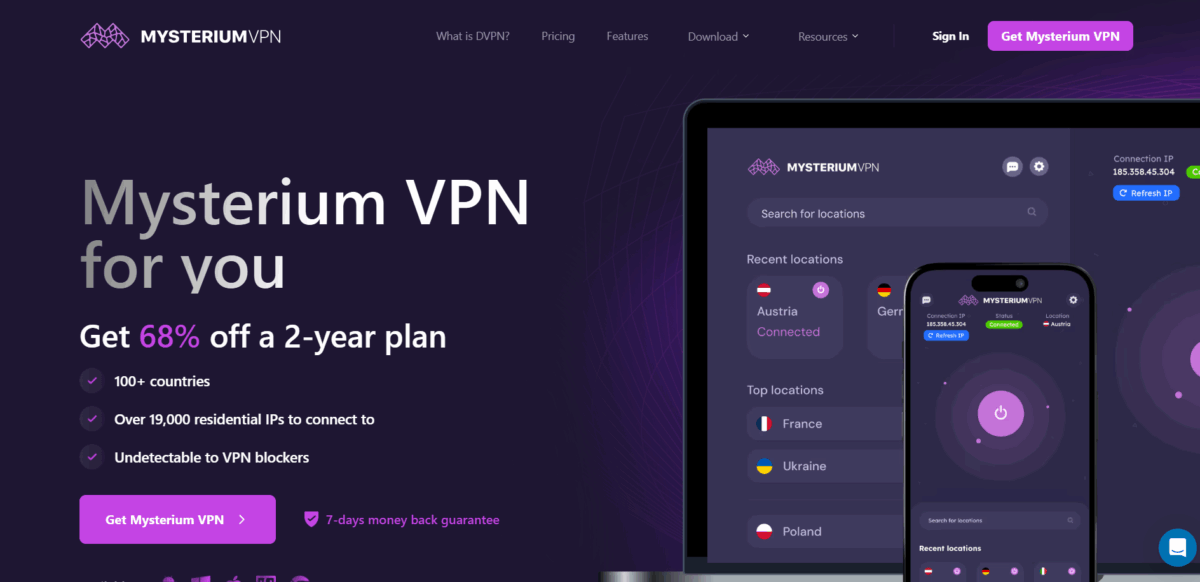
Mysterium VPN stands out with its decentralized, peer-to-peer network, offering enhanced privacy through residential IPs and a strict no-logs policy. However, its pay-as-you-go model and inconsistent speeds make it better for privacy-conscious users than those seeking reliable streaming access.
Security & Privacy Excellence
- No-Logs Policy: A decentralized, peer-to-peer network means logs are not stored centrally.
- Encryption: Uses AES-256 and WireGuard for secure connections.
- Protocols: WireGuard & OpenVPN.
- Decentralized Nodes: Unlike traditional VPNs, users connect to residential IPs, which may impact privacy.
- Kill Switch: Available, but it depends on the app implementation.
Speed and Unblocking
- Speed: Decent speeds due to residential IPs, but may fluctuate.
- Unblocking: Excels at unblocking Netflix, Hulu, and other streaming services due to residential IPs.
Streaming & Unblocking Capabilities
Mysterium VPN, being a decentralized P2P network, offers inconsistent unblocking results. Some residential nodes may work with streaming services, but there’s no guarantee. It’s more suited for privacy-focused users rather than those who need reliable access to geo-blocked content.
Device Compatibility & Usability
- Apps: Windows, macOS, Linux, Android.
- Simultaneous Connections: Depends on node availability.
- Ease of Use: More complex due to decentralized setup.
Pricing & Value
Mysterium VPN has a unique pay-as-you-go model, charging around $0.50 per GB, which can get expensive for heavy users. There’s no free plan or refund policy, so it’s best suited for those who need short-term, privacy-focused browsing rather than unlimited streaming or torrenting.
9. PrivateVPN
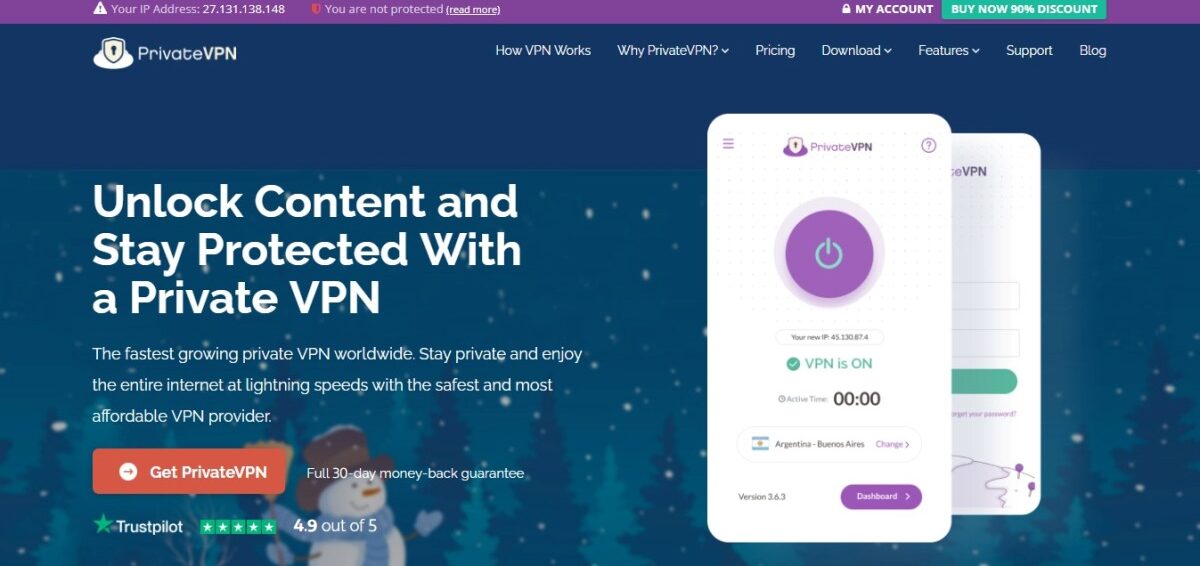
PrivateVPN is based in Sweden with an excellent web client as well as an application. You can connect the VPN to 6 simultaneous devices, which means you can use this VPN on your Android device, iOS device, Windows PC, Mac OS, and Linux. It is a proud VPN with 150 established servers in more than 60 different countries. This enables it to provide its users with high-speed internet up to 55 Mbps, which is more than enough if you want to indulge yourself in online games or simply download torrents.
Security & Privacy Excellence
PrivateVPN follows a strict zero-logs policy, which is very important for privacy. Although they are located in Sweden, a 14 Eyes country, their strict zero-logs policy stands strong, which considerably reduces that worry.
- Encryption: Uses AES-256 encryption.
- Protocols: Uses OpenVPN, L2TP, IKEv2, PPTP, and even has its own Stealth VPN mode (obfuscation) to get around deep packet inspection and blocks that some restrictive countries set up against VPN access.
- Kill Switch & DNS/IPv6 Leak Protection: All the necessary safety features are there and work well.
- Application Guard: You can close specific applications if and when the VPN drops, providing an additional security layer.
Speeds and Network
PrivateVPN has a small network of just 200+ servers in 63 countries, but can still achieve exceeding speeds, especially for optimal connections. It excels at streaming performance and torrenting. It consistently unblocks multiple Netflix libraries, Hulu, BBC iPlayer, and much more, making it one of our favorites for accessing geo-blocked content. The servers are well-optimized for P2P traffic, and the unlimited bandwidth and a strict no-logs policy allow for fast and secure torrenting.
Device Compatibility & Usability
PrivateVPN has easy-to-use apps for Windows, macOS, Android, and iOS. The user interface has fewer features than larger providers, but fewer (in simplicity) is more for many users. It also supports 10 simultaneous connections.
Pricing & Value
PrivateVPN is one of the best-valued premium VPNs in terms of pricing, especially on long-term plans. Considering its great streaming and torrenting performance at this price point, it’s an exceptional value. All plans also come with a 30-day money-back guarantee.
10. PureVPN
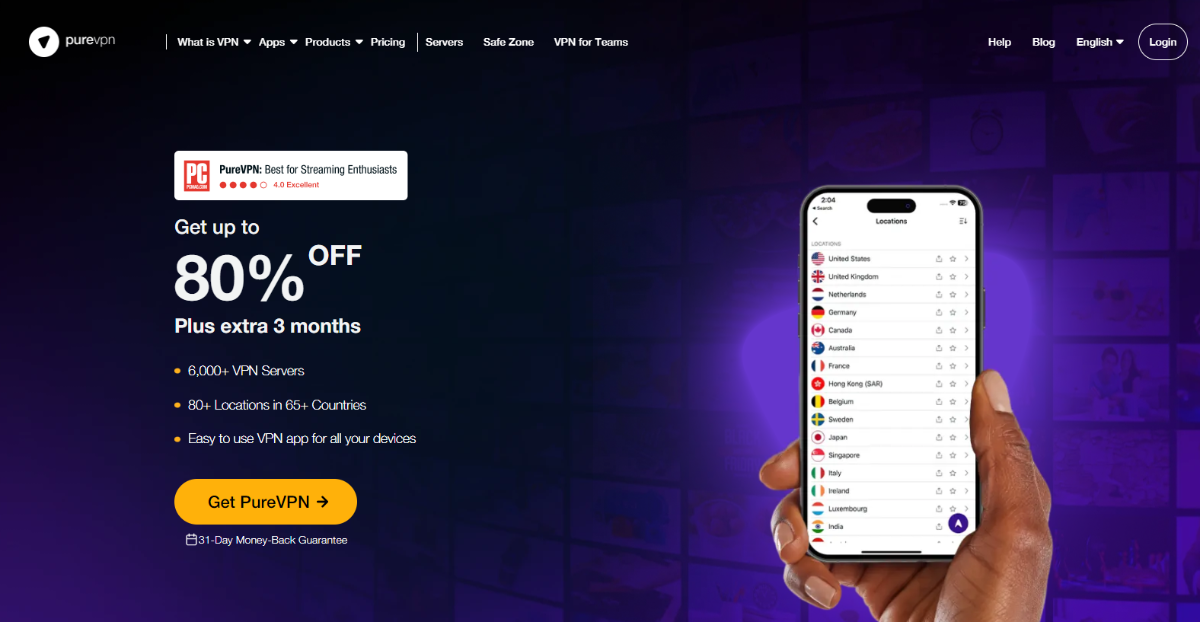
Based in the British Virgin Islands, PureVPN has made great progress in rebuilding trust and improving its service in the past few years. After a history of logging user data, the provider has implemented a strict no-logs policy that has been independently audited, solidifying it as a trustworthy service for user privacy. With a large server network and a great set of features, PureVPN is worth a look.
Security & Privacy Excellence
PureVPN has undergone a number of independent audits of its no-logs policy from both Altius IT and KPMG in the past. This adds credibility to the service, coupled with its British Virgin Islands jurisdiction, which certainly provides privacy.
- Encryption: AES-256 encryption.
- Protocols: OpenVPN, IKEv2, WireGuard, and L2TP/IPSec.
- Kill Switch & DNS Leak Protection: Standard features are in place.
- Quantum-Resistant Servers (Experimental): PureVPN has begun implementing quantum-resistant encryption on at least a portion of its servers in preparation for the future of quantum computing and its potentially devastating threat to our privacy.
- Obfuscation: Offers features to bypass VPN blocks.
Speeds and Network
PureVPN has a considerably large network of over 6,500 servers in 70 countries. Speeds are acceptable and not as fast as some top-tier providers in this guide. Our tests showed average performance, suitable for general browsing and SD/HD streaming. PureVPN caters to torrenting with P2P allowed on almost all of its servers, which means a fairly secure file-sharing experience, but not as much as PIA or PrivateVPN.
Unblocking Capabilities
PureVPN does a relatively decent job of unblocking streaming services and accessing multiple Netflix libraries and BBC iPlayer, along with other streaming services, making it a decent option for streaming-focused users.
Device Compatibility & Usability
PureVPN has user-friendly apps for Windows, macOS, Android, iOS, and several other platforms. It allows up to 10 simultaneous connections, which is a pretty decent amount for the majority of users.
Pricing & Value
PureVPN has some really aggressive pricing, particularly on its multi-year plans; it is generally one of the cheaper premium VPNs on the market. It also comes with a 31-day money-back guarantee.
11. TuxlerVPN

TuxlerVPN excels in unblocking geo-restricted content, thanks to its residential IPs that bypass streaming platforms like Netflix and Hulu. While powerful for streaming, its high cost, lack of mobile apps, and unclear privacy policies may deter some users.
Security & Privacy Excellence
- No-Logs Policy: Claims a no-logs policy, but no third-party audits.
- Encryption: AES-256 for secure tunneling.
- Protocols: OpenVPN & WireGuard.
- Residential IPs: Uses real residential IPs, which can be great for unblocking but raise privacy concerns.
- Kill Switch: Available but not as reliable as top-tier VPNs.
Speed and Unblocking
- Speed: Decent speeds due to residential IPs, but may fluctuate.
- Unblocking: Excels at unblocking Netflix, Hulu, and other streaming services due to residential IPs.
Streaming & Unblocking Capabilities
Tuxler VPN stands out as the best option for streaming, thanks to its residential IPs, which help bypass restrictions on platforms like Netflix, Hulu, and Disney+. However, speeds can vary depending on the node, and some services may still detect and block VPN traffic occasionally.
Device Compatibility & Usability
- Apps: Windows, macOS, browser extensions.
- Simultaneous Connections: Unlimited (but depends on plan).
- Ease of Use: User-friendly but limited to desktop.
Pricing & Value
Tuxler VPN is relatively pricey, with monthly plans starting at $7.99. It does offer a limited free version, but with slow speeds and restricted access. Since there’s no money-back guarantee, users must commit upfront, making it a less flexible choice compared to Total VPN.
12. AstrillVPN

AstrillVPN is a simple VPN provider that takes simplicity to a new level. Although it states it has security, with outdated features, fewer servers, and a lack of transparency, we find it less competitive with other VPNs on this list.
Security & Privacy Excellence
AstrillVPN claims it has a no-logs policy, but it shows no public audit and no information to account for this. A concern for a no-logs policy is based on jurisdiction, which also seems ambiguous, as it does not specifically state its jurisdiction.
- Encryption: Uses standard encryption, though details are not always clear.
- Protocols: Offers OpenVPN.
- Kill Switch: The availability and reliability of a kill switch vary by platform and are not very well advertised.
Speeds and Network
AstrillVPN has an extremely small network of 100+ servers located in a small number of countries (about 58). Consequently, this often leads to slower speeds, particularly at peak times or during a connection to a remote server. Our tests demonstrated quite a bit of speed loss, and overall, it wouldn’t be usable for any sort of heavy bandwidth-related concerns.
Unblocking Capabilities
AstrillVPN has a very poor chance of unblocking any geo-restricted content and streaming in general, due to its limited server network and no additional features. It is not a product you should consider if you’re planning on streaming content.
Device Compatibility & Usability
The VPN provides its users with basic apps for the most commonly used platforms – Windows, Android, and iOS. The apps provide basic usability – perhaps simplicity would be a better way to describe them, as they are rather basic in functionality. It generally supports a low number of simultaneous connections.
Pricing & Value
AstrillVPN’s pricing is relatively low, but given its very limited feature set and performance, the value is questionable. It usually offers a short money-back guarantee.
13. iProVPN
iProVPN is a VPN based in Gibraltar that is privacy-focused, with an emphasis on transparency and security. The company separates itself from the pack because it offers apps that are open-source and have periodic independent security audits, a decent option for the privacy enthusiast.
Security & Privacy Excellence
iProVPN takes the lead in terms of transparency and privacy. It has a strict, audited no-logs policy and is amongst the few providers to have open-sourced all clients’ apps.
- Encryption: Uses strong AES-256-GCM and ChaCha20 encryption.
- Protocols: OpenVPN and WireGuard.
- MultiHop: Has multi-hop connections for additional security, using two VPN servers to route your traffic.
- AntiTracker (MIE): Anti-ad/anti-tracker/malware blocking at the DNS level, which works much like PIA’s MACE or NordVPN’s Threat Protection.
- Kill Switch & DNS Leak Protection: Essential features that work flawlessly.
- Annual Audits: iProVPN periodically undergoes intensive security audits by third parties, with the results published for complete transparency.
Speeds and Network
iProVPN has a smaller network with just over 250 servers in 36+ countries. The speeds are consistent and reliable, although they aren’t the fastest on this list. iProVPN values security and reliability over speed, so it is suitable for secure browsing, email, and light streaming purposes.
Unblocking Capabilities
iProVPN is not really designed for streaming geo-restricted content, just like Mullvad, and so struggles with streaming services such as Netflix. It is focused on privacy and security, and not on unblocking entertainment.
Device Compatibility & Usability
iProVPN has attractive and well-made open-source apps for Windows, macOS, Linux, Android, and iOS. The interface is clean and offers great functionality. iProVPN offers various subscription tiers, and the standard plan supports 7 simultaneous connections, with the “Pro” plan offering 10 simultaneous connections.
Pricing & Value
iProVPN is more expensive than many competitors, especially as it has fewer servers in its network, and its apps are not designed for streaming. Nonetheless, the higher price tag does reflect its unique audited security and transparency. iProVPN offers a 30-day money-back guarantee.
14. AVG Secure VPN

AVG Secure VPN has often been a part of AVG’s wider cybersecurity suites. It provides basic VPN functionality for casual users, but not advanced features, speed, or unblocking consistency like fully-fledged VPN providers.
Security & Privacy Excellence
AVG Secure VPN is based in the US (5 Eyes Alliance), and its logging policy states it does not log user activity, but it has not been audited independently by a third party. Therefore, it cannot be adequately verified, which is a big strike against privacy.
- Encryption: AES-256 encryption.
- Protocols: Uses OpenVPN and L2TP/IPsec.
- Kill Switch: There is a basic kill switch to use on PC and Android, but it doesn’t perform as a similar kill switch to a top VPN.
- Ad Tracker Blocker: Includes a basic ad and tracker blocking feature.
Speeds and Network
AVG Secure VPN has a moderate network of over 1,500 servers in 30 countries. In general, its speeds are average, and it may fluctuate to the point of being unsuitable for bandwidth-heavy activities such as 4k streaming or serious gaming.
Unblocking Capabilities
AVG Secure VPN generally does poorly in unblocking leading streaming services. Many times, it is easily detected and blocked from popular services like Netflix. So, it is a poor choice if you need to bypass geo-restrictions.
Device Compatibility & Usability
It has simple, easy-to-use apps for Windows, Mac, Android, and iOS devices. Its overall ease of use is an advantage for beginners, especially if it comes with other AVG products. It supports up to 10 devices connected simultaneously, depending on the plan you choose.
Pricing & Value
Comparison Table: Best VPN Services for 2026
| VPN | Overall Rating (out of 10) | Privacy | Speed | Security | Streaming | User Exp. | Server Locs | Torrenting | Add. Features | Price (Longest Plan) |
| NordVPN | 9.5 | 9.0 | 9.5 | 9.2 | 9.5 | 9.0 | 7,000+ in 118 | Excellent | Threat Prot., Meshnet | $3.09/month |
| Surfshark | 8.8 | 8.7 | 9.1 | 8.3 | 9.0 | 8.5 | 3200+ in 100 | Good | Unlimited Devices, MultiHop | $2.19/month |
| ProtonVPN | 9.1 | 9.7 | 9.4 | 9.6 | 8.9 | 8.8 | 4800+ in 91 | Excellent | Secure Core, Free Plan | $4.99/month |
| Total VPN | 9.2 | 8.5 | 8.2 | 9.1 | 7.2 | 9.5 | 1800+servers in 80+ countries | Good | AES-256 encryption, split tunneling | $99/year |
| ExpressVPN | 9.3 | 9.2 | 9.7 | 8.6 | 9.9 | 9.9 | 3000+ in 105 | Very Good | Lightway, Smart Location | $6.67/month |
| Private Internet Access | 9.0 | 9.7 | 9.7 | 9.3 | 6.1 | 9.5 | 35,000+ in 91 | Excellent | MACE, Huge Network | $2.03/month |
| CyberGhost | 8.5 | 8.5 | 8.8 | 8.0 | 8.7 | 8.9 | 11,500+ in 100 | Good | Optimized Servers | $2.03/month |
| Mysterium VPN | 8.0 | 8.2 | 8.0 | 7.5 | 8.7 | 7.9 | 20,000+ servers in 135+ countries | Good | A kill switch, split tunneling | $3.19/month |
| PrivateVPN | 7.9 | 8.0 | 7.5 | 8.5 | 8.8 | 7.8 | 200+ in 63 | Excellent | Stealth VPN | $2.00/month |
| PureVPN | 7.2 | 7.0 | 7.0 | 7.5 | 8.0 | 7.0 | 6500+ in 70 | Decent | Quantum-Resistant | $1.99/month |
| Tuxler VPN | 8.3 | 8.2 | 8.5 | 8.1 | 7.5 | 8.0 | 2400+ in 55 | Good | Unlimited Devices | $2.99/month |
| AstrillVPN | 7.5 | 9.9 | 8.0 | 9.8 | 5.0 | 7.0 | 100+ in 58 | Excellent | Account Number, Audited | $5.00/month |
| iProVPN | 7.0 | 9.5 | 6.8 | 9.0 | 4.0 | 6.5 | 250+ in over 36 | Fair | MultiHop, AntiTracker | $6.00/month |
| AVG Secure VPN | 6.5 | 6.0 | 6.5 | 6.0 | 5.0 | 7.0 | 1500+ in 30 | Poor | Bundled Security | $4.99/month |
Why Trust Our VPN Recommendations?
In adjusting to a more globalized but monitored world, finding an appropriate VPN is highly important. Many online reviews about VPNs are biased, commercialized, or simply don’t offer the required technical details necessary for the proper evaluation of a VPN. Our approach is different.
We take a multi-dimensional approach to evaluate each VPN and ensure our recommendations are based on real performance from a technical understanding of its security status:
- Hands-on Speed Testing: We perform speed testing on the VPNs across various global server locations/regions and at different times of the day. We use diverse protocols, such as WireGuard/NordLynx, OpenVPN, and IKEv2 protocol, each, after doing download, upload, and latency impact testing on a given stable connection. This way, we get real-world performance testing and not just theoretical maximums.
- Security & Privacy Audits: We dig deeply into each VPN’s privacy documentation and look for clarity around no-logs. We thrive on services that have had independent third-party audits of their log practices and of their security link, like Deloitte or PwC. We consider the presence of critical features, kill switches, DNS/IPv6 leak protection, and others, alongside the proper workings of strong encryption (AES-256, ChaCha20).
- Streaming and Unblocking Capabilities: We put each VPN to the test with popular streaming services, including Netflix (various regional libraries), BBC iPlayer, Disney+, Hulu, and Amazon Prime Video. We constantly look at the consistency and reliability they show in bypassing geo-restrictions.
- Torrenting (P2P) Testing: We look at how well the P2P works in ensuring security and anonymous file sharing. Are there dedicated torrenting servers? Fast speed? Privacy features?
- User Experience and Device Compatibility: We evaluate the VPN from ease of installation to the use of their applications across different platforms (such as Windows, macOS, Android, iOS, Linux, routers, and smart TVs) as well as their customer service, such as 24/7 live chat.
- Feature Set Tests: We look at features that are unique and advanced to each VPN, such as split tunneling, MultiHop/Double VPN, obfuscation, ad-blockers, and specialty servers.
- Pricing and Value Analysis: What is the price structure? Should you consider a long-term plan? Will the money-back guarantee be worth the features and functionality it provides?
We fully commit to providing you with honest, open, and unbiased perspectives so that you can find the VPN that meets your specific privacy, security, and online freedom needs for the year.
How to Choose the Best VPN for Your Needs in 2026
The right VPN is very much dependent on your needs. To make sure you get the VPN that is right for you, consider the following key areas:
1. Identify Your Primary Use Case:
- Streaming: If streaming content across geo-restricted platforms like Netflix, BBC iPlayer, and Disney+ is most important to you, select a VPN with a strong track record of overcoming strong firewalls and with servers located in the applicable countries. Check our “Streaming” score in the comparison table and concentrate on NordVPN, ExpressVPN, Surfshark, and PrivateVPN.
- Torrenting (P2P): If you need to securely share files online quickly, and that includes torrenting, pick a VPN that has dedicated P2P servers, a strong no-logs policy, and a strong kill switch. Please refer to the “Torrenting” score in our comparison table for PIA, Total VPN, ProtonVPN, NordVPN, and PrivateVPN, which are great choices.
- Privacy & Security: If your primary focus is to keep sensitive data safe and limit as much online exposure as possible, consider a VPN with an independent, audited, no-logs policy, strong encryption (i.e., AES-256), robust protocols (WireGuard, OpenVPN), DNS/IPv6 leak protection, and a reliable kill switch. Review the “Privacy” and “Security” scores in our chart. ProtonVPN, Mullvad, NordVPN, ExpressVPN, and iProVPN score high in these areas.
- Gaming: Latency and speed are obviously very important to gamers. Look for VPNs with nearby server locations to minimize latency and use faster protocols. Check for “Speed” grades. The three that come to mind are ExpressVPN, NordVPN, and ProtonVPN.
- Bypassing Censorship: If you’re in a country with strict internet censorship, look for VPNs with obfuscation technology (for example, NordVPN’s Obfuscated Servers, Surfshark’s Camouflage Mode, ProtonVPN’s Stealth protocol, PrivateVPN’s Stealth VPN).
2. Server Network Size & Location
A wide range of server locations is a good indicator of worldwide presence and is significant when it comes to speed and unblocking. Make sure the VPN covers the particular countries/regions you will be connecting to for unblocking or privacy. You can get an overview of this in our “Server Locations” column. VPNs with larger server networks (like NordVPN, PIA, CyberGhost) usually mean less congested servers as well.
3. Simultaneous Connections
If you’ll need to protect a number of devices (smartphones, desktops/laptops, smart TVs, routers), make sure you choose a provider with a high number of simultaneous connections permitted. Surfshark and IPVanish allow unlimited connections, while a number of providers typically have allowed 5-10 simultaneous devices per plan.
4. User-Friendliness & Customer Support:
An easy-to-use interface on all platforms is a great treasure for many users. There is nothing like a great user experience for VPN newcomers. There are many VPNs with some of the best customer support in the industry, having 24/7 live chat, guides, and responsive support through email. Our write-up on “User experience” will assist you in finding the right VPN. Also, ExpressVPN, NordVPN, and CyberGhost offer very good user experiences.
5. Price & Value
Cost is an important factor for anyone looking for a VPN, but we prefer you to put functionality first. Our list of VPNs has some of the best value offers. You don’t only have to pay what you think is a good price for the level of protection a VPN provides.
Consider the prices of longer than monthly plans, as they usually offer better monthly rates. Another option could be free trials or a money-back guarantee. That would allow you to try the service for a month or so for free before making a real commitment.
Frequently Asked Questions
Is It Illegal to Use a VPN in 2026?
No. Using a VPN is legal in almost every developed country in the world. It is a proper online privacy and security tool. However, it is important to remember you are still subject to the laws of your country, and you still cannot use the VPN to do illegal things. In a few very restrictive countries (China, Russia, Iran, and North Korea), using a VPN is prohibited or highly restricted. We recommend always checking local laws when visiting these places.
How to Use a VPN in 2026
Most VPNs are very easy to configure, usually with only a few clicks. The general procedure is as follows:
– Choose a VPN provider from our list and subscribe on their website.
– Download and install the VPN on your device (computer, smartphone, tablet, etc.).
– Log in to the application with your credentials.
– Select a server location of your choice from the list in the application.
– Click the “Connect” button. Your internet traffic will now be encrypted and routed through the VPN server.
Will My Speed Be Compromised for Better Security with A VPN?
Since all VPNs encrypt your web traffic and route it through a server, they impose some connection speed overhead. But it is usually negligible, especially if you subscribe to a reputable top-tier VPN (like the ones listed here). A reputable top-tier has advanced protocols for their apps (e.g., WireGuard/NordLynx, Lightway) and their server networks with approximate locations for their respective servers, resulting in any real speed gap that will be negligible for general browsing, streaming, and even gaming.
If you are experiencing extreme slowdowns, try another server or switch to another VPN protocol within the app. In some cases, your ISP may be throttling speeds, so using a VPN can help resolve this and, in effect, improve your effective speeds.
Can I use a free VPN? Are they safe?
Yes, there are free VPN services. However, we do not normally recommend them for serious privacy or security purposes. Most free VPN services have data and speed limitations, ugly and invasive ads, and very limited (or few) servers. Even more importantly, many free VPN services have been caught logging data, injecting malware, or leaking their users’ active IP addresses. This defeats the purpose of the privacy they were selling.
ProtonVPN Free Tier is a notable exception and offers unlimited data and a better privacy policy than other free VPNs, but it still has limitations compared to paid VPNs. We recommend using a paid VPN service, and many have cheaper long-term plans, or even offer money-back guarantee policies.
What is a “Kill Switch” and why is it important?
A Kill Switch is an automatic security safety option for your device when using a VPN service. It disconnects your device from the internet if your VPN connection is dropped unexpectedly. The benefit of a Kill Switch is that it will prevent your real IP or unencrypted data from being exposed, even for a matter of seconds, and protect your anonymity and privacy. Kill Switches act as a fail-safe against accidental data leaks.
What is a “No-Logs Policy”?
A “No-Logs Policy” means that the VPN provider does not log and therefore store any identifiable data about your use or activities online. This refers to all activity on the VPN, such as your browsing history, connection timestamps, IP address, or bandwidth usage. This is vital for privacy, and we seek out VPNs with independently verified no-logs policies to ensure their claims can be substantiated.
In Summary, the best VPNs in 2026 are;
| Rating | VPN Service | Get Offer |
|---|---|---|
| #1 Top Rated#1 | NordVPN - #1 VPN in the industry | FREE Trial |
| #2 Top Rated#2 | Surfshark - top budget VPN | Start Now |
| #3 Top Rated#3 | Proton VPN - best free VPN | Start Now |









