


BEST VPN SERVICES



CyberGhost VPN positions itself as a user-friendly privacy tool with one of the best money-back guarantees in the business. They offer a large worldwide fleet of VPN servers in more than 100 countries and 125 locations, making them one of the few worthwhile options in an increasingly saturated VPN industry. And don’t forget about that 45-day money-back guarantee. It beats the competitors’ 30-day guarantee by a long shot!
But here’s the kicker that makes CyberGhost interesting—they’re owned by Kape Technologies, which also owns Private Internet Access (PIA) and ZenMate. Not that this is bad news, but you definitely want to be aware of corporate consolidation in the VPN space if you care about privacy. The company has built a reputation for being easy to use while also offering solid security features, like military-grade AES-256 encryption, WireGuard protocol, and specialized servers for streaming, gaming, and torrenting.
They’ve also had independent security audits, which is always a good thing when you’re trusting a company with your digital privacy. So what’s the real story with CyberGhost in 2026? We put their service through rigorous testing on multiple metrics that should matter to paying customers. We mean real speed tests from a variety of locations, real attempts to stream on the big platforms, a thorough security leak test, if that helps, and digging deep into features that could make or break your VPN experience.
No marketing fluff, no affiliate-driven bias—just honest analysis of what works, what doesn’t, and who should consider using this service.
CyberGhost at a Glance

CyberGhost has expressed flexibility since 2011, so they should have some street cred in a crowded field of newcomers making big promises. They started in Romania (with a supportive privacy regime), and since that time, they have built themselves into a larger VPN provider in the world. So what sets them apart? They have made a significant commitment to user experience in a way that counts.
Rather than just presenting you with a bunch of server locations, each of which would perform identically, they separate their network into categories that are built for a purpose. Want to stream Netflix? There are servers specifically optimized for just that. Going to torrent? They have servers specifically dedicated to P2P. Need low latency for gaming? Yes, too. The company’s approach is refreshingly honest, as compared to other VPN products that want to claim to be the best at everything.
CyberGhost understands that its users may have different needs, so it sets their application up for that. Their app is designed mostly for beginners, although they do provide some advanced features for the more tech-savvy user. Without a doubt, CyberGhost isn’t claiming to be the fastest VPN. Instead, it prioritizes reliability, consistency, and ensuring its features do what they say they do. What a practical approach in a market filled with exaggerated marketing claims!
CyberGhost Review 2026: In-depth

Cyberghost is unexpectedly altering its services. If you ask them what happened and why a certain website stopped working, they will likely say it’s not their fault and that you can forget about using a VPN ever again. However, the reality is that other businesses can do the job just fine. Overall, it’s a mixed bag, and it seems like they won’t be able to do much about the refund. To resolve these problems, we advise switching to NordVPN.
In this review, we’ll check out the service’s performance on a range of metrics that actually matter to paying customers. Security, privacy, speed, efficacy, cost, accessibility, and support are only some of the bare minimums that must be met.
Data Collection
CyberGhost, like virtually any VPN service, logs some information for internal purposes but promises not to record things like server locations visited, data transmitted, or connection timestamps. However, as with any VPN, it is practically impossible to confirm or refute the company’s no-logs guarantee. However, in an apparent effort to maintain the company’s restriction of 7 devices simultaneously per account, CyberGhost does collect specific user hardware data.
Security and Privacy

Let’s leave out the sales chatter and look at what CyberGhost really does to protect your data.
Encryption
CyberGhost uses AES-256 encryption, which is the same standard used by military and financial institutions worldwide. This is not just a marketing account – it is uncrackable using current technology. CyberGhost uses three VPN protocols, and all of them serve different purposes.
- WireGuard: The newest VPN protocol is WireGuard, which usually works the best for speed and security. WireGuard is built on modern cryptographic principles and is efficient on mobile devices and computers.
- OpenVPN: OpenVPN is the oldest and most tested protocol, and it has robust security and great compatibility with devices and networks.
- IKEv2: IKEv2 is great when you’re on mobile and switching between Wi-Fi and cellular data.
No-Logs Policy
CyberGhost’s no-logs policy is not just a promise – it was independently verified. In 2022, Deloitte conducted a comprehensive audit of CyberGhost’s systems, and the outcome? The company does not monitor, record, or store any information that could identify you when you use the internet. In other words, no browsing history, no connection timestamps, no bandwidth measurements, no logging of your real IP address.
What type of Information do they gather? The bare minimum. CyberGhost logs anonymous connection attempts for server availability and troubleshooting purposes. It has also retained aggregated statistics about usage to control server load, but is it monitoring individual users? It doesn’t.
RAM-Only Servers
CyberGhost is even shifting more and more of its servers to a RAM-only configuration, which means nothing is ever written to a hard drive. When a server reboots, everything is disposed of. This is like a computer that forgets everything each time it powers on—great for privacy, terrible for data retention.
Kill Switch
The kill switch performed exactly as expected. When we forcibly disconnected the VPN connection in the middle of downloading a large file, all internet traffic came to an immediate stop. Your real IP address is never leaked, and your connection is only reinstated after the VPN tunnel is reconnected. On most platforms, you can toggle this feature on or off, but there are some mobile apps that have it permanently enabled for maximum protection.
DNS Leak Guard
DNS leak protection comes standard in all their apps, so we tested it, and it works as expected. When connected to CyberGhost servers, all DNS requests are sent through their own secured DNS servers, and your ISP cannot see you attempting to access the websites.
Server Network
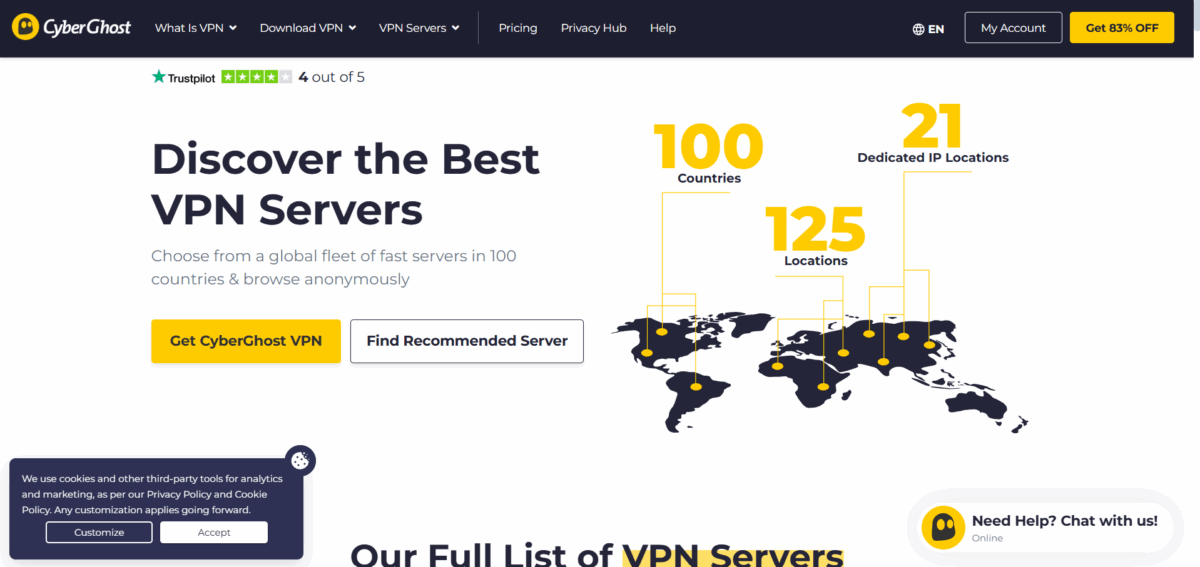
CyberGhost has a large server fleet, potentially reaching over 11,700 servers in 100 countries. No wonder it has a top-tier rating. The numbers say it all. Plus, we can’t ignore how they set up the network to accommodate users’ different needs, rather than just making it a number. For example, CyberGhost is very specific about which servers are optimized for streaming, and the servers are labeled for what platform they support.
When looking for a Netflix US server, you no longer have to guess which will work, as there are dedicated servers that have been marked for your choice. The same holds for BBC iPlayer, Disney+, Hulu, and many others. CyberGhost servers minimize the boring back and forth of “trial and error,” commonly found with a lot of VPN users. For those who love torrenting, the service will give these servers a designation as P2P servers.
These are not just regular servers with a different label, because these servers are optimized for peer-to-peer traffic, and are conveniently in countries where torrenting is considered legal behaviour. You can also look at how busy the servers are and how far you are from the server, which will contribute to your server selection. Gaming servers work to optimize against latency, rather than maximize download speeds.
While no VPN can completely remove the ping increase you get from sending your connection through another server, CyberGhost’s gaming servers generally only added 10-15 milliseconds of latency in our tests. That is typically so low that most online games would never notice. The NoSpy servers are worth mentioning. These are premium servers located at CyberGhost’s Romanian headquarters that their team fully owns and operates without third-party involvement.
Therefore, they give users who require confidentiality and security that extra layer when sending especially sensitive data, only at an additional cost. Performance of the servers is going to vary by location, which we expected. Locally hosted servers typically delivered 85-90% of our baseline internet speed benchmarks, which is absolutely brilliant. The European servers managed about 70-80% of our original speeds, and then the Asian and Australian connections dropped to around only 50-60% of baseline speeds.
These numbers are comparable to most other large VPN providers, but don’t quite provide the best of the bunch. One downside that stands out is the availability of the servers during peak times. The popular streaming servers can experience slow speeds from congestion, or you may be unable to connect to them at all. CyberGhost has also been extending its networks, so it may not apply to you, but it’s worth considering if you are in a region where they have limited server options.
Speed and Performance

Speed testing VPNs is more nuanced than just running one test and calling it a day! We have smoothed out the performance picture of CyberGhost by testing across multiple servers, protocols, and times of day. Our baseline connection had download speeds of 500 Mbps and upload speeds of 50 Mbps. Here is what we found across several different server locations using the WireGuard protocol, which generally performed the best.
When connecting to locations within the local area, our speeds were still fantastic, regularly achieving download speeds around 420-450 Mbps. That is about 85 – 90% of our original connection speed, which is remarkable for a VPN. Our upload speed was around 40-45 Mbps, and our latency was around 15 – 25 milliseconds. When connecting to the US East Coast from the European location, we were getting around 320-350 Mbps download speeds, with 25-30 Mbps upload speeds.
The latency increased to 90-110 milliseconds, which is not unexpected given the distance, but still perfectly usable for streaming and everyday browsing experiences. When connected to UK servers, we noticed that the download speeds were really similar at 340-370 Mbps, although our upload speed was a little lower at 28-35 Mbps, and the latency was a reasonable 80-100 milliseconds, which made them a great option for accessing UK content.
Lastly, connecting to German servers from our European hotel, we found even better performance; their download speeds were around 360-390 Mbps, and their uploads were reasonable as well! These servers are especially helpful for users who want both protection and speed, especially given Germany’s strong data laws. For long-distance connections, there was somewhat more variation.
In general, Australian servers were able to get download speeds in the range of 180-220 Mbps, which is perfectly fine for 4K streaming, though a more significant reduction in speed. Asian servers were performing similarly, seeing downloads of between 160-200 Mbps, depending on the location and load on the server. The OpenVPN protocol, to be more secure in some technical detail, produced slower download speeds across all server connections.
In general, download speeds were around 20-30% less than WireGuard, although still perfectly fine for most purposes. IKEv2 worked well on mobile devices, but we did not have it on hand to test on a desktop. During peak hour, there was quite a lot of variation by service popularity. Logically, streaming-optimised servers recorded more problematic connections during their evening hours, which would add another 20-30% drop in some cases in speed. Some services recorded a more stable performance throughout the day, as they were less popular.
Streaming Support

Streaming is an area where many VPNs promise the world but fail to deliver. CyberGhost cuts through the confusion and delineates which servers work with which services so upfront you know if their service is going to work for you or not, and they mostly come through on their claims. Netflix is the ultimate goal of all streaming unblocking, and in this respect, CyberGhost delivers.
They have dedicated Netflix servers, and we were able to access US, UK, Canadian, and several European libraries without fail during testing. The connection process is simple enough; just select a server labelled for Netflix in each region you want to access, connect to the server, and begin using the service. We saw only minimal buffering when connected to the Netflix servers, and on all occasions, we had consistently high-quality video even in busy viewing times.
BBC iPlayer certainly presented more of a challenge, as it usually does for VPN providers as well. CyberGhost’s UK servers worked roughly 70% of the time in our testing, with the occasional detection of it requiring a switch to a new server. Where the connections did work, streaming quality was excellent with only minimal buffer times. So CyberGhost can access BBC iPlayer some of the time.
We found access to Disney+ consistently across multiple territories. We were able to access the US, UK, and Canadian Disney+ libraries through the dedicated servers with very little trouble. The service was able to handle 4K content pretty well, although there were occasionally longer initial load times relative to direct connections. For Amazon Prime Video, it was more of a mixed bag based on specific content.
Original Prime content usually had no issues, but with licensed content that is subject to regional constraints, we occasionally received proxy detection errors. This is probably more a reflection of Amazon’s methods for finding proxies than limitations of CyberGhost. The other US services, including Hulu and HBO Max, were consistently reliable with several American servers.
With the less mainstream platforms, the results were more varied, which is not unexpected considering CyberGhost optimizes its service for the most popular streaming services. There is one practical benefit to CyberGhost’s approach, and that is transparency. Rather than big claims backed with small print disclaimers for access to all streaming services, CyberGhost clearly labels where users can connect to which service.
This reduces the need to guess and helps to temper the frustration when connections fail to work. The downside of having specialized streaming servers is that they may be overused (e.g., during peak times), and connections may become sluggish or fail altogether. It can be important if users have some kind of backup from which they can access the same services consistently.
Torrenting

Overall, CyberGhost has a very intuitive process for torrenting with its VPN, as opposed to some of the other VPNs, which hardly recognize the existence of P2P traffic. The company provides multiple P2P-capable service locations across many countries that allow torrenting. There is very little involved in getting the torrenting going with CyberGhost. The app marks P2P servers well, and you can filter to show certain locations, load, or distance to your current location.
When connecting, the VPN will encapsulate your BitTorrent traffic automatically while still providing excellent speeds for all other online use. During our torrenting tests, we used a fairly popular Linux distribution to consider performance in a real-world manner. Our BitTorrent client had download speeds around 12 MB/s when we were not connected to the VPN. When connecting to the closest CyberGhost P2P server, geographic distance and applying the VPN, our speeds dropped to approximately 9-10 MB/s, which is 80% of the originating speed.
When testing from more distant locations, we experienced a greater drop in speed, even with international P2P servers; we found our speeds were 6-8 MB/s. Upload speeds remained consistently strong across all P2P servers, which is very important to the general ratios you maintain on private trackers. The service performs well with multiple concurrent torrents without any significant drop in performance. CyberGhost’s kill switch is a great asset for torrenting, and when we intentionally disconnected the VPN connection while we downloaded, we noticed that all torrent traffic stopped immediately.
Regular internet connection showed no signs of data leaking, and once the VPN tunnel was reestablished, the torrents resurfaced. This was exactly the performance torrenters needed when trying to maintain privacy. One thing to note is that CyberGhost does not support port forwarding. Port forwarding can improve download speeds and connectivity on certain torrent configurations; however, the lack of this feature will not have a significant impact on performance for the majority of users.
One could argue that the security risks of exposing forwarded ports are a lot more concerning than a few extra seconds of download speeds. Geographic restrictions do apply to P2P traffic. What this means is that some servers located in countries with strict anti-piracy legislation do not permit torrenting, meaning it is likely that servers in Australia, Russia, and some servers in Asia will be blocking or redirecting P2P traffic. The app makes this clear, so you’re not left in a surprise.
CyberGhost Key Features
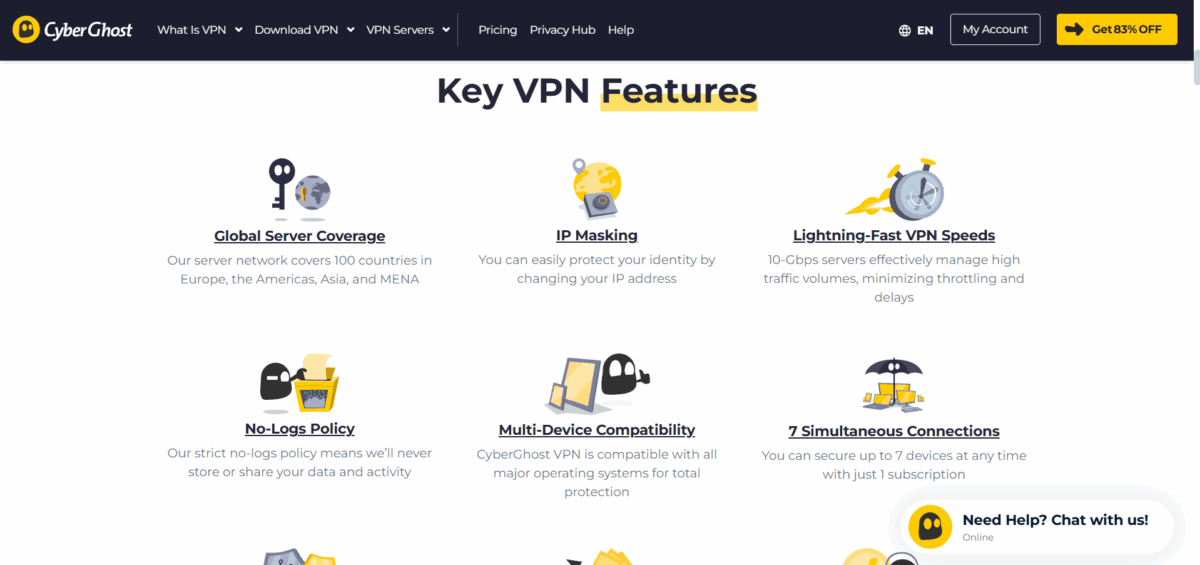
CyberGhost does include other features that are useful beyond typical VPN use. And you will see that the way they function operationally will greatly influence your overall experience with CyberGhost.
Split Tunneling
Using the split tunneling feature, you can control which applications and websites route through the VPN. When using Android, an individual app can be bypassed altogether. This could be convenient for banking apps, as many may block VPN connections. It can also help with local services where you do not necessarily want to enforce privacy protection.
Windows handles split tunneling differently, as we will see – we do not select “applications” to route through the VPN in Windows, but rather “websites” using the Smart Rules functionality, which we specify using the exceptions list. You simply add the URLs of the websites you would like to bypass the VPN tunnel.
Malware Protection and Ad Blocker
The malware protection component blocked access to known malicious domains in our testing. So, no matter the form they take, CyberGhost can detect and knock them off. It operates at the network level and blocks ads, trackers, and malicious websites before they arrive at your device, not just in the browser.
Unlike ad blocker browser extensions, this feature is applied to all applications using the Internet connection. The effectiveness of the capability will depend on the method used for advertising. Standard banner ads and tracking scripts are blocked very well. More dynamic advertising may not be blocked as well.
Dedicated IP
The dedicated IP function solves a long-running frustration with VPNs, when using shared IP addresses all the time results in repeated CAPTCHAs or blocks on websites. With a dedicated IP address, you’ll have a unique address that other people aren’t using, reducing the chance that a website security system will report you as a problem. The drawback to a dedicated IP is that you reduce your anonymity (the IP address will be tied to your account), but since CyberGhost doesn’t log any of your activity, you’re still protected even with a dedicated IP.
WiFi Protection
WiFi protection will automatically connect to the VPN whenever you connect to an untrusted network. With WiFi protection, you can configure the application to mark home and work networks as trusted and have it automatically protect your connection for public WiFi connections. The feature runs in the background and doesn’t require you to do anything to enable the protection mechanism each time you connect to a different network.
Smart Rules
The Smart Rules system will allow you to create rules that set automated actions based on a number of criteria. You can set the VPN to automatically connect when specific applications launch, to automatically disconnect when certain websites are visited, or to have different rules/ settings depending on your network location. The Smart Rules features help eliminate the need for manual management of your VPN experience.
Installation and User Experience
Navigating CyberGhost is easy; it’s much simpler than VPNs that can sometimes bombard new users with too many options. The entire process of getting set up takes just a few minutes and only requires the user to have a basic knowledge of computers and the internet. When creating an account, you’ll need to select a subscription and enter an email address. Payment is secured, and crypto is allowed for those who prioritize anonymity. The appropriate app will automatically download after creating an account.
CyberGhost knows what operating systems you use for your device and gives the appropriate installers. However, there is the option to manually select different platforms if needed. Installing the app follows the standard processes for each operating system; no special administrative rights or modifications to your system are required. When you first start the app, you will see a simple and appealing interface. No technical terms.
The main screen shows connection status and provides quick and easy access to a list of servers. Advanced features are hidden away in “settings menus,” but are accessible for users who want to use them. The server selection provides a good mix of simplicity and functionality. The default view lets you see servers by purpose, streaming, torrenting, or general use. If you prefer geographic organization, you can select a country-based view. The server health indicators help you to avoid overloaded or problematic connections.
On average, connecting to a server takes 10-15 seconds, and the app provides good feedback on connection status. The automatic server selection works well for those who do not have stringent geographic allowances or requirements, most often selecting the closest available servers based on performance characteristics. The mobile apps follow the same design ethos as the desktop and provide very familiar core functionality with more advanced features located in settings menus.
The Android app has additional features like app-specific split tunneling that are not available on other platforms. The consistency of the cross-platform user experience is excellent. Users who are familiar with the Windows app will be comfortable with the macOS and mobile versions immediately. Furthermore, the settings synchronize across devices while logged into the same account, meaning in a multiple-device scenario, there is minimal set-up time.
Customer Support

CyberGhost support is offered in various formats that are suitable for different types of inquiries and user styles. The level of quality and speed of responses depends on which channel is chosen and on the complexity of the inquiry. Live chat support is available 24/7 and usually provides the quickest resolution for basic questions. Normally, we would see response times up to two minutes, and the support agents are usually knowledgeable about the features of our services or quick troubleshooting steps to resolve simple issues.
However, in some situations, highly technical inquiries may need to be escalated to one of our specialist teams, which may take more time, depending on the issue. Email support is designed for inquiries that require more deliberation, and/or for technical questions that require complex troubleshooting steps. Email response times vary, and usually fall between a 12-24 hour average – complex technical issues may take longer.
The overall quality and detail provided in the email is usually very good, and will usually include a full explanation, along with step-by-step instructions whenever relevant. The knowledge base includes comprehensive documentation covering everything from the installation of our software, troubleshooting of issues, and explanation of services and features. The search function works well, and the articles are regularly summarised and updated to reflect any software changes and new features.
Most of the basic inquiries and questions can likely be resolved through self-help resources and may not require direct support contact. Community forums are available for peer-to-peer inquiries and discussions around the service. While not officially monitored by CyberGhost staff, experienced users generally try to provide appropriate help and options. The forums can be very beneficial for advanced configuration questions and sharing optimization.
Support quality varies depending on the problem. Simple questions about server choices, billing, or basic troubleshooting will be quickly and accurately resolved. More complicated technical issues related to network configuration, application compatibility, or advanced features often require more than one ticket response to resolve. One of CyberGhost’s strengths is the staff’s willingness to work through problems doggedly.
Agents often do not resolve a ticket if they can keep working on it to find a resolution. They do not usually give a generic response like “We’re sorry this service doesn’t meet your needs.” They keep trying until it is resolved, or the issue is communicated as outside of service boundaries.
Pricing

CyberGhost’s pricing structure follows the standard VPN industry pattern—higher monthly costs with significant discounts for longer commitments. Their 45-day money-back guarantee allows for more flexibility than the 30-day guarantees from most of their competitors. The monthly subscription is split across different plans. This way, there’s flexibility in how users make their payment.
- 1-Month Plan: Sits at $12.99, which is billed monthly. It has a 14-day money-back offer.
- 2 Years + 2 Months: Costs $2.19 per month and is billed at $56.94 for the first 2 years. Afterwards, it’s billed every year.
- 6 Months: Costs $6.99 for every month and bills $41.94 per 6 months.
Both the 6-month and 2 years + 2months plan come with a 45-day money-back guarantee. While this cost may seem outrageous to casual users, all features are included without artificial limitations. Month-to-month subscriptions (which most providers do not provide) are great for those who require temporary privacy or simply want to test the service before committing to long-term plans.
This pricing point is competitive with other premium VPN services and provides good value considering the feature set and server network size. The Two-year plans further reduce costs to approximately $2.19 per month, a budget-friendly consideration while maintaining premium service quality. While users are required to make a larger upfront payment, users are rewarded for their longer commitment, which simply reflects good value for anyone proud of using a VPN.
Renewals are usually higher, so you want to be sure of the commitment you’re making for the long haul. These longer subscription options provide the most value for folks who are planning on using a VPN service regularly over time. The 45-day money-back guarantee applies to the longer subscriptions, so you would have sufficient time to test it out. Payment methods include standard credit cards, PayPal, and Bitcoin, which would be better for people who prioritize anonymity. The checkout process is simple; there are no hidden fees and no cancellation problems with automatic renewals.
CyberGhost vs Competitors: Head-to-Head Comparison
| Feature | CyberGhost | NordVPN | ExpressVPN | Surfshark |
| Monthly Price | $12.99 | $12.99 | $12.95 | $15.45 |
| Annual Price | $2.19/month | $4.99/month | $6.67/month | $2.79/month |
| Server Count | 11,700+ | 7,000+ | 3,000+ | 3,200+ |
| Countries | 100+ | 111 | 105 | 100+ |
| Money-Back Guarantee | 45 days | 30 days | 30 days | 30 days |
| Netflix Unblocking | Excellent | Excellent | Excellent | Excellent |
| Torrenting Support | Dedicated P2P servers | All servers | All servers | All servers |
| Kill Switch | Yes | Yes | Yes | Yes |
| WireGuard Protocol | Yes | Yes | Yes | Yes |
| Split Tunneling | Limited | Full | Full | Full |
| Independent Audit | Deloitte 2022 | PwC 2024 | Cure53 2024 | Cure53 2024 |
| Live Chat Support | 24/7 | 24/7 | 24/7 | 24/7 |
| Simultaneous Connections | 7 | 10 | 8 | Unlimited |
| Port Forwarding | No | No | No | Yes |
| Ad Blocker | Basic | Advanced | N/A | Advanced |
| Dedicated IP | Extra cost | Extra cost | N/A | Extra cost |
| Router Support | Yes | Yes | Yes | Yes |
Did you know?
CyberGhost provides the:
- Longest money-back guarantee (45-day period).
- Largest server network with clear categorization of its dedicated servers.
- Best value and pricing on yearly plans.
- A clear and simple stance on streaming and torrenting.
However,
- Surfshark allows unlimited simultaneous connections and port forwarding.
- NordVPN has the edge on the advanced security features and split tunneling.
- ExpressVPN has faster speeds on every server location.
- All major competitors surpass it in split tunneling capabilities.
CyberGhost is the winner in terms of generous trial period, user-friendly approach, and dedicated server organization. While it may not exceed all technical specifications, it provides solid value and stability for the needs of most users.
Who Should Use It?
CyberGhost serves best for specific types of users, and understanding if you’re in their target audience will help you assess if this service can answer your needs. If you’re a privacy-conscious beginner, you will appreciate their user-centric approach and design that avoids any possible distractions to security. CyberGhost is a user-centric service that mitigates the technical aspect of VPNs while designing robust encryption and privacy protections.
For new users to VPNs, CyberGhost allows you to start with basic functions and explore advanced features and services as you become familiar and learn more about the underlying technology. If you’re a streaming fanatic, then CyberGhost serves your needs with its assigned server categories and reliable access to the usual streaming platforms. Their assigned streaming servers are reliable and offer a great performance profile for the popular services, meaning there are no mysteries to face.
On the other hand, if you had a lesser-known or very local streaming platform requirement, you may find this service inadequate for coverage. If you are someone who torrents, you will also benefit from specially assigned P2P servers, and they are clear about their support for BitTorrent traffic to improve your experience. CyberGhost does not hide or discourage torrenting; it provides the right infrastructure for peers and puts us into the system as well.
The legal torrent user will appreciate the labelled server and geographic explanation, thus being compliant with local jurisdiction. For informal internet users who may be looking only for basic privacy protection, CyberGhost is priced well and offers a great value. The security features are configured automatically, and the service runs in the background, so your required interaction is minimal and your privacy is extensive. International travelers can take advantage of the extensive server network and robust streaming capabilities.
Having the ability to access home country content while overseas is an advantage, but those who visit heavily censored countries may have to rely on additional tools. CyberGhost is less accommodating to users who need advanced networking capabilities or highly customizable options. Those power users who require things like port forwarding, custom DNS configuration, or extensive connection management will likely find CyberGhost to be lacking in many ways.
Enterprise users, or those needing business-specific requirements, should consider alternatives. CyberGhost is targeting consumer markets and may not be able to offer enterprise-related management tools, dedicated support tiers, or any privacy compliance features relevant to businesses. Users who require varying degrees of protection in heavily censored areas may not be able to accommodate CyberGhost’s rapid obfuscation features. CyberGhost works in most countries, but areas where advanced detection systems for VPNs are required may need special tools that CyberGhost cannot provide.
So, is CyberGhost Worth It in 2026?

After extensive testing and analysis, CyberGhost emerges as a solid, user-friendly VPN service that delivers on most of its promises. It’s not perfect, and it’s not trying to be everything to everyone, but it excels in the areas that matter most to typical VPN users. The service’s greatest strength lies in its practical approach to VPN features. Instead of overwhelming users with dozens of technical options, CyberGhost focuses on making essential features work reliably.
Their server categorization system, straightforward apps, and transparent approach to streaming and torrenting support create a user experience that prioritizes function over flashiness. Security and privacy protections meet high standards with AES-256 encryption, independently audited no-logs policies, and reliable kill switch functionality. The Romanian jurisdiction provides favorable privacy laws, and the company’s transparency regarding data handling builds confidence in their privacy commitments.
Performance varies by use case but generally meets expectations. Streaming works reliably on major platforms, torrenting support is comprehensive and honest, and general browsing speeds remain usable across most server locations. The service isn’t the fastest VPN available, but it’s consistent and reliable. The 45-day money-back guarantee provides genuine value by allowing thorough testing across various use cases and network conditions.
This extended trial period demonstrates confidence in the service and reduces purchase risk for potential customers. Areas for improvement include server consistency during peak hours, advanced configuration options for power users, and geographic coverage in some regions. The parent company situation, while not necessarily problematic, adds a layer of corporate complexity that some users might prefer to avoid.
Regardless, CyberGhost represents good value for users seeking reliable privacy protection without technical complexity. The service works well for streaming, supports torrenting transparently, and provides user-friendly apps across all major platforms. While it may not be the cheapest or fastest VPN available, it offers a balanced combination of features, performance, and usability that serves most users’ needs effectively.
For users prioritizing simplicity, streaming access, and solid privacy protections, CyberGhost deserves serious consideration. The generous trial period allows risk-free evaluation, and the service delivers consistent performance across its core features. It’s a legitimate, well-established VPN provider that continues to evolve and improve its service offerings in 2026.
In Summary, the best VPNs in 2026 are;
| Rating | VPN Service | Get Offer |
|---|---|---|
| #1 Top Rated#1 | NordVPN - #1 VPN in the industry | FREE Trial |
| #2 Top Rated#2 | Surfshark - top budget VPN | Start Now |
| #3 Top Rated#3 | Proton VPN - best free VPN | Start Now |









