


Virtual Private Networks (VPNs) have become essential tools for online privacy and security in 2025. But not all users want to pay for a subscription. So, free VPNs tend to be the answer for people who want basic protection without, like, paying a dime. What a relief!
Not so fast. They have important caveats as well. These services typically subsidize their costs by selling web browsing data to advertisers or embedding malware. For example, Hola VPN sells your bandwidth, which means you could be legally bound when someone misuses your IP for illegal activities. So, why do people still go for free VPNs? Several reasons, often based on particular needs or situations.
At times, most people want online privacy and security but cannot afford to pay for subscription-based VPNs. They opt for free alternatives instead. Also, some people use the free service to access geo-restricted content in their current location. There’s no denying that these services make for a decent experience on the internet for its users, especially on-the-go. But the risks cannot be ignored.
To save your time, we have searched the market and put together a list of best free providers that can offer you the best internet experiences. Also, we emphasized important factors to consider before using any of the suggested services. So, tag along!
How to Use Free VPNs Safely
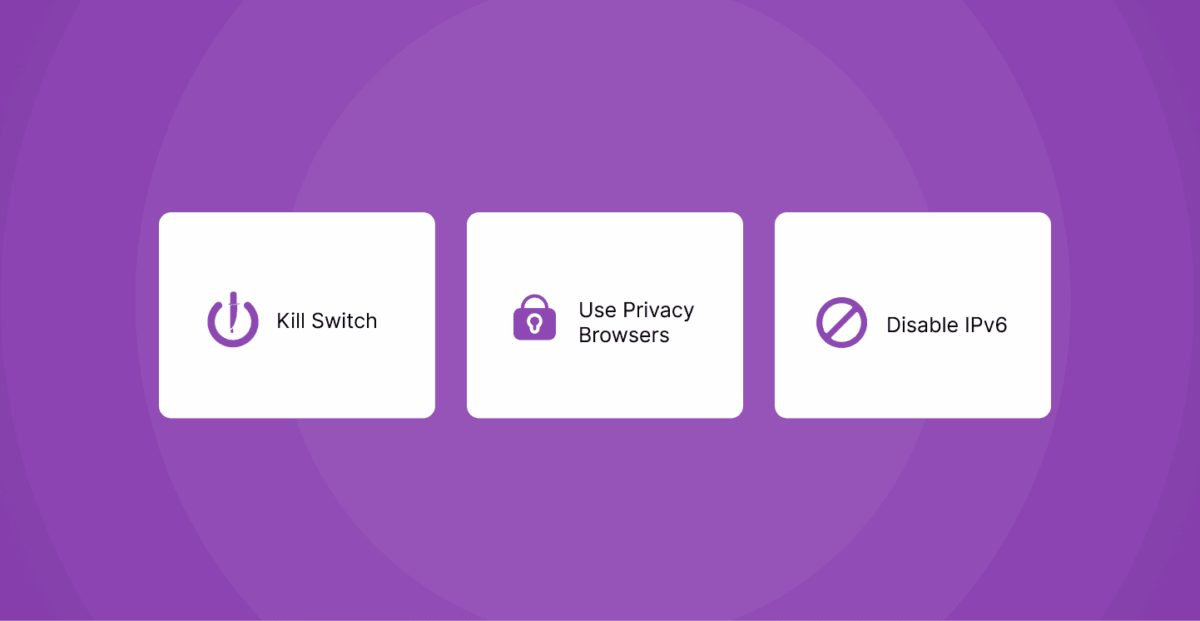
Here are some ways to use your preferred free virtual private network safely:
Enable the ‘Kill Switch’
A kill switch is a crucial security feature that automatically disconnects a user’s internet access if their VPN connection unexpectedly drops. This prevents the user’s real IP address and unencrypted data from being exposed to the internet in the event of a VPN failure. If a free VPN service offers a kill switch feature, then don’t hesitate to enable it. Several free VPNs, like ProtonVPN and PureVPN, come with this feature. So grab it!
Disable IPv6
Even when connected to a VPN, there is a potential risk of IPv6 leaks, which could expose a user’s real IP address. What to do? Manually disable IPv6 on your devices at the operating system level. The process varies depending on your operating system. On Windows, uncheck the “Internet Protocol Version 6 (TCP/IPv6)” option in the network adapter settings.
For macOS, configure your IPv6 to “Link-local only” or turn it off entirely in the network settings. This ensures that all internet traffic is routed through the VPN’s IPv4 connection, preventing potential leaks. While some VPNs, like ProtonVPN, block IPv6 traffic by default, manually disabling it at the system level provides an additional safeguard.
Use Privacy-Focused Browsers
Browsers like Brave, Tor Browser, and DuckDuckGo Browser offer built-in features such as ad blockers, tracker blockers, and enhanced privacy settings that can complement the protection offered by a VPN. These can help to prevent various forms of online tracking, such as cookie-based tracking and browser fingerprinting, which a VPN alone might not fully address.
While the incognito mode offered by most browsers provides some basic privacy by not storing browsing history locally, it does not hide the user’s IP address or encrypt their traffic like a VPN would. So, be sure to combine your freemium VPN with a privacy-focused browser for more enhanced online privacy and security.
Bonus Tip: Be Aware of the Permissions You Grant
When installing a free VPN application, always pay close attention to the permissions requested by the service. These apps, especially on mobile devices, might request access to a wide range of sensitive data, such as contacts, location, photos, and other personal information. Most times, these are necessary for the VPN to function. Granting overly broad permissions can expose you to potential data harvesting and misuse, even if the VPN connection itself is encrypted.
That said, only grant permissions that are essential for the VPN’s core functionality and be wary of apps that request access to information that seems unrelated to providing a VPN service. To be on the safe side, review the permissions before installation and periodically check the app’s permissions in the device settings.
Pros and Cons of Free VPNs
Pros
The most obvious advantage is that there are zero upfront costs associated with using a free VPN, which in general means basic online privacy tools become available to a wider audience. For individuals on a tight budget or those who only need them often, a free service might seem like a cheap solution.
Free VPNs can also be useful for short-term, temporary needs, such as briefly accessing geo-block material or granting a basic level of protection when using public Wi-Fi. In addition, free VPNs have also offered some users a chance to experience the fundamental features of a VPN service and determine its potential usefulness before committing to a paid VPN subscription. That lets them experience how a VPN works and whether it fulfills their basic needs without losing any money.
Cons
While this is initially attractive, the cons of the cost-free VPN products tend to far outweigh the limited benefits. One of the most critical limitations is the limited data and server options usually available from free providers. Slower connection speeds occur because when a server gets too busy with data requests, it can slow down your internet traffic when connecting to the server.
Also, this limitation can prevent a user from accessing content from certain geographical locations. Additionally, numerous free VPN services carry privacy concerns as they log and sell user data to third parties, which goes entirely against the reason behind using a VPN in the first place. Another common issue with free services is the absence of strong security features like reliable kill switches. They use weaker encryption protocols compared to paid services, putting the user’s device at risk of cyber threats.
Free VPNs can also compromise your browsing experience with intrusive advertisements and the risk of malware infections, as some providers resort to such monetization methods. And, since free VPNs are generally limited in terms of customer support, users have challenges to solve potential issues. Lastly, many free VPNs also generally fail to bypass the advanced geo-locks utilized by major streaming services such as Netflix, making them less useful for users trying to access more content.
Best Free VPN Sites & Services List in 2026

In today’s digital age, online privacy and security are more important than ever. Whether you’re looking to bypass geo-restrictions, protect your data on public Wi-Fi, or maintain anonymity, a reliable VPN is essential. While premium VPNs offer top-tier features, many free VPN services provide decent security without costing a dime. In this list, we’ve compiled the best free VPNs of 2025, along with affordable premium options for enhanced protection.
- NordVPN: High-speed, ultra-secure VPN with advanced encryption and a strict no-logs policy.
- Surfshark: Budget-friendly VPN with unlimited device connections and strong privacy features.
- Proton VPN: Trusted free VPN with unlimited data (on free plan) and strong Swiss privacy laws.
- Total VPN: User-friendly VPN with solid security and good streaming capabilities.
- ExpressVPN: Premium VPN known for blazing-fast speeds and reliable unblocking of restricted content.
1. Nord VPN
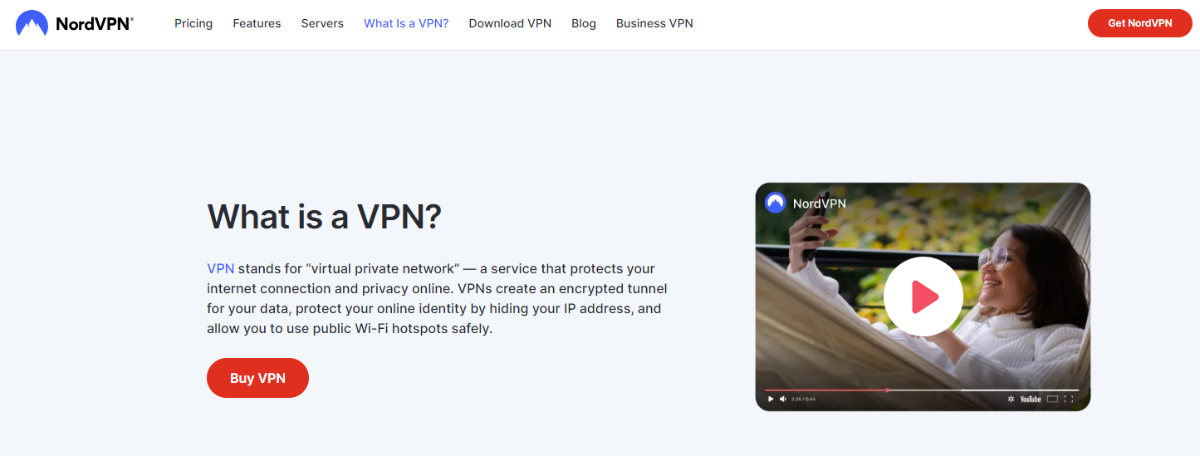
NordVPN primarily focuses on its premium VPN service and has no standard free plan for regular use. However, it offers a 30-day money-back guarantee, meaning you can try out its entire range of features without risk to yourself for a limited time. They offer an extensive network of over 7200 servers in over 118 countries. This means you can connect through a wide range of countries, even if you’re trying to access something that may have geographic restrictions.
AES-256 Encryption, one of the most secure encryption standards recommended even by security experts and governments for sensitive information. NordVPN also promotes a no-logs policy, claiming that it does not track user activities, despite some reporting of this by one source. NordVPN reviews its proprietary protocol, NordLynx, for better connection speeds. Additionally, their subscription plans grant users access to added functionality, such as Threat Protection Pro, which prevents malicious software and invasive trackers from hurting the browsing experience.
What’s more! With one NordVPN account, you can protect up to 10 different devices, making it suitable to secure all internet-connected devices in a household. However, NordVPN does not offer any kind of free-for-everyone plan for everyday users (free emergency access in some special, and limited, situations doesn’t count).
Key Features
- AES-256 with Double VPN and Onion Over VPN options.
- No-logs policy audited (Panama-based).
- 7,400+ servers in 110+ countries.
- NordLynx (WireGuard-based) protocol for better performance.
- Unblocks Netflix, Hulu, and BBC iPlayer and supports P2P.
- Blocks ads, malware, and trackers.
- 10 simultaneous connections.
2. Surfshark

Like NordVPN, Surfshark’s focus is on its paid VPN service, but it also offers a 30-day money-back guarantee. It also offers a 7-day free trial to anyone who downloads their app via Google Play Store or Apple App Store. This paid service also boasts a sizeable network with over 3200 servers in more than 100 countries, using a RAM-only infrastructure to improve privacy and security.
Surfshark uses AES-256 encryption, the industry standard, to safeguard user data. In fact, one of its unique features is offering support for unlimited simultaneous connections, so you can protect all of your devices under the same subscription. In addition, it provides CleanWeb, a functionality that prevents ad placements and malware from pigs on you for a more seamless and secure web browsing experience.
It also has a Kill Switch that ensures there are no data leaks if the VPN connection is dropped unexpectedly. For the more advanced users requiring more of a workaround, Surfshark also provides split tunneling (Bypasser), which allows you to select which apps or websites you would like routed through the VPN.
A definitive no-logs policy bolsters privacy, meaning user actions are never logged. They also offer features such as obfuscated servers (Camouflage Mode) to hide your VPN usage from your internet service provider. Though these features can be fully tested under a 7-day trial period, there is no free VPN plan available consistently; the trial period that allows for these features is time-sensitive.
Key Features
- Connect as many devices as you want.
- AES-256 encryption, CleanWeb (blocks ads & malware).
- Audited no-logs policy and RAM-only servers.
- Camouflage Mode hides VPN usage from ISPs.
- Works with Netflix, Disney+, and Amazon Prime.
- Budget-friendly long-term plans.
- MultiHop (Double VPN) provides extra privacy by routing through two servers.
3. Proton VPN

From the start, Proton VPN has kept online privacy as a human right, which is why it offers a truly free VPN plan. The free tier provides access to VPN servers in 5 countries, which gives you some geographical diversity. This connection is not extremely fast (medium speed), but basic browsing “light” should not have too many difficulties with this type of connection. The free plan allows a single VPN connection at a time, so on a free plan, the service can secure one device.
Proton also has a strict no-logs policy, meaning Proton VPN does not track or store the activities of its users. The free plan comes with unlimited bandwidth, which allows users to stream and browse without worrying about data limits. The free offering also includes crucial security provisions like DNS leak protection and a kill switch to uphold the user’s privacy and data integrity.
Proton VPN notes that it is funded by paid plans, and that since it has the means to offer a paid service, it is not forced to resort to the advertising revenue and user profile selling that some free VPN services do. An additional benefit of a free Proton VPN account is access to free versions of other privacy-oriented Proton services.
This ecosystem consists of Proton Mail, Proton Calendar, Proton Drive, and Proton Pass to provide a complete package for privacy-focused individuals. Either way, there are limits on server locations and simultaneous connections for the free plan compared with the payable subscriptions. Nevertheless, it offers a solid choice for users looking for a completely free VPN with unlimited bandwidth and a strong emphasis on privacy.
Key Features
- Strong no-logs policy under strict Swiss laws.
- The free plan has unlimited bandwidth (with limited servers).
- Route traffic through privacy-friendly countries.
- Optimized for streaming and torrenting.
- No-logs & open-source.
- Access Onion sites directly.
- Works with major streaming platforms.
4. Total VPN

TotalVPN does not claim to offer a standalone free VPN service, as per data gathered till October 2023. Rather, it’s included as a feature in TotalAV’s suite of all-encompassing security, which also features antivirus protection and an ad blocker. TotalAV also has a free version of its antivirus software. Unfortunately, the VPN feature, also known as the Safe Browsing VPN, is only available with a paid Total VPN subscription or TotalAV’s premium package.
The VPN allows paid browsing and prevents online browsing activities by offering encryption to hide on public Wi-Fi networks. Additionally, it allows users to reach geographically restricted sites and content, avoiding potential censorship or blocks. Paid subscriptions enable multi-device coverage so users can protect their laptops, desktops, smartphones, and tablets.
Its paid service gives you access to more than 50 superfast servers in 30+ countries all over the world. It supports OpenVPN and IKEv2 protocols, so users could potentially configure their connection for more privacy or better speeds. TotalAV has a 30-day money-back guarantee for its services. Since we’re not aware of any free plan that offers a VPN, those searching for a free vpn will probably be searching for a different provider.
Key Features
- AES-256 for secure browsing.
- No-logs policy.
- Unblocks popular platforms.
- Affordable pricing.
- Easy setup for beginners.
- Multiple locations for reliable connections.
5. ExpressVPN

As a premium user, ExpressVPN does not have a free VPN for regular use. Instead, they offer a 30-day money-back guarantee, which is essentially a risk-free trial period where users can get a taste of the full potential of their service. ExpressVPN provides a 30-day money-back guarantee, but it also has a 7-day free trial for mobile users (iOS and Android). This subscription service has thousands of servers across 105 countries and makes it easy for you to find a connection.
ExpressVPN is also one of the fastest options around, so you should have no trouble streaming or downloading bandwidth-heavy content. Security is of utmost importance, and it is ensured with stringent AES-256 encryption to keep user data safe. The app follows a strict no-logs policy, meaning user activity isn’t logged. They use their novel TrustedServer technology on RAM-only servers.
In this way, absolutely no data is ever written to the hard drive, making it even more secure. Users can rely on 24/7 live chat support for any kind of queries or issues. Unlike its more budget-oriented competitors, ExpressVPN doesn’t have a free VPN plan available, but it does have a trial and money-back guarantee opportunities to run its service for free.
Key Features
- Best for streaming and gaming.
- RAM-only servers for enhanced privacy.
- No-logs policy.
- 3,000+ servers in 105 countries.
- Split tunneling allows you to choose which apps use the VPN.
- Smart DNS for devices that don’t support VPNs.
- 24/7 live support.
6. Private Internet Access

Private Internet Access (PIA) operates mainly on a subscription basis and does not have a free VPN plan for continuous usage. You can test their service without worrying about being forced into a long-term contract because they provide a 30-day money-back guarantee for all their purchase options. PIA also offers a 7-day free VPN trial that can only be accessed via its mobile apps on iOS and Android.
It is well-known for its focus on user privacy, specifically its no-logs policy, which has been independently audited to corroborate its claims. 100% Open source is their VPN apps, so that means you can take a close look yourself, and you can also get help from the community. PIA also uses strong encryption standards and works with trusted open-source VPN protocols such as WireGuard® and OpenVPN, which make secure connections available to users.
It has a huge network of over 35,000 servers across 91 countries, with a lot of global connectivity options included in its paid service. You have the added advantage of unlimited bandwidth, enabling you to browse freely on the internet. Another feature of PIA is “MACE,” a DNS-based ad blocker that protects you from ads, trackers, and malware. One of the standout features among PIA’s paid plans is the ability to connect as many devices to a single account as you like. So, rest easy if you have a lot of devices.
Key Features
- Advanced settings for power users.
- Audited no-logs policy.
- 35,000+ servers in 91 countries.
- Blocks ads, trackers, and malware.
- Connect up to 10 simultaneously.
- P2P-friendly servers.
7. CyberGhost

CyberGhost VPN doesn’t have a free VPN plan that lasts forever, but they do provide free trials of different lengths based on your device. Windows and macOS users can try it out for free for 24 hours, while Android users get a 3-day trial, and iOS users get a 7-day free trial. These trials give you unrestricted access to CyberGhost’s premium features. The paid service claims to have a large worldwide fleet of VPN servers in 100 countries and 126 cities, meaning there are plenty of connection options for the user.
Security via AES-256 encryption, industry-leading. CyberGhost has a strict no-logs policy, so they don’t track, share, or sell data on their users. The reliable paid subscriptions of CyberGhost also offer specialized streaming and torrenting servers, which makes the whole experience for both processes easy for users. In addition, they provide a bountiful 45-day money-back guarantee (14 days for the 1-month plan) for the majority of the subscription plans, giving users more than enough time to determine whether or not they want to continue using the service.
Key Features
- Dedicated profiles for streaming and torrenting.
- No-logs policy.
- Wide coverage in 100+ countries.
- AES-256 with automatic kill switch.
- Great for beginners with one-click connect.
- 45-day money-back guarantee.
8. Mysterium VPN
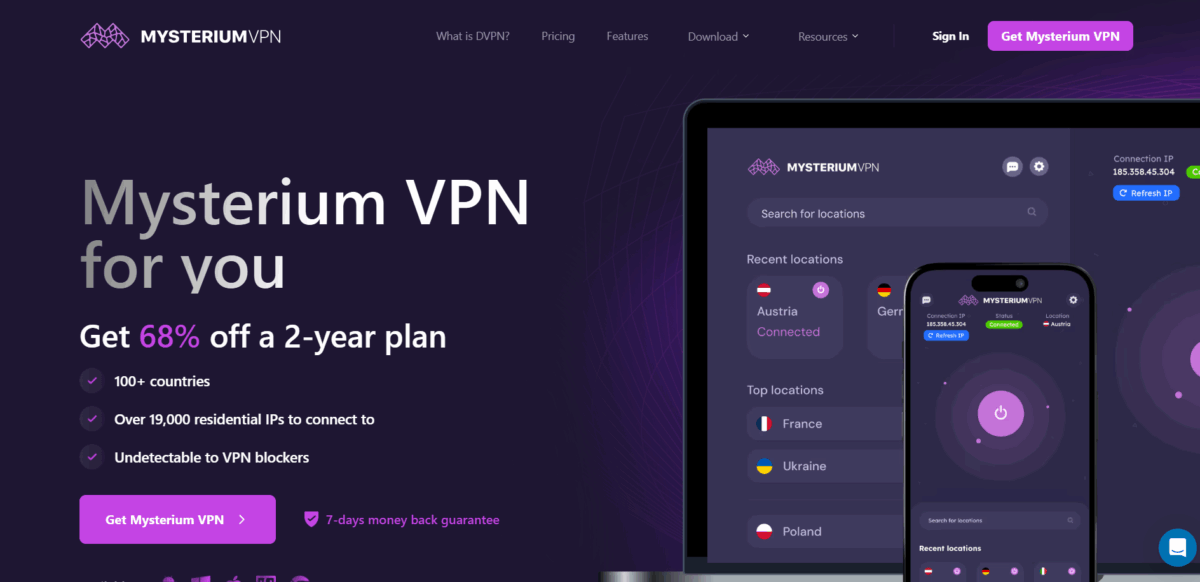
Since Mysterium VPN offers a free plan, it has accessible options for users without the immediate financial commitment. Even on this free tier, users can connect to servers in each of the 47 countries where Mysterium VPN has been established, meaning there’s a lot of geographical variety. The catch, however, is that the free plan has a data cap per month. Users start with 500MB of data but can go up to 2GB by verifying their email ID.
Free users have access to all of Mysterium VPN’s features, including strong AES-256 encryption to protect their internet traffic. The kill switch helps protect user privacy and disables internet access without the VPN connection running. Interestingly, the application shoots for unrestricted concurrent connections on one account, regardless of whether it’s a free or paid plan. After 10 days, we start receiving a bill for the excess data usage, which depends on your provider but is normally charged monthly. All unused data resets at the end of every month on the anniversary of your account creation.
Mysterium VPN makes it clear that the free account is designed to help users to help determine whether their service is right for them. The plan only allows for 2GB of data per month, which is quite limiting for heavy internet users, but Mysterium VPN offers a full range of features along with lots of server locations on its free plan.
Key Features
- Free plan available with 2GB/month for basic use.
- Easy for beginners.
- AES-256 security.
- No-logs policy.
- Vigilant Mode (kill switch), which prevents data leaks.
- GhostBear mode provides obfuscation to bypass VPN blocks.
- Limited but reliable servers in 47+ countries.
9. PureVPN
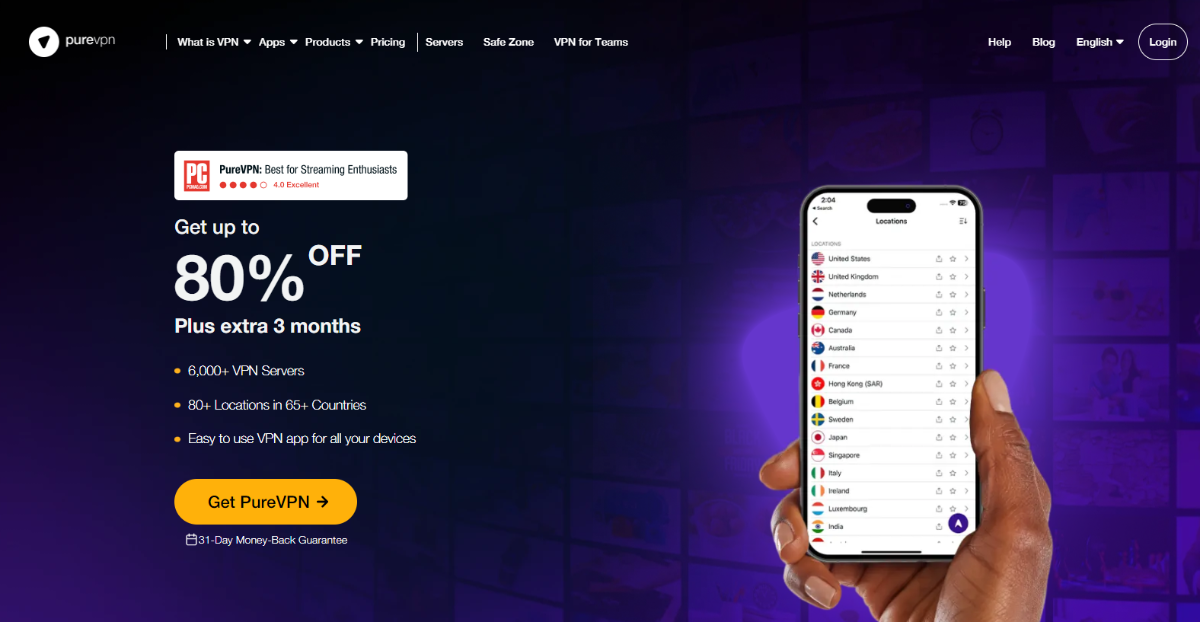
PureVPN is also one of the most generous free VPNs out there, offering an impressive amount of free data and server locations. The users who create a free account on the service and verify their inboxes receive 10GB of free data every month. If you don’t verify the email — or don’t provide one in the first place — the monthly data allowance is 2GB.
PureVPN offers 10 countries on its free plan, covering major locations like the U.S., U.K., Canada, and Germany. Best of all, Windscribe doesn’t limit the number of devices that can connect simultaneously on a free account. Free and paid users have access to all the same features found in Windscribe’s applications. Features include robust encryption that secures user data and a kill switch that can cut off data if it is at risk of leaking.
It also features the “R.O.B.E.R.T.” tool that blocks ads, malware, and trackers within the user’s browser to improve the experience and security while browsing. PureVPN claims that the free plan has no hidden catches and offers the same level of privacy and security as the paid subscriptions. What’s more! You can even score an additional 5GB of free data just for posting about PureVPN on X (formerly Twitter).
PureVPN’s free plan is one of the best truly free VPNs that’s available to you, thanks to its huge data allowance, range of server locations, unlimited devices, and impressive feature set.
Key Features
- Free version with 10GB/month with email confirmation.
- AES-256, ad & malware blocker (ROBERT).
- No-logs policy.
- Paid plans allow unlimited connections.
- It can bypass geo-blocks.
- Portable mode for secure browsing on the go.
10. TuxlerVPN

TuxlerVPN does offer a free VPN service with a fixed allocation of data each month. Free access users get 10GB of data every 30 days in total, so they can renew it monthly in their TuxlerVPN admin area. You can connect to VPN servers in 12 cities in different countries with this free plan. Free accounts, however, are restricted to a single connection at a time.
TuxlerVPN operates under a “zero-log” policy, meaning that user data is not logged. The free plan supports solid VPN protocols like OpenVPN (different ones: UDP, TCP, Scramble, and DCO) and Wireguard. And while it omits features such as streaming support and a SOCKS5 proxy from its premium plans.
Users who reach the 10GB monthly data transfer limit will be throttled to 1 Mbps until their data is renewed on the next cycle. TuxlerVPN provides a reasonable data cap and access to a few server locations. On the downside, the free plan allows only one connection, and speeds may be throttled once the data limit is reached.
Key Features
- 10GB/month with limited servers.
- No-logs policy.
- Based in Switzerland.
- AES-256 with a kill switch.
- Works with Netflix, Prime Video.
- Simple and clean interface.
- SOCKS5 proxy to provide extra privacy for torrenting.
11. Private VPN
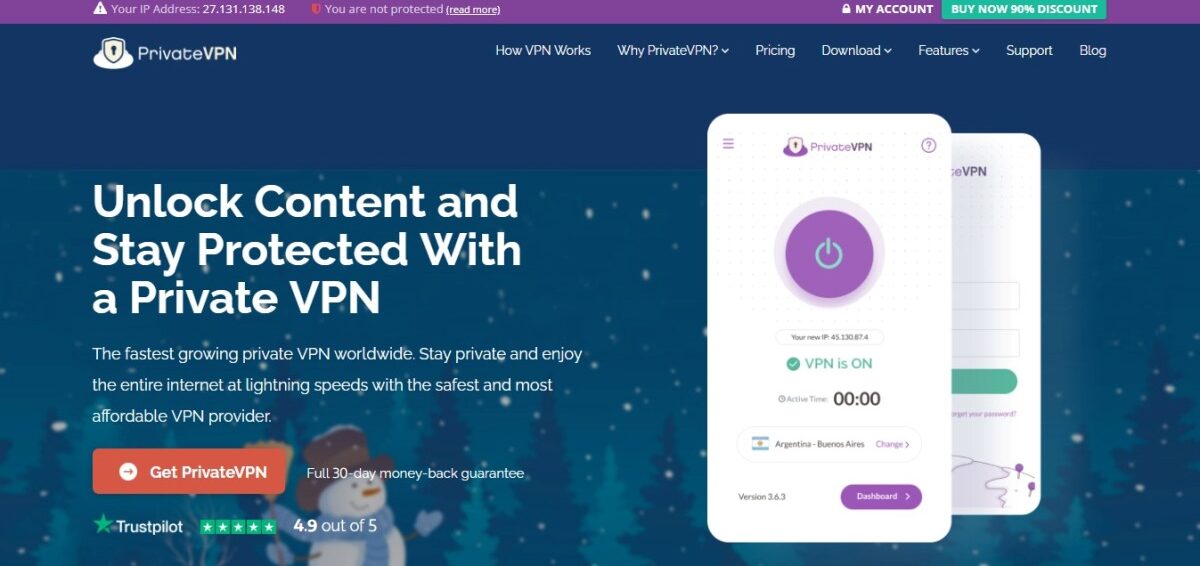
Private VPN is distinct as it effectively comes as a part of the VPN industry rather than being a separate app. It is free to use, with no data limit and a no-log service. The issue here is that Private VPN’s free plan cannot protect your entire device, as it only secures traffic going through any browser, which is one of its major limitations. In other words, it will not give system-wide VPN protection for other apps or the whole device.
In addition, if you decide to use the free version, you only have a very limited selection of 3 global server locations. This could restrict users from bypassing specific geographical restrictions or allow them to optimize their connection speed based on their location. Private VPN also has a paid version (called “VPN Pro”) that provides system-wide protection and access to the much larger network of more than 30 unique locations and over 3000 servers.
Private VPN is a browser-based virtual private network, which means that you don’t have to download any separate application; it’s integrated into the VPN itself, which makes it easy to use. It may be suitable for users who mostly use any browser for internet browsing and who only need simple privacy for their browsing purposes. But Private VPN is not enough for users who require extensive VPN protection throughout their entire device and a broader range of server locations.
Key Features
- Free & unlimited; No data caps.
- encrypts browser traffic.
- No additional downloads.
- Built-in ad blocker.
- Only a few virtual server options.
Comparison Table: The Best Free VPNs
| VPN Name | Servers & Locations | Security Technology | Data Usage Cap |
| NordVPN | 7200+ servers in 118+ countries (paid) | AES-256 encryption (paid), NordLynx protocol (paid) | Unlimited (paid) |
| Surfshark | Primarily paid service; 3200+ servers in 100+ countries (paid) | AES-256 encryption (paid), RAM-only servers (paid) | Unlimited (paid) |
| Proton VPN | 5 countries (free) | Encrypted VPN servers, Strict no-logs policy | Unlimited |
| TotalVPN | 50+ servers in 30+ countries (paid) | Encryption (paid), OpenVPN/IKEv2 protocols (paid) | Unlimited (paid) |
| ExpressVPN | Servers in 105 countries (paid) | AES-256 encryption (paid), TrustedServer technology (paid) | Unlimited (paid) |
| Private Internet Access | 35,000+ servers in 91 countries (paid) | WireGuard & OpenVPN (paid), Strict no-logs policy (paid) | Unlimited (paid) |
| CyberGhost | Servers in 100 countries (paid) | AES-256 encryption (paid), No-logs policy (paid) | Unlimited (paid) |
| Mysterium VPN | 135+ countries | AES-256 encryption, VigilantBear kill switch | 2GB/month |
| PureVPN | 65+ countries | Strong encryption, Kill switch, R.O.B.E.R.T. ad/malware blocker | 10GB/month (with email) |
| PrivadoVPN | 90+ countries | Strong VPN protocols, Zero-log policy | 10GB/30 days |
| Private VPN | 63+ countries | No-log VPN service | Unlimited |
The Benefits of Using a Free VPN Site

There are quite a few benefits that come with using a free VPN website. While some people might question if they are actually effective, you will find that service providers offer useful features that can give you an advantage when surfing the web.
Conceals Your Identity
VPNs hide your IP address and encrypt your online traffic, ensuring that your digital footprint on the Internet cannot be tracked. This means that your real IP address will stay hidden from hackers or other security threats in the digital world. Other than that, you can also keep your connection private and browse freely. By using a VPN, you don’t have to worry about your traffic being monitored or tracked.
Ensures Your Online Connections Are Secure
Nowadays, WiFi connectivity is easily available everywhere, and it’s convenient to use, especially if you have limited access to the internet through a mobile device. There’s only one problem with free WiFi, which is the lack of security.
Using the information they gather about you, cybercriminals can steal your bank account details, credentials and other confidential details regarding you. VPN ensures that your data is secure and won’t be compromised. You should use a VPN to ensure no one has unauthorized access to your files, even if you want to access them remotely.
Bypasses Firewalls
Certain websites prevent you from accessing them. With a VPN, you can bypass almost any firewall using a free VPN that hides your IP address and online activity.
Prevents Bandwidth Throttling
You may have noticed that when you visit a certain website, it takes forever to load. This is most likely caused by network congestion or a bandwidth limit being exceeded. However, you don’t have to worry when you can use a VPN to prevent bandwidth restrictions. Basically, what VPN does is it encrypts your internet traffic meaning that the ISP won’t be able to monitor your online activity. It will not know if you’re using too much bandwidth or not, so there won’t be any bandwidth throttling.
Prevent Price Discrimination
Airlines and online retailers sometimes like to display different prices for visitors to their websites based on where they are from. The reason they do that is usually to segment their markets better and to increase profits. People may see different prices based on their regions and could end up paying a lot of money. Therefore, to avoid price discrimination, you can use a VPN that hides your real geolocation and IP address.
What to Consider When Choosing the Best Free VPN Service in 2026
When there is a list of free VPN sites, it becomes confusing to choose the best VPN that offers everything from security to faster speeds. Here are some of the important factors that you should consider when choosing the top VPN service:
Security
By encrypting the traffic that contains personal information, VPNs protect private information. However, some VPNs collect other types of additional metadata, which are sold to third parties to turn a profit. The question is how one can avoid falling into the trap of such VPN services. It’s best to do some research into the VPN service provider and take a look at the privacy policies to see whether they collect data or not.
There are some VPN service providers such as NordVPN and ProtonVPN that have strict log policies meaning that they won’t collect your personal data and keep it as a record. Other VPNs might store data but delete it as soon as you stop using the VPN. Both of the options are acceptable, however, you should choose the one that doesn’t collect any of your personal information.
Speed
Aside from the fact that the free VPN should be secure, speed is another factor you should consider. VPN connection speeds are slightly slower than direct connections. VPN connections use extra servers to enhance security. Check to make sure the service provider maintains its servers and does not outsource them. You can check the ping, and download/upload speed using speedtest. Note that the speed test results may not tell you the complete story. There are various reasons that affect the speed such as traffic, location and many more. This is why speed isn’t the only factor to consider.
Servers
Another factor to consider when selecting a VPN service is where the remote servers are located. Thus, you should check to see which countries are supported and which servers are available. You should look for a provider with servers around the globe. There are some service providers which have more than 1,000 server locations worldwide. Choose the VPN service provider that supports a greater number of locations.
Customer Support Service
It’s not always easy to fix issues yourself, so we also want to learn how easy (or difficult) it is to reach out to a VPN’s customer service team. Email is not the best form of customer support because most companies do not respond quickly to email tickets. The more availability of live chat or phone support a company has, the better. Choose a VPN that offers the best customer service so you can get your issues solved right away.
Additional features
There are free VPN service providers that offer additional features such as split tunneling, kill switch, etc. In split tunneling, you can easily switch between activating and shutting off the VPN. The multitasking aspect is simplified, and it also creates fast speed for the user.
Security and Privacy Implications of Free VPNs

A primary concern with many free VPN services is their practice of collecting and logging user data. Unlike reputable paid VPNs that often adhere to strict no-logs policies, free providers frequently track and store information about your online activities. These can include browsing history, search queries, IP addresses, location data, connection times, and even personal details provided during sign-up.
Afterward, they sell the collected data to third-party advertisers or data brokers because it’s a valuable commodity for targeted advertising. Congrats, you may have just become a product, and your privacy is compromised for the sake of a “free” service. The fact that a tool intended to enhance privacy might be collecting and selling user data means you should take it off.
That’s not all. A study revealed that a substantial portion of free Android VPNs hosted malware, which could lead to data theft, device damage, or other malicious activities. For instance, a popular free VPN service, Betternet, has faced criticism for having malware and tracking libraries within its apps. Furthermore, in 2024, the FBI issued a warning about several free VPN applications, including MaskVPN, DewVPN, PaladinVPN, ProxyGate, ShieldVPN, and ShineVPN.
These were created to connect to the 911 S5 botnet service, and those who unknowingly downloaded these apps became victims of the botnet. To cut it short, their devices were used to route malicious traffic. So do you now understand why you must exercise caution and download free VPNs only from reputable sources, if at all? A core function of a VPN is to encrypt internet traffic, thereby protecting it from interception by third parties.
However, many free VPNs don’t meet these prerequisites. They still use PPTP (Point-to-Point Tunneling Protocol), an older protocol with security vulnerabilities, instead of the industry-standard encryption AES-256. As such, your data remains vulnerable to interception and potential misuse. While it’s advisable to flee from free VPNs, we’ve found a few ways to make the most of these services.
Limitations and Restrictions of Free VPNs
Beyond the potential security and privacy risks, free VPNs often come with a variety of limitations and restrictions. For sure, these can significantly impact their usability and effectiveness for many users. These hidden costs can manifest in several ways, affecting data usage, server availability, and overall performance. So what are these limitations?
Data Usage Caps
A common limitation of free VPN services is the imposition of data usage caps.
These caps restrict the amount of data a user can transfer through the VPN’s secure tunnel within a given period, typically a day or a month. If you engage in data-intensive activities such as streaming high-definition video content, downloading extensive files, or playing online games, these data limits can be quickly reached.
Thus, the service becomes unusable until the cap is reset. For example, ProtonVPN’s free tier, while offering unlimited data, restricts access to streaming platforms. Windscribe’s free plan provides a more generous 10GB of data per month, which might be sufficient for light browsing but could still be restrictive for heavy users. These data caps essentially limit the utility of free VPNs for users who require consistent and substantial data transfer. So it often pushes them towards upgrading to a paid plan with higher or unlimited data allowances.
Limits on Available Server Locations
Free VPNs typically offer a significantly smaller selection of server locations compared to their paid counterparts. This limitation can impact connection speeds, as you might be forced to connect to servers that are geographically distant, leading to higher latency. Furthermore, a limited number of server locations can restrict your ability to bypass geo-restrictions for content available in specific countries.
Moreover, some free VPNs might have platform-specific limitations, like not including support for routers. This could pose a drawback if you’re looking to protect your entire home network. The limited server infrastructure of free VPNs can also lead to server congestion during peak usage times, further affecting performance and reliability.
Speed Throttling and Performance Issues
To manage the high demand for their limited server resources and potentially reward users to upgrade to paid plans, free VPN providers often implement speed throttling. This practice intentionally slows down the internet connection speed for free users, making browsing, streaming, and downloading files sluggish. The experience is often frustrating.
Even if a free VPN offers unlimited data, the throttled speeds can make it impractical for data-intensive tasks like streaming high-quality video or participating in online gaming. The overall performance of free VPNs is often subpar compared to paid services because of these limitations and the general lack of investment in robust server infrastructure.
Ethical Considerations
As we know, different countries have varying data privacy laws and regulations. These can impact a VPN provider’s obligations regarding data retention, logging, and sharing user information with government agencies.
Understanding the jurisdictional factors is crucial when choosing a VPN, especially a free one, as it can influence the extent to which the provider can protect user privacy. A VPN provider’s jurisdiction refers to the country where the service provider is legally based or incorporated, and whose legal system will therefore dictate the laws and privacy regulations it’s subject to. The level of government surveillance and control of the internet varies significantly from country to country.
Some countries have strict data retention laws that may compel VPN providers to store user information for specified periods, which can negatively impact user privacy and security. Conversely, VPN providers based in countries with strong privacy laws and no mandatory data retention policies are considered more privacy-friendly. Therefore, when selecting a free VPN, look out for the privacy laws and regulations of the country where the provider is headquartered. This helps to understand the potential implications for their online privacy.
Another factor you should understand is the 5/9/14-Eyes Alliances. These are intelligence-sharing alliances among several countries that have agreements to collect and share intelligence data. They often include electronic communications and internet traffic. The original alliance, the 5 Eyes, comprises the United States, the United Kingdom, Canada, Australia, and New Zealand. This alliance expanded to include the Netherlands, Norway, Denmark, and France, forming the 9 Eyes.
The 14 Eyes alliance further includes Germany, Belgium, Italy, Sweden, and Spain. VPN providers based in these alliance countries might be legally compelled to collect and share user data with their respective governments and potentially with other member countries. For users who prioritize maximum privacy, it is advisable to avoid VPN services based within these surveillance alliance jurisdictions.
What’s more! Certain countries are recognized as having strong data protection laws. They’re often considered privacy havens because of their lack of mandatory data retention policies and resistance to international surveillance efforts.
Switzerland is frequently cited as one of the most privacy-focused countries, with strict data protection laws and no data retention mandates. Now, ProtonVPN is based in Switzerland, leveraging the country’s strong privacy laws to offer a no-logs service. Panama is another jurisdiction outside the influence of the major surveillance alliances and is often favored by VPN providers seeking to offer strong privacy.
Other countries like Iceland, Romania, the British Virgin Islands, Malaysia, Seychelles, and the Cayman Islands are also known for their privacy-friendly regulations. That said, when choosing a free VPN, look for providers based in these jurisdictions if you’re privacy-conscious. They’re less likely to be subjected to intrusive data collection or sharing requirements.
FAQs
Which Devices Are Compatible With A Free VPN Site?
A free VPN site can typically be used with a laptop, desktop, tablet, or smartphone. VPN sites with apps for multiple platforms are included in this list, including Windows, macOS, iOS, Android, and Linux.
There are some that can even be used with routers and Amazon Fire TV Sticks, and others have free browser extensions for Firefox and Chrome. Free VPN websites allow you to connect only with one device at a time. Even if it works on many of your devices, you may not be able to activate the network on multiple ones.
Does A Free VPN Site Allow Access To Streaming Platforms?
The geo-blocks on Netflix are quite strong, and free VPNs have no way to bypass them. They cannot upgrade their server networks to comply with Netflix’s IP blocking policy to reduce VPN traffic on its website. Despite this, Kaspersky Secure Connection VPN and ExpressVPN were able to access Netflix.
Are Free VPN Sites Good For Streaming?
Netflix users can use free VPN services to stream videos from Netflix outside of the US, especially because it’s a great tool for streaming. The quality of streaming you can enjoy will depend on which VPN provider you use.
The reason for this is that streaming is very data intensive, and many of these services have a data cap on how much data someone can use. There are still a limited number of server options, even with the unlimited services. When streaming using a VPN, speed is another thing to think about in addition to server options.
Are Free VPNs Safe To Use?
There are some free VPNs that aren’t 100% secure. As far as I’m aware, the best free VPN sites for 2026 that I listed here are secure and none of them store any of your personal information. Several leak tests were performed to ensure the connection was properly hidden, and all of them passed.
The use of a free VPN can be risky for several reasons. Some free VPNs do not provide proper encryption, while others collect logs and send them to third parties such as advertisers for profit. Furthermore, free VPNs contain malware embedded into their apps. Good luck and be safe.
What is the Best Free VPN?
The best free VPN is NordVPN, which is at the top of our list above. We believe them to be the best because they are leaders in their chosen industry, and they are a great choice if you don’t have a lot of money to throw around with a VPN right now. They really are concerned about your security online.
What are Good Free VPNs?
The list above is available to everyone who needs them, and they are the best options in the industry. Trust us when we say that it’s easy to come across plenty of VPNs out there that are free that aren’t worth your time, because they are going to lack security, and they are going to lack quality as far as their features go. This is why it’s helpful to make the most of a list like this where you are guaranteed high quality VPNs.
How Can I Get Free VPN?
The easiest way to get a VPN is to choose the service that you want to work with from our list above, and then visit their website. Once you know what to expect from them, you can sign up for a free account, and then receive your VPN service. Just know that if you want to make the most of all of their features, you will most likely need to sign up for a paid package.









