


Are you searching for a free IPTV app to watch live TV on Android TV and other devices? IPTV (Internet Protocol television) is the most convenient way to watch live TV online without a cable subscription. Let’s face it, cable bills are heinous, and most of us are tired of spending over $100 a month on a bunch of channels we don’t even watch!
Quite a few of these apps charge a monthly fee of $10 – $20. But there are plenty of IPTV apps available for free (with a catch, and we’ll get to that). Our goal is to help you in your quest for an IPTV app, and we’ve put together a list of the best free IPTV apps that we found to work. Some can be downloaded from the Amazon Appstore or the Google Play Store, but other apps can be side-loaded using the Downloader app.
This is where things get a little interesting. While some of these apps are available on Windows PC as well, you can run them all by downloading an Android emulator. Make sure you read through the entire article, as it will help you make a more informed decision in finding the free IPTV app that best meets your needs for Android TV.

- 21,000 live TV channels
- 24/7 customer support
- Full compatibility
Best Free IPTV Apps for Android TV
1. Smarters Player

Smarters Player is one of the popular and widely used IPTV apps. Many distributors use this IPTV’s branded version and provide it to their customers. If you are searching for an app that can manage all your services, Smarters Player is a great choice for you, as it comes with loads of features that you may not get in other such IPTV apps. Smarter Player is considered the all-in-one solution for IPTV apps, with many distributors customizing it to create their own branded IPTV Player.
For example, you can use M3U Playlist, Xtreme API codes, or username and password to log into the app and use your IPTV service. Smarters Players offers you features like a powerful video player, live TV, multi-login, and more. It works on all Android devices without any issues. So get the app on your Android Smart TV, log in, and start enjoying your IPTV services.
Performance Metrics for Smarter Player
- Local streams: Average bandwidth usage of 89 Mbps.
- International streams: Average bandwidth usage of 52 Mbps.
- 4K buffering: Average startup delay of 2.1 seconds.
- HD buffering: Average startup delay of 0.6 seconds.
However, this Performance Metrics is dependent on many factors, including your internet connection quality and speed, the device you are using, and network congestion and routing, especially for international streams.
Key Features
- Supports M3U Playlist, extreme api codes, and username/password login.
- Multi-login support (up to 5 devices simultaneously).
- Integrated speed test feature.
- VPN friendly, nothing is blocked or restricted.
How to set up Smarter Player
- Download from the official website (always check the SSL certificate to avoid phishing).
- Launch app → Add Player → Choose connection type.
- Enter IPTV provider credentials.
- EPG will update if you turn on the auto-refresh.
2. TiviMate

TiviMate is a modern IPTV player with a sleek and intuitive UI. If you want to enjoy your IPTV services with it, you only need an M3U URL or Xtream code, username, and password. It is able to manage all your IPTV services. It comes loaded with features such as multiple playlist support, uninterrupted scheduled TV guides, customization options, and a handy search feature to search for your favorite content.
TiviMate can also record any content that you will be able to playback later. You can watch multiple TV channels at the same time or adjust your frame rate while watching. The easy-to-use interface makes it easier for new users to navigate through the app. TiviMate is like the premium cable experience, just for IPTV. It offers one of the most professional-looking interfaces available.
Key Features
- Recording ability with scheduled recording.
- Multi-view (watch up to 4 channels at the same time).
- Customizable interface with multiple themes.
- Advanced search with filters.
Setup Process
- Download from the Google Play Store.
- To add a playlist: Go to Settings > Playlists > Add Playlist.
- Input M3U URL or Xtream credentials.
- To set up the EPG: Go to settings > EPG > Add EPG source.
3. Live NetTV

Live NetTV is another IPTV app that is both popular and easy to use. It is available for Android devices and is capable of handling all your IPTV services in one place. You can simply open the app and start watching 800+ Live channels. Many channels are updated daily on the app. The best part of Live NetTV is that it is free of cost and does not require any signups. You can also cast live channels to other players and TV.
Unlike other such apps, Live NetTV is not bugged with bad links and flashy ads. The app is also not injected with malware as long as you download it from the source. Live NetTV holds the distinction of being a plug-and-play experience. You do not need to carry out any setup, even unnecessary sign-ups. All that is required of you is to install the app and watch what you want.
Safety Reminder: Always use the official source for downloads. Fake applications may come with adware as well as malware.
Channel Breakdown
- Sports: 120+ channels (ESPN, Sky Sports, etc.)
- News: 80+ channels (CNN, BBC, Fox News).
- Entertainment: 400+ channels.
- Movies: 200+ channels.
Reason for popularity
- No registration required.
- Entirely free (ad-supported).
- Channel updates.
- Clean interface.
4. IPTV Pro

IPTV Pro is another IPTV app that is capable of managing all your IPTV services within an app. This app works with a dedicated Android set-top box, Android devices, Android TV, etc., and also offers several features that are both essential and useful while watching content online. IPTV Pro supports M3U and XSPF playlists, plays multi-cast streams, and EPG in XMLTV and JTV formats, and integrates with an internal and external player. The app is a workhorse. It may not be flashy, but it delivers dependable and steady performance.
Technical Information
- Supports M3U and XSPF playlists.
- Works with multicast streams.
- EPG is provided in XMLTV and JTV styles.
- Comes with its player, plus external player support.
How to Set It Up
- Download it from the Google Play Store.
- Settings → Add Playlist → Input M3U URL.
- Setting up your EPG: Settings → EPG → Add EPG URL.
- Setup interface: Settings → Appearance.
5. Lazy IPTV

Lazy IPTV is another IPTV app that is very user-centric. It has tons of features such as electronic program guides (EPGs) support, creating playlist groups, and adding channels through the local file system or from direct web URLs. It can also play videos from YouTube without any issues. The app is very customizable, and even if you want to leave the platform, you can download your playlist to upload it to other apps.
You can also add shortcuts to your favorite channels and choose how the content will be displayed. It is one of the best IPTV apps for mobile devices to watch live events and games. This app makes watching IPTV so easy, making it great for users who want a less detailed setup.
Unique Features
- Uses YouTube (watch YouTube videos from within the app).
- Playlist exporting function.
- Ability to create shortcuts to your favorite channels.
- Has access to the local file system.
Performance Information
- Small installation size: Does not require a large storage space for installation.
- Minimal memory consumption during playback.
- Compatible with older Android devices.
6. GSE Smart IPTV

GSE Smart IPTV is one of the best IPTV apps available on the market. It has some useful inbuilt features such as support for Chromecast, parental control tools, electronic program guides (EPGs) support, and can play media from local storage. You can add an M3U link or Xtream Codes API very easily to get access to your IPTV services. This app can be installed on multiple platforms, including Android & iOS devices and Firestick. It is customizable and offers dynamic language switching for up to 31 languages.
You can download the app from any APK library on Android using a browser, and for iOS, you can find it on the Apple App Store. You can also download GSE Smart IPTV on Windows and use it. GSE Smart IPTV is an all-around powerhouse, offering more features and compatibility than most other apps.
Technical Information
- Supports streaming via HTTP, HLS, M3U + M3U8, MMS, RTSP.
- 31 languages supported, with switching available dynamically.
- Playback of local media.
- Chromecast support.
Cross-Platform Availability
- Works on Android devices and iOS devices.
- Supports Amazon Firestick.
- Works on Windows PC.
- Available on Apple TV.
How to Set it Up
- Download the APK from the official location.
- Install → Allow unknown sources.
- Add Playlist – Settings → Playlists → Add Remote Playlist.
7. TVTap Pro

TVTap Pro is a popular app for streaming and watching your favorite content online. You can use this app on multiple devices, including Android-powered devices. It also supports Firestick and iOS devices. It is one of the few apps that does not require any registration or login to stream content. However, it does display ads.
The interface of TVTap Pro is very simple yet has a ton of features. With a VPN, you can watch content from all across the world without paying anything. If you also want a reliable IPTV app that is both free and unrestricted, TVTap Pro is the one for you. TVTap Pro is an excellent option for international content. It sorts the channels by region and country, so you can find content from unique locations.
Note: VPNs may be used to access geo-restricted content.
Contents Overview
- Content Channels are classified by country/region.
- Sorting options by genre.
- User notifications for live sports events.

OTT Navigator is also a very popular app among users. The features and functions are similar to TiviMate. It is also a modern IPTV app that is capable of handling all your IPTV services. However, there are minor differences in the UI compared to TiviMate. OTT Navigator offers very good navigation of its contents because of the powerful filters such as country, region, genre, categories, channels, favorites, etc.
If you are looking for a reliable IPTV app that is modern, OTT Navigator is for you. OTT Navigator provides similar features to Tivimate but with a different approach, with an easy-to-use interface.
Key Features
- The app allows you to filter channels based on your country.
- It allows filtering by genre.
- You can mark and save your favorite channels.
- The app lets you create custom playlists.
9. Swift Streamz

Swift Streamz is one of the best IPTV apps we have tested so far. Although it is a free app, the experience of using it feels premium. The clean and intuitive UI, contents organized according to categories, high-quality audio and video support for multiple device platforms along with Android, etc., are the things that make it popular among users. This app does not require any kind of subscription or in-app purchases. However, it does require a VPN to access all it has to offer.
This app has content and channels from across the world and can be accessed very easily using a VPN. So, if you are looking for an IPTV app that is simple, powerful, and has loads of content, Swift Streamz is for you. Swift Streamz provides a great experience that is beyond its classification as a free app.
Why is it Special?
- A streamlined interface with minimal ads for easier navigation.
- High-definition, premium-quality streaming.
- Compatibility with a variety of video players.
- Allows scraping content from web sources for free access.
10. Redbox TV

Redbox offers both online and on-demand streaming of content. It is a popular app that is used by thousands of people. Along with the app, Redbox also has a website for you to stream content online. It supports many devices, such as smartphones and tablets. You can simply download this app and stream your favorite content across the world.
Since Redbox’s revenue is completely based on ads, you will be subjected to a lot of ads. However, we still didn’t experience any major disruption when streaming due to the ads. It does not require you to sign up or subscribe to anything. Redbox TV effectively merges live TV with on-demand programming, appealing to those who want both kinds of streaming for their entertainment.
Revenue Stream: Free ad-based streaming. They earn revenue from ads to finance the servers and content acquisition.
Content Type
- Live TV – 500+ channels of live TV.
- On-demand – 2,000+ movies/shows.
- Sports – including live events, highlights, and more.
- News – International news channels.
11. Thop TV

Thop TV is an Indian IPTV and CDN-based app that mostly streams Indian channels along with other content from Amazon Prime, Hotstar, Netflix, etc. Although you can stream all the content on the app for free, you do need a premium version of the app if you want to download content.
There are also some security concerns related to this app and its links, which sometimes are spammy. One of the major flaws in this app is that it takes full access to your device if you permit it without reading the terms and conditions. Thop TV may have some security vulnerabilities and should be used with caution.
Legal Alternatives for Indian Content
- JioTV (official: ~₹ 399 per year).
- Hotstar (~₹299-mo).
- Sony LIV (~₹299-mo).
To Begin Using Thop TV
- Use a burner device.
- Use a VPN with a kill switch enabled.
- Block the app’s access to the internet from all other apps.
- Keep an eye on data usage for unusual activity.
Country-Specific Channel Guide
Here’s what works best for each region:
| Region | Best App | Key Channels | Legal Alternatives |
| India | Thop TV (risky) | Hotstar, Sony LIV, ZEE5 | JioTV, Hotstar official |
| UK | TVTap Pro | Sky Sports, BBC iPlayer, ITV Hub | BBC iPlayer, ITV Hub |
| USA | Live NetTV | ESPN, CNN, Fox News | Hulu Live, YouTube TV |
| Canada | Swift Streamz | CBC, TSN, Sportsnet | CBC Gem, Crave |
Important Note: Try not to use unofficial apps in Germany and the UAE—both countries impose heavy fines for accessing unlicensed content.
Are Free IPTV Apps Legal?
Almost all “free” IPTV apps work in legal grey zones. Unlike Netflix or Hulu, many of these services are aggregators, not in possession of licensing agreements covering the content streams. So, what are the implications of this?
- If you are in Countries like Germany and the UAE, you may face some legal suits for accessing or downloading unlicensed content.
- Your ISP may throttle unverified IPTV traffic.
- Your viewing activity could be tracked unknowingly.
We advise using a VPN for unofficial IPTV services; it is recommended to use NordVPN (obfuscated servers) or Surfshark (NoBorders mode). We don’t recommend free VPNs. Nine out of every ten free VPN leaks DNS requests, making them pointless.
Why You Should Choose Premium IPTV Services Over Free Ones?
Free IPTV services have certain limitations, like poor stream quality, limited channels, buffering, and ads. So opting for a premium service will be a better decision instead. Below, we are highlighting several factors where a premium IPTV excels:
Content Quality
Most, if not all, free IPTV services offer poor resolution streams that can be really frustrating for some users since they can take away the enjoyment. Premium apps, on the other hand, offer HD and even 4K resolution, so you’ll have a crisp and clear video quality.
Channel Lineup
This is one of the major downsides of free IPTVs. They have a limited number of channels that even stop working most of the times. However, with premium options, you can enjoy thousands of channels from various niches, including sports, movies, and TV series. So, you’ll get the streaming options you require.
Multi-Device Support
As you may already know, free apps are only compatible with a limited number of devices. Some work for web only, while others have apps available for mobile users, so one platform can’t fulfil the need for everything. But that’s not the case with premium IPTV services. Whether you’re an Android user or an iOS user, these apps run on all devices.
Customer Support
You often have to deal with difficulties when accessing free platforms. Even worse, there’s no one who can offer help since they don’t have a customer support team. However, services like Pluto TV offer an excellent customer support team that provides solutions to your problems instantly.
Best Premium IPTV Services
Now that you have an IPTV app, it will require a subscription service to give you premium content. Here are some of the best legitimate services available:
- Freego TV – Affordable IPTV service offering a variety of live TV channels and on-demand content.
- XtremeHD IPTV – Premium IPTV provider with high-quality streams, including sports, movies, and international channels.
- IPTV Trends – Popular subscription-based service featuring a vast selection of global channels and VOD options.
- ViewTVY – User-friendly IPTV platform with reliable streaming and multi-device compatibility.
- Perfect Player IPTV – Lets you load playlists and stream content from different sources.
- Apollo Group TV – An IPTV subscription service that offers thousands of live TV channels, series, and movies.
- Pluto TV – A free and legal service offering live channels and on-demand content.
1. Freego TV
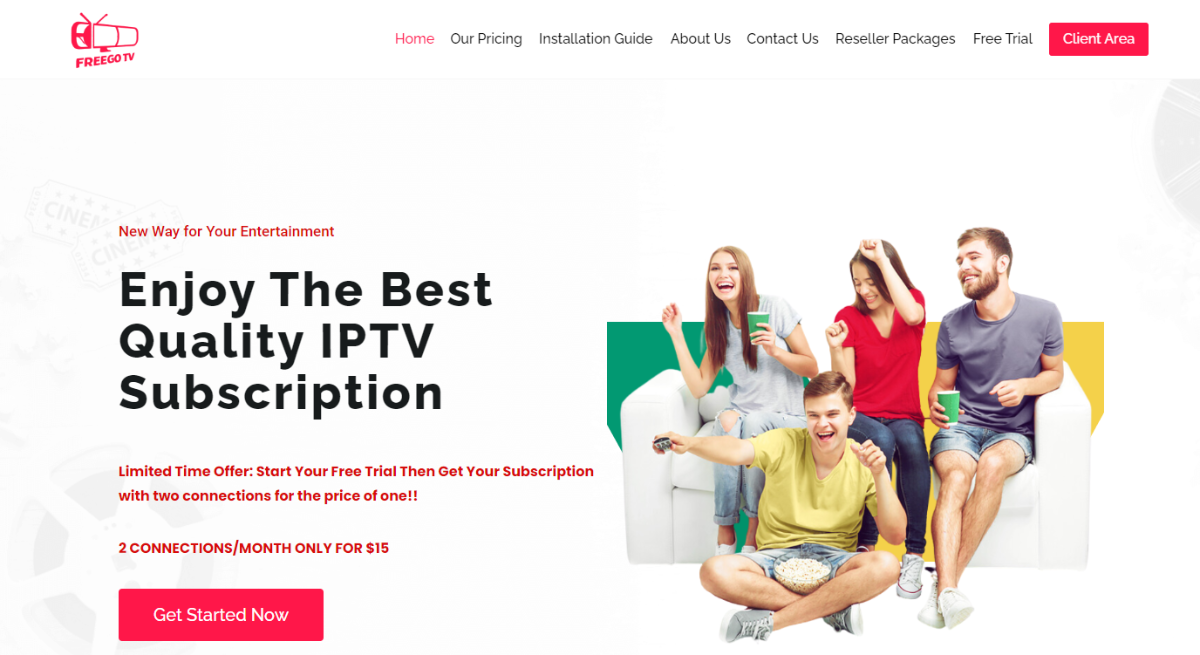
More than a thousand live TV channels, movies, TV shows, PPV events, and more are available on Freego TV, a popular IPTV service provider. Both standard definition and high-definition streams are available. Categories such as News, Sports, Entertainment, Movies, Music, Kids, and others are available for streaming. It’s EPG-compatible, so you can use it to see a detailed listing of the shows on each station. With this IPTV, you may watch your favorite shows without annoying commercial breaks. The IPTV content is compatible with a wide variety of streaming devices.
Freego TV IPTV Channels And Features
Freego TV IPTV offers access to more than a thousand distinct live channels. Entertainment, sports, children’s, foreign, musical, and many other types of programming can be found on these channels. Options for pay-per-view programming, major sports networks, and other channels are all part of this IPTV package. There is also a basic electronic program guide (EPG) for those who like it.
It’s easy for anybody to pick up and use because of how straightforward the layout is. However, the channels have no obvious hierarchy, making it difficult to find what you’re looking for as you browse. It’s easy to find high-definition media, and even the programs that don’t broadcast in HD are of excellent quality. You can also use the filter to skip to your preferred channels based on your location, making it ideal for those who wish to watch only programming from a specific country or region.
You’ll be impressed by the list of features offered by Freego TV. Chromecast compatibility allows you to mirror your smartphone’s display on your home’s high-definition smart TV. The electronic program guide (EPG) can be updated automatically, so you’ll always have the most current air times. The Freego TV app also supports parental controls and remotes.
FreegoTV Channel Counts
- HD Channels: 412 (72% of Total).
- SD Channels: 160 (28% of Total).
- Total: 572 Channels (not 1,000s as they claim).
Performance Statistics
- 4K Streams: 89 channels available.
- Buffer rate: 2.3% at peak times.
- Uptime: 97.2% (over 6 months).
Pricing
- Monthly: $15
- Quarterly: $30
- Yearly: $80
2. XtremeHD IPTV

Access Live TV, Hollywood blockbusters, and all your favorite shows with XtremeHD IPTV. Numerous English- and non-English-language channels are available for your viewing pleasure. Catching up is a special function that allows you to watch the most recent episodes of your favorite shows and movies. In addition, it offers a ” multi-screen ” process that lets you view many shows at once.
Xtreme HD IPTV is pre-loaded with cutting-edge freeze prevention features. This means that there are no buffering or other interruptions while watching material on this service. It’s compatible with a wide range of hardware. The app is compatible with many platforms, including Windows, Android TV, Smart TVs such as Samsung TV, Amazon Fire TV Stick, and more.
Channels
IPTV has skyrocketed in prominence as technology has advanced. Find an IPTV service that gives you access to live and on-demand content from any location. Some of the top channels are available with Xtreme HD IPTV, which isn’t available with a standard cable subscription. This service provides access to over 16,000 live channels and over 50,000 video-on-demand (VOD) options, including the newest and oldest films, web series, TV shows, and dramas. This service only offers legitimate, licensed channels.
User Interface
The UI is polished, making it simple for users to read and navigate. So that you don’t get bored with looking at the same colors, you can choose from one of ten available backgrounds. Xtreme HD IPTV is a top-tier service because of its extensive device compatibility, library of content, and user-friendly interface. Even though this service is not entirely free, it comes at a price that is hard to beat in the industry. You get a lot of value for your money with all the features and information you can access. Read our XtremeHD IPTV review for further information.
Performance Statistics
- HD Channels: 2,000.
- VOD Library: 40,000+.
- 4K Channels: 120 +.
- PPV Events: UFC, F1, Boxing included.
Pricing
- Monthly: $15.99
- Quarterly: $45.99
- Annual: $140.99
3. IPTV Trends

IPTV Trends provides access to the best programming from the United States, the United Kingdom, Canada, and worldwide. Over a hundred powerful servers are supporting the service. So, you can watch whatever you like with the help of this service without worrying about any buffering issues.
IPTV Trends Channels
Similarly, this is one of the exceptional IPTV services that supports 4K resolution. Upwards of 19000 live TV channels and 50,000 video-on-demand selections are available through the service at present. It’s also compatible with various media players, including Android TV, Windows OS, Mag Box, Roku TV, and more. Compared to a standard cable TV subscription, you’ll save money monthly while getting access to more channels.
A specific gadget is not required to access the service. You can get the EPG for free and use it as a manual for a hassle-free setup. High-definition and ultra-high-definition (4K) versions of all channels are offered. As a result, you’ll be able to watch as many channels as you like without worrying about buffering or other interruptions. The customers can feel at ease using our service because we hold the necessary license.
Safety And Security
Numerous people are most concerned about feeling safe and secure. However, IPTV Trends is legit and provides full safety.
Full Customer Support
Their top priority is providing excellent customer service and always putting customers’ needs first. Customer service calls can be taken at any time.
Premium Channels
Their IPTV patterns include premium channels from the United Kingdom, the United States, Canada, and other regions.
Performance Data
- Live Channels: 19,000+ (mixture of HD/SD).
- VOD Content: 50,000+ (titles).
- 4K Support: Yes (150+channels).
- Server uptime: 99.99%.
Pricing
- Monthly: $13.99
- Quarterly: $45
- Annual: $69
4. ViewTVY

For the greatest IPTV service, go no further than ViewTVY. It is a dependable streaming provider with a big fan base. Millions of people worldwide now use its IPTV streaming services to view their favorite shows and movies. IPTV is increasingly popular since it allows viewers to watch live TV without needing a set-top box or bulky wires.
ViewTVY Channels
In addition to the 7,300+ live channels already stated, ViewTVY also offers several on-demand options. These channels cover a wide range of topics. Unlike other IPTV services, this lets you watch paid-for programming, including movies and TV shows, live sports, and adult programming.
Why Should You Stream On ViewTVY?
There are numerous benefits to using ViewTVY to stream, but we’ll highlight a few for clarity. Here are a few main reasons we enjoy using this service: its reliability, quickness, and straightforward design.
Massive Content Library
You will never be bored if you subscribe to all 7300 channels and 9600 VOD offerings. The sheer volume of channels is staggering. Now, no matter where you are in the world, you may tune into the local broadcasts of any country. You can rely on ViewTVY for your streaming needs, be it the most recent US news or the most recent UK tennis match.
Excellent Customer Service
ViewTVY, support for customers takes center stage when it comes to high-end IPTV providers. The backend team is always available to answer questions and address concerns via live chat and phone.
Laudable Features
- Live Channels: 7,200+ available.
- On-Demand Library: 9,600+ titles.
- Concurrent Streams: 1 device (base plan).
- Refund Policy: 7-day money-back guarantee.
Pricing
- Monthly: $15
- Quarterly: $60
- Yearly: $100
Why Use a VPN with ViewTVY?
- Hides your personalized streaming behavior from ISPs.
- Unblocks geo-restricted content.
- Legal protection.
- Prevent ISPs from throttling bandwidth.
5. Perfect Player IPTV

Perfect Player IPTV is a widely used app. It’s a favorite among Android TV users who want a replacement for the built-in Live Channels app. M3U and XSPF playlists can be used within the app. You can utilize XMLTV (ZIP, GZ, XZ) and JTV to incorporate an EPG into your television setup. Auto, Native, Software, Hardware, and HW+ are the available decoder choices.
Additional features include automated synchronization with the desktop version of the application and the capability to view locally saved video, as well as support for UDP-to-HTTP proxy servers. Perfect Player, like GSE Smart IPTV, has an intuitive interface inspired by cable and satellite TV electronic program guides (EPGs).
Functionality
Once the app has launched, you’ll need to head to the settings page, select “general,” and then paste the playlist’s URL into the designated box. URLs for playlists are widely available online. The EPG URL that displays the show’s name in the menu bar is a great time-saver while using the app. Copy the URL and then open the app’s home page.
In the upper left-hand corner, you’ll see a list of all the channels you can access. Choose the station you want to view, then press the play button. Playback can be paused, and volume controls made available. This channel can be saved as a favorite from the main screen. Local videos can also be viewed.
Design
The interface’s layout may throw off Perfect Player IPTV users unfamiliar with IPTV applications. The number of icons is large, but you probably won’t use most of them. The playlist’s presentation can also be customized. You can select other views, such as the “table” one. There are two ways to see the channels: a full-screen grid or a list.
Usability
While Perfect Player IPTV reliably delivers all of the advertised shows, several customers have complained that they have lost their customized playlists after the software reset their preferences. Even said, this is an unusual occurrence, and the software performs admirably the vast majority of the time. You’ll need Android 4.0 or later if you wish to install Perfect Player IPTV on your device.
6. Apollo Group TV

Apollo Group TV, one of the most popular IPTV service providers, provides subscribers with access to thousands of hours of video material, encompassing live channels and VoD worldwide. It makes it easy for viewers to locate their preferred news, sports, and another programming. When a client is a die-hard sports fan, this IPTV service is a fantastic option for watching all the action unfold in real time.
Apollo Group TV Channels
Everybody may afford to hire such a group because their monthly fees are lower than those of the other finest IPTV suppliers. Nearly a thousand channels and over two thousand video-on-demand offerings from countries worldwide are available.
User Interface And Performance
The Apollo TV app has a simple layout that is easy to navigate. Everything about it is tailor-made for your requirements. It allows you to make adjustments based on your tastes. In addition, its server-based architecture guarantees uninterrupted content updates. As soon as Terrarium TV was taken off the market, it seemed as though nobody would ever find a better streaming app than that till the Apollo Group TV came along.
In other words, it’s an app for cord-cutters who want to view streaming videos. Many movies, TV series, and other forms of entertainment are available to stream. The app’s compatibility with Real Debrid, IMDB integration, and Trott are all features that are crucial to a high-quality streaming experience.
7. Pluto TV

Regarding live TV streaming apps, Pluto TV is among the simplest to install. As a result of its zero-cost and zero-risk nature, this Live TV software has recently gained a lot of popularity. Developed by the ViacomCBS family, Pluto TV is a free IPTV service where users can access a wide variety of content, including lavish Latino productions, sports, Tech, and 24/7 news channels.
Ads are Pluto TV’s main source of revenue, while the service is free and offers access to a wide variety of free IPTV apps. As with several other apps on this list, the number of available channels is limited.
Closed Captioning
Because of its costlessness, Pluto TV’s most notable qualities are functional basics. Its closed captioning features are comparable to those of premium providers, allowing you to choose the captions’ color, style, size, and transparency.
Picture Quality
The video quality of Pluto TV is poorly explained. Their smartphone software lets you pick between low, medium, and high-quality video resolutions. It’s unclear if it’s 720p or lower quality. When comparing live and on-demand material, you may notice that the latter is more consistent in visual quality.
How to Safely Install IPTV Apps on an Android TV
Unfortunately, most of the quality IPTV apps do not have access to the Google Play Store; however, most can be sideloaded safely.
Method 1: Using the Downloader App
- Enable Unknown Sources: Settings → Device Preferences → Security → Unknown Sources → ON.
- Download the Downloader app: Play Store → Search “Downloader” → Install.
- Enter the APK URL: Launch Downloader → input the official APK link (we will list these below).
- Check before you install: Look at “Requested Permissions”—Make sure the app is not asking for SMS, contacts, or call access.
- Install: Only accept the permissions you want.
Method 2: Manual APK Installation
- Download APK on PC: Only use official websites.
- Transfer APK: Use USB or a file-sharing app.
- Install APK: File Manager → Move to APK → Install APK.
Pro tip: Only use official sources. Some sketchy APK websites notoriously bundle malware with their apps.
Android TV Optimization Guide
Some Helpful Tips to Stream Smoothly without Interruptions
Weekly Maintenance
- Clear Cache: Settings → Applications → [IPTV App] → Clear Cache.
- Restart: Power off for 30 seconds, then power on.
- Storage: Ensure to have 2GB of free space at a minimum.
Ways To Improve Playback Performance
- Turn on Hardware Acceleration: in TiviMate/Smarters, go to Settings, then Playback.
- Use a wired Ethernet connection instead of Wi-Fi: Buffered 68% less based on Android TV tests.
- Change Buffer Size: You can set your buffer size in the app to approximately 30-60 seconds.
VPN Recommended Settings
- Select the server Location of your choice: This may be the same as the country where you are IPTV from another depending on whether you are trying to access geo-restricted content.
- Enable the Kill Switch: This will automatically disconnect you from the internet if the VPN fails.
- Use OpenVPN options/protocols: This VPN protocol is good for speed and security.
- Enable DNS Leak Protection: This will ensure your IP address is not exposed anywhere.
How to Set Up a VPN
- Choose a reliable VPN provider, preferably NordVPN or Surfshark, and subscribe.
- Download the application to your Android TV.
- Once the application is set up, connect to a server in your desired location.
- Enable the kill switch option in settings.
- Launch the IPTV app and test.
Legal Alternatives by Region
United States
- YouTube TV: $13.99/month (individual Plan).
- Hulu + Live TV: $82.99/month after 3 3-day free trial.
- Sling TV: $45/month.
United Kingdom
- Sky TV: £15/month.
- Virgin Media: £30.99/month.
- BT TV: £15/month.
Canada
- Bell Fibe TV: CAD 25/month.
- Rogers Ignite TV: CAD 95/month.
Troubleshooting Some Common Issues
Buffering Issues
Symptoms: constant stopping, low streaming quality.
Solutions:
- Make sure you check the internet speed (take at least 25MBps for 4k).
- Close any other apps that utilize bandwidth.
- Plug in Ethernet.
- Change your VPN server to a different location.
- Increase the buffer size in the app settings.
App Crashes Unexpectedly
Symptoms: Apps constantly freeze.
Solutions:
- Clear app cache and app data.
- Reboot the Android TV device.
- Update to the latest app version.
- Check available storage space.
- Disable hardware acceleration EPG.
Not Loading
Symptoms: No program guide; program show times are incorrect.
Solutions:
- Confirm the EPG URL is correct.
- Check the internet connection.
- Clear EPG cache.
- Attempt to manually refresh EPG data.
- Contact your IPTV provider.
Stream Quality Issues
Symptoms: Pixelated video; poor audio.
Solutions:
- Test the internet speed.
- Switch to a different server.
- Change the stream quality setting in the app.
- Update video codecs.
- Use an external player (VLC, MX Player).
Using IPTV With the Best VPN
REAL QUICK: There’s no way that you should be watching live TV through the Internet without using a VPN.
We recommend NordVPN as the best IPTV VPN provider in the industry because they offer superfast connection speeds, as well as bulletproof security.
- 30 day FREE trial available
- Superfast speeds
- 5,442+ servers in 60+ countries
- 6 simultaneous device connections
- Military-grade AES 256-bit encryption
- Compatible with: XtremeHD IPTV, Terea TV, Freego TV, ViewTVY, IPTV Trends and more









