


With instant messaging taking over the world, WhatsApp is our primary mode of communication. It is how we connect with family, collaborate with co-workers, and share our lives. However, such deep access can also stir up concerns. Perhaps you are a parent on a mission to keep your children safe from online dangers, or you are an employer who must protect company information on work devices. This inevitably raises a moral question: Is it right to monitor WhatsApp? There are plenty of websites ranting about “WhatsApp hacking apps” that can provide immediate access simply by inputting a phone number.
Those websites are fantasies. It’s worth noting that those kinds of claims are huge red flags. To seek to “hack” someone’s account on WhatsApp is illegal, and a pure violation of the individual’s privacy, but it is also largely next to impossible for the layperson because of the strong end-to-end encryption. It is just like trying to pick a bank vault’s combination with a paper clip; you are not going to be successful. This guide is not about breaking the law or doing anything illegal. We are referring to legal monitoring software that will be focused on legal and ethical uses like those discussed below:
- Parental Control: For worried parents, the apps can be imperative. They enable parents to at least monitor a minor child’s device (that belongs to you) and protect them from cyber-bullying predators or inappropriate content. It’s about protecting the child in a very complicated internet world.
- Employee Monitoring: Using monitoring software on company devices may allow the employer to monitor productivity, reduce data breaches, and enforce company policies.
However, it is not as unregulated as it might seem, and they also require the employee’s express consent and should comply with local laws, which can be very strict. You must know that the apps we are discussing are monitoring software, not hacking software. They do not just give you remote access by entering a phone number; they operate on the premise of one-time installation of software on the target device or accessing cloud backups with the account the device is synced with (like an Apple ID and password). We tested and reviewed the leading monitoring apps on the market for 2025, so you can see how they work, what they will (and won’t) do, and what you need to know to use them legally and with ethical discretion.
Best WhatsApp Hacking Apps
- Spynger – A discreet monitoring tool for tracking calls, messages, and device activity.
- xMobi – Advanced phone tracker for real-time location and social media monitoring.
- EyeZy – Powerful parental control and spy app with stealth features.
- uMobix – Comprehensive monitoring solution for phones and social media apps.
- OverWatch – Real-time surveillance software for tracking devices secretly.
- mSpy – Leading spy app for parental control and employee monitoring.
1. Spynger
Spynger is a spy application we can confidently recommend. It offers so many monitoring features that will make a concerned parent or employer happy. The app operates in the background as its only focus is monitoring a device and all that it does, not just WhatsApp.
Compatibility and Installation: The statement “you install the hacking app on… your device” is somewhat misleading. You install the app on the target device, and for iOS, you don’t install any app.
- Android: As with other services, you will need to access the target Android for a few minutes to install the Spynger app. The good news is that most of the time, you do not need to root the device to use the main features, such as WhatsApp monitoring.
- iOS: Spynger uses the iCloud backup method. This is what they mean when they say “no app download, no jailbreak.” You need to have someone’s Apple ID and password, and you may need to deal with 2-factor authentication codes to set it up. The method is convenient, but it is not hacking.
The process to set it up is easy:
- Sign up: Visit the Spynger site, sign up using your email, and select a subscription plan that suits your needs.
- Setup: The website will guide you through the setup process. This is where you will either go to the link to install the app on the Android device or enter the iCloud credentials for the iPhone.
- View: After the phone is linked, you just log in to your Spynger dashboard online to view all of the data being recorded from the target phone.
Pricing: Spynger’s pricing is very cost-competitive, often touted as “less than a dollar a day,” but usually only about an annual price. Monthly prices are in the $30-$40 bracket.
Key Features
- Complete Social Media Monitoring: This is where Spynger truly excels. It can monitor everything your target is doing on the social media apps, not only WhatsApp, but it can track activity on Facebook Messenger, Instagram, Snapchat, etc.
- Invisible Mode: Spynger is designed to be invisible and undetected by the target. It will not appear as an app icon on the target device, and it never sends any form of activity notifications to the target.
- Live Location Tracking: You can see the target device’s live GPS location on a Google map, see a history of their location, even including their exact address, and you can create geo-fences.
- Geo-fencing: This is a brilliant feature for parents. You can create safe and forbidden zones on a map and get a notification the moment your child enters or leaves one of these zones.
- Keylogger: This is a powerful (and sensitive) feature. It logs every keystroke typed on the target device.
This means it may capture search terms, notes, your child’s passwords, etc. Use extreme caution and be conscious of your local regulations.
2. xMobi

xMobi occupies its top spot as the best WhatsApp monitoring tool because it provides a powerful suite of monitoring tools within an easy-to-understand interface that anyone can use, even if they are not tech-savvy.
However, let’s clarify something regarding the outrageous claims we often see. They claim that you can just enter the phone number of the target, and immediately track them the same way.” This is 100% wrong. No legitimate monitoring app, including xMobi, works this way.
How it works (the tech & what you need): With xMobi, you need to have access to the actual device you want to monitor or to access the target cloud account directly. There are no shortcuts. Here’s why:
- You will need access to the target phone you want to monitor for a limited amount of time during this process. You will also need to download and install the xMobi app directly on the device you want to monitor. Once the app is installed, xMobi runs in the background.
- For iOS devices, xMobi takes a much more hands-off approach that allows for tracking without jailbreaking the phone. You will need the target device’s iCloud username and password. From there, the software will sync the user’s iCloud backups and retrieve their WhatsApp data. In this case, there is no need to install the xMobi software on the iPhone itself, but rather it only relies on having the iCloud backups turned on in the first place. Once set up, all monitored data is transmitted to your secure xMobi dashboard, which you can access from any web browser at any time to monitor what is happening.
Pricing: Pricing is subscription-based. In most cases, you can expect to see price plans starting around $29.99 a month, but there can be large price drops if you take a quarterly or annual plan.
Feature highlights
- Remote Message Access: It allows you to view all WhatsApp messages that the user has sent and received. One great feature is that it may be able to capture deleted messages, so you get the complete picture.
- Access to Multimedia Files: View any photo, video, or audio file that has been exchanged through WhatsApp messaging chats.
- Additional Contact and Profile Information: See who your child or employee is communicating with, including name and photo.
- Voice and Video Calls Log: The app records WhatsApp voice and video calls by date and time, with communication history before and after the call, and with durations.
- Stealth Operation: The app operates in stealth mode, meaning it does not run as an icon on the phone, and therefore will not send notifications.
3. EyeZy

EyeZy claims to be one of the smartest monitoring devices, and it is rightly so. It relies on AI to assist parents and employers with interpreting data and alerts them to events that are meaningful. Likewise, the other tools, let’s put hacking aside here. This is simply a professional monitoring solution that takes some work to get set up properly.
How It Works: Using EyeZy is typical of the industry. Forget about the idea of being magically free or remote without access.
- Android Devices: You will need physical control of the target Android device for a total of a few minutes. You are going to take control of the browser on the target Android device, and then you will download EyeZy and install it. The installer’s on-screen instructions are fairly simple and provide a clear way forward.
- iOS Devices (iPhones/iPads): EyeZy has a couple of ways to do this. The simplest version is the iCloud Sync Method, which requires you to have the person’s Apple ID and password. If the goal is to use the advanced features, there is a Wi-Fi sync method (it does require the phone to be on the same Wi-Fi network), and finally, a jailbreak method to get complete control of the phone (but we don’t recommend this option for most, due to security risks).
With that said, the three main parts of the setup process, outlined by EyeZy, typically work as described, with the obvious disclaimers:
- Create an account and subscribe: You register on their site and pay for a new subscription.
- Install the app: You go through the friendly installation app installer guide to link the target device.
- Login and monitor: You log in to your EyeZy dashboard on your device and can see all the data they collected.
Pricing: Pricing for EyeZy will run about $47.99 monthly subscription, but the annual purchase will drop it considerably to multiple options (often below $10/month).
Key Features
- Social Spotlight: The most prominent feature. It tracks a variety of social media applications, including WhatsApp, Instagram, Snapchat, and Tinder, allowing you to view chats, contacts, and shared media files.
- Pinpoint & Magic Alerts: This is EyeZy’s AI in action. You can view the device’s location through GPS tracking and Wi-Fi Network analysis. Plus, you can create geo-fences and will be notified when your child goes outside of that area, or if they enter it. You can even set up keyword notifications and be notified when certain keywords are used in chats.
- Keystroke Capture: Records every keystroke made on the device. Great for viewing what they searched for and what all of their messages say across various applications.
- Web Magnifier: Tracks browser history and bookmarks, as well as allows you to block access to certain dangerous or inappropriate websites.
- Files Finder: Allows you to view all the photos, videos, and files stored on the target device.
4. uMobix

uMobix is another great option, especially if you are a parent worried about what your child is doing on social media (IG, Facebook, etc.), in addition to WhatsApp. It even claims to give you “complete access” to these accounts (which is a bit of a stretch), but if you are on Android, it does pretty well at giving you a full view.
How it works: Do not be deceived by their marketing of “quick tracking in less than 5 minutes!” It is fast, but you have to go through quite a few steps that involve what you have to do with the target device.
- For Android Devices: This is where uMobix stands out. You will need to physically install the app on the target Android phone. Once installed, you now have access to an amazing amount of data, including deleted messages, and can even get real-time screenshots right from the device.
- For iOS Devices (iPhones/iPads): Like its competitors, uMobix mainly uses the iCloud backup method. You’ll need an Apple ID and password to set it up. It is important to note that overall functionality is limited with iOS with respect to what you can do on an Android device. You will still receive WhatsApp messages from iCloud backup, but you will not get full real-time control.
Pricing: uMobix plans are usually priced in the neighborhood of $49.99 per month, with significant discounts for 3-month and 12-month plans that can put the cost into the $12-$15 range.
Key Features
- Full Access to social media (Android): uMobix gives you a level of access you cannot get via any other means with an Android device. If you go via the application, you can navigate the targets’ Facebook and Instagram accounts as them and see their direct messages, posts, followers, etc.
- WhatsApp Monitoring: uMobix captures all sent, received, and deleted messages, call logs, and contact lists. It can also view all photos and documents exchanged.
- Streaming & Screenshots (Android): You can get video streams and screenshots directly from the target phone, giving you a current up-to-the-second look at what is going on.
- Deleted Info Retrieval: One of the biggest positives is that it can track and display information that the user deleted, whether it was a message, a contact, or a renamed contact.
- App & Website Control: You can see a list of installed apps, track their usage, and block any apps you deem inappropriate.
5. OverWatch
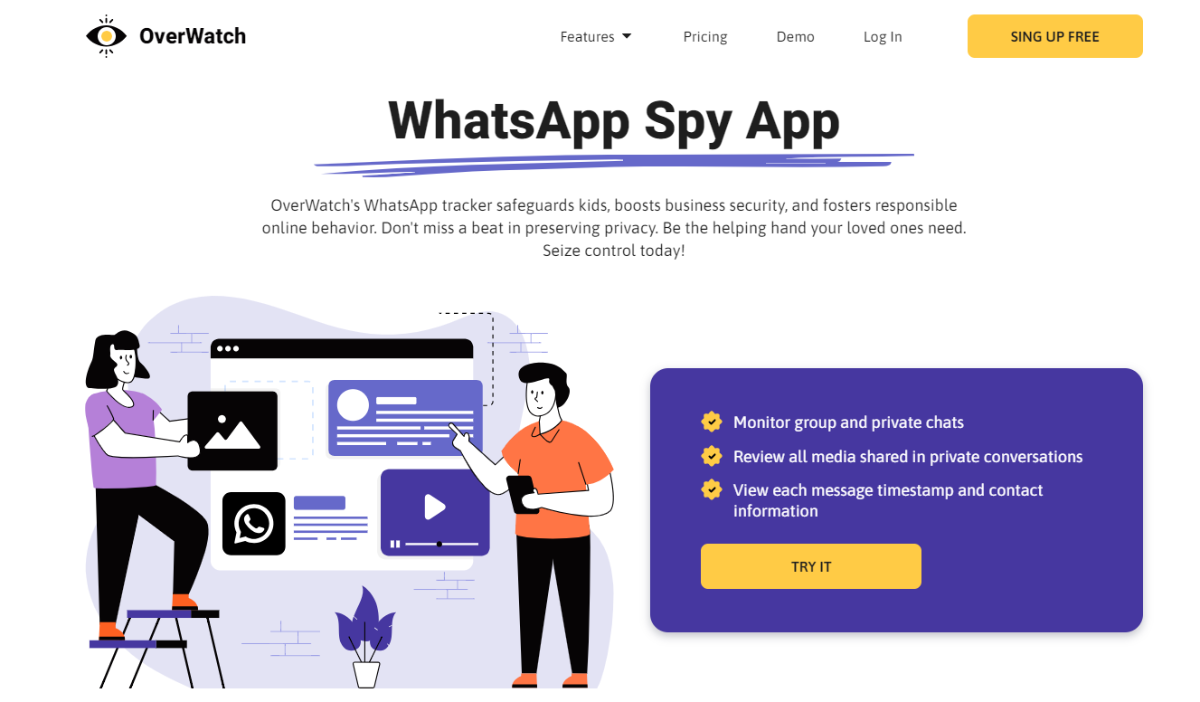
OverWatch offers a solid, reliable option that does exactly what it says it will do: it monitors device usage without a lot of frills. It is also well known for being able to monitor up to 5 devices from one account, which could make it a rather inexpensive option for families with multiple kids.
How it Works: The process is easy and open-book. This is about getting the software up onto the target device.
- Android Devices: To install the app, you will need physical access. One great feature Overwatch promotes is non-root visibility at the target device. A plus for stealth.
- Apple Devices (iPhone/iPad): Overwatch requires jailbreaking the target iPhone to install the software. This is a distinct disadvantage compared to other apps, which use the no-jailbreak iCloud method. Jailbreaking will also void warranty protection and could become an opening for security holes, only for advanced users who have an urgent need for their target iPhone to be jailbroken, with these concerns in mind.
Key Features
- Total Logging: OverWatch logs WhatsApp and Facebook messages, regular and multimedia SMS, call logs, calendar logs, contact logs, as well as all internet activity.
- Location Tracking: It uses both GPS and Wi-Fi signals to locate the device. The company indicates that the battery consumption with this feature wouldn’t be of significant impact, which is something that most other apps cannot claim.
- Automated Screenshots (PC/MAC): The monitoring software takes automatically generated snapshots of the computer at regular intervals, providing a good visual log to go along with a user’s activity.
- SIM Card Change Alert: A very useful feature. If the target device changes its SIM card, you instantly get notified, which could indicate that the user is trying to erase their activities or hide them.
- Front Camera Photo (Android): The app can take a photo on the front camera every time the screen unlocks. This might become a way to indicate who was using the device.
6. mSpy

If you’re looking for a monitoring app with longevity, mSpy is the app you have to recognize. They’ve been around for over a decade and have millions of users. Among the monitoring apps, it is one of the oldest and one of the most trusted within the industry.
It has developed a reputation for a reliable collection of parental control features and overall support. But let’s make one thing clear: it is not a “hacking app.” mSpy does what it does, and doing it as powerfully as it does is not as simple as it sounds. So, when you see “Get mSpy FREE” online, no, you can ignore that. It is a premium, paid service.
How It Works (Tech & What You Need): mSpy has its ways of setting up its service depending on different needs and varying levels of tech skills.
- For Android Devices: You will, as you probably expect, have to have short-term physical access to the phone to install the mSpy application. The entire installation process is guided and fairly simple.
- For iOS Devices (No Jailbreak): The most used option for iPhones relies on the iCloud credentials. You provide the target individual’s Apple ID and password, and mSpy retrieves the data from the target’s iCloud backup. Very clean, and you are not altering the target phone at all.
While it is still possible for you to monitor quite a bit and get more in-depth monitoring with some of what mSpy could do (i.e., potentially be able to monitor all social media chat), you will have to root the Android device/jailbreak the iPhone. This is risky, and we only recommend this for people with the skill set to do so.
Pricing: mSpy has many different subscription sizes. A premium monthly plan starts at approximately $48.99, but the monthly price drops significantly with quarterly and annual subscriptions.
Key Features
- Complete WhatsApp Monitoring: Track all sent/received messages, view multimedia files, and see detailed call logs, all from within the control panel.
- Comprehensive Social Media Targeting: In addition to WhatsApp, mSpy can monitor conversations on Snapchat, Instagram, Facebook Messenger, Tinder, Skype, and much more.
- Screen recorder: This function randomly captures screenshots of what the device has been doing, and seeing as it is both visual and active, it provides a log of sorts regarding what is happening.
- Keylogger: The keylogger will record every keystroke typed on the device, which can be especially relevant for searches, notes, or messages.
- Stealth Mode Operation: mSpy is built with no icons or notifications to show who is being tracked; it is completely invisible to the target device.
7. Flexispy

Flexispy is a powerful option for monitoring. This is not an app for a casual user, but rather for someone who is looking for the most advanced monitoring features and is willing to deal with the technology issues of getting them.
Flexispy’s most unique and powerful features, such as call intercept, require you to root the Android device or jailbreak the iPhone. There is no other way around it. Rooting the device or jailbreaking the iPhone will void any warranty on the device and expose the device to many more security issues, so be careful.
How It Works
- Purchase A License: You pick your Flexispy plan on the website and pay for it.
- Root/Jailbreak the Device: This is an important step. Users must first get privileged control of their target device’s operating system.
- Install the App: When ready, you install the Flexispy software on the device via the installation instructions. The app now runs in complete stealth mode.
- Monitor from the Portal: ALL the captured data, which is far deeper than other apps, is sent to your online Flexispy portal.
Pricing: The price for Flexispy is aligned with the advanced features. It has a LITE plan with basic features starting at around $29.95 a month. The PREMIUM and EXTREME plans, which provide access to the advanced features, are considerably more expensive, with the EXTREME plan priced at $199 for a 3-month subscription.
Key Features
- Live Call Interception: Flexispy’s most famous (and controversial) feature! You can listen to live phone calls as they happen.
- Ambient Recording: You can remotely turn on the phone’s microphone to hear the phone’s surroundings so you have a sense of where the user is and who they’re with.
- Remote Camera Capture: Secretly take pictures or videos using the phone’s camera.
- Comprehensive social media & IM Monitoring: Captures an incredible array of messaging services, which include WhatsApp, Facebook, iMessage, Skype, Viber, and many more.
- Password Cracker: This software is provided within the application and claims it can obtain passwords for your email and apps right from the device.
8. KidsGuard

As the name suggests, KidsGuard was developed explicitly with a simple goal in mind: to help parents protect their children online. When it comes to protecting children online, it provides the tools for the parent to monitor activity, gain an understanding of online behavior, and prevent exposure to danger without requiring people to root the target Android device. It is practical and focused on providing parents with PCI.
How it Works (The Tech & Requirements): KidsGuard aims to keep the setup simple and user-friendly.
- For Android Devices: All you need is a couple of minutes of physical access to the child’s phone to have an app installed on the phone. Once it is installed, KidsGuard works in stealth mode to sync data. No rooting is required for core functionalities.
- For iOS Devices (iPhones/iPads): KidsGuard has both an iCloud solution (which requires Apple ID and password) and a software version that requires you to plug the iPhone into a computer with the KidsGuard software to perform a backup and extract the data.
Pricing: KidsGuard pricing is competitive, too, with monthly pricing starting at approximately $29.99. Just as with other apps, a quarterly or yearly plan can save you a lot of money.
Key Features
- Real-time Data Syncing: The app is designed to quickly sync user WhatsApp activities such as messages, statuses, media shared, and call logs.
- Automatic Screenshots: The app can automatically take screenshots of all conversations when WhatsApp is in use and upload them to your dashboard for a visual record.
- Keyword Alerts: This is a great feature for parental control. You can create a list of sensitive or inappropriate keywords (such as “drugs,” “bullying,” etc.) and get instant alerts if any of the words are used on the device.
- WhatsApp Activity Report: The app can provide an overview of how much time is spent chatting on WhatsApp, login frequency, and other usage statistics.
- Stealth Operation: Works without being seen/unnoticed, so your child won’t know you are spying on them and having to avoid heated arguments (of course, only if a conversation is possible).
9. Spyera

Spyera is marketed as being the professional’s option for invisible, deep-level monitoring. It is a great piece of software that gathers a wealth of data, once installed, and disappears. Spyera is quite unique in its ability to gather WhatsApp messages and other data on non-rooted Android devices, which is a huge win.
How it Works: The process is quite cleverly made for “install, then disappear.”
- Purchase the License: The process starts with you purchasing a Spyera license from its official website.
- Install on Target Device: You will be provided an activation code and download link. You will need physical access to the target device to initiate the installation process. During the installation process, a separate option exists to make the app completely invisible.
- Monitoring Remotely: Once the app is activated and installed, the app goes to work collecting all the available data, which is later collated and uploaded to your secure web account. You will be able to log into your secure web account from any web browser to view the data.
Pricing: Spyera is a premium service with a corresponding price. Plans vary by device (smartphone, tablet, computer) and start at approximately $89 per month for smartphones.
Key Features
- Comprehensive WhatsApp tracking: This tool tracks text messages, call logs, contact photos, and all of the multimedia (photos, videos, audio messages) sent and received on WhatsApp.
- Non-rooted Android tracking: One of the biggest advantages is its ability to track WhatsApp messages on Android devices without having to root the device.
- Live call listening and recording: Again, similar to Flexispy, Spyera provides the ability to listen to and record live phone calls (often this feature relies on rooting).
- Ambient listening: You can remotely turn on the microphone to hear the surroundings of the phone.
- Free updates and remote upgrades: You can update the software on the target device remotely from your web account (you would not need to get physical access again).
10. Spyier

Spyier has developed a great reputation as a secure, reliable, and easy-to-use monitoring program; hence, it is often recommended for first-time users, such as parents who are not techy. Spyier is easy to set up and uses a clean web-based interface. Spyier operates in a discreet manner and has a large number of users globally, increasing trust.
How it works: Spyier offers a straightforward three-step setup that stays away from complicated tech.
- For Android Devices: You must install a small app, which is less than 2MB, on the target device. This does require physical access to the device, which will take about 3-5 minutes. No rooting is required.
- For iOS Devices (iPhones/iPads): Spyier uses the no-jailbreak iCloud method. You must have the target’s Apple ID and password, and you will configure Spyier only once. You will not install any software on the iPhone; the process is completely remote and invisible once you have the credentials.
Pricing: Spyier has separate plans for Android and iOS devices. The basic plan is priced at approximately $39.99 per month, but customers who subscribe for multiple months will get some great discounts.
Key Features
- WhatsApp Spy: Unique function to read all received and sent messages, view group messages, and get time stamps on all messages.
- Stealth Mode: After installing on an Android device, the app icon will be deleted, and the service will run invisibly in the background without taking up any substantial processing power.
- Geofence Alert: Super feature for parents. You can create virtual boundaries on a map, then get alerted any time the targeted device enters or leaves that boundary.
- Web interface: You can view everything from a web browser on whatever device you choose (phone, tablet, computer), and there is nothing to install on your end.
- Track SIM card: Get information about the SIM card running the device and get notified if it ever changes.
11. iKeyMonitor

iKeyMonitor is another powerful and comprehensive monitoring application, and it is available for Android and iOS. It is geared towards preventive features and is ideal for parents because of its ability to set “alert words” so they can detect and monitor indicators of cyberbullying or exposure to inappropriate content. It is useful on rooted/jailbroken and non-rooted/non-jailbroken devices, which is helpful.
How it Works: The features for iKeyMonitor can depend on how much access you want to the monitored device.
- Non-Rooted/Non-Jailbroken (Free Plan): The application currently has a very basic free plan with limited monitoring features and a three-day trial period. However, you will need a subscription to take advantage of full WhatsApp tracking and advanced features.
- Full Version (Paid): For Android devices, you install the application on the target phone. For iOS, you can set up using the iCloud credentials so you can monitor without jailbreaking. If you would like the most advanced features, install the app on a jailbroken iPhone.
Pricing: While iKeyMonitor offers a free basic plan, the first paid and fully-featured plan starts at $16.66 per month.
Key Features
- WhatsApp Monitoring: Keep a record of all chat messages, voice messages, and screenshots of WhatsApp activities; can even get deleted messages.
- Alert Words: This feature is crucial for parental control; users can create a list of words that trigger iKeyMonitor to send an email alert and take a screenshot when any of the words is typed/identified on the screen.
- Website and App Blocking: Provides the ability to block inappropriate or distracting apps and websites.
- Comprehensive Social Media Support: Aside from WhatsApp, it also tracks many more apps, including WeChat, Line, Instagram, Hike, etc.
- Keylogger and Geofencing: Includes standard advanced features like keystroke recording and location-based alerts.
Android vs. iOS Monitoring: What’s the Real Difference?
Monitoring an Android phone is much different than monitoring an iPhone. It does not matter which app you choose. It all comes down to how Apple and Google set their operating systems up. Here is a simple chart.
| Feature / Requirement | Android Devices (Samsung, Google Pixel, etc.) | iOS Devices (iPhones & iPads) |
| App Installation | Direct physical access is required to download and install the monitoring app on the phone. Once it’s on, it runs in the background. | No direct app installation is needed (for no-jailbreak solutions). Instead, it relies entirely on the user’s iCloud credentials (Apple ID and password). |
| How Data is Collected | The app on the phone directly records activity and uploads it to your dashboard in near real-time. | The service accesses and extracts data from iCloud backups. This is a critical difference. |
| Real-Time Updates? | Much closer to real-time. Since the app is on the device, it can send updates for messages, calls, and location very quickly. | Not truly real-time. Data updates only happen when an iCloud backup occurs. This could be once a day or every few hours, depending on the settings. |
| What Can Be Monitored? | Generally, you get more comprehensive data. Features like keyloggers and social media tracking are often more robust on Android. | Access is limited to what’s included in an iCloud backup. Certain app data or live screen activity might not be available. |
| Setup Complexity | The main hurdle is getting physical access to the phone for about 5-10 minutes. | The main hurdle is getting the correct iCloud ID and password and potentially bypassing two-factor authentication (2FA). iCloud backup must also be enabled. |
To summarize this, Android provides a more open environment, thus giving monitoring apps access to more information in a more immediate way. iPhones, on the other hand, are so secure with Apple’s walled-garden approach. Monitoring apps can only access iCloud backups (a less immediate and less all-encompassing method of information collection). Any tool that claims to provide full, real-time “spying” on a non-jailbroken iPhone is lying.
FAQs
How Does a WhatsApp Hacking App Work?
A hacking app acts by hacking into WhatsApp accounts. It can extract info such as messages, videos, and photos. Criminals use such applications to steal the personal details of individuals. Law enforcement officers use the tools to nab criminals and solve crimes. WhatsApp uses end-to-end encryption, which makes it difficult to hack into the software, and the risk of exposure is high. But with the help of effective monitoring software that we have provided in our list of best apps, you can do it safely and securely.
What Can I Do to Prevent WhatsApp Hacking?
Although there are many methods used to avoid hacking, no method is failproof. You need to be careful about how you use the social media app. Some of the methods that help to prevent hacking are:
• Two-step verification.
• Screen lock for WhatsApp.
• Verify Live location sharing and end-to-end encryption.
• Look for unauthorized login to the WhatsApp account.
What Is Two-Step Verification and How Can It Prevent WhatsApp Hacking?
Also known as two-factor authentication (2FA), the two-step verification helps protect your account on Google and social media platforms. Enabling the setting will help to keep your account safe.
Here are the steps to activate the verification process:
1. Open your WhatsApp account and use the settings feature.
2. Choose the Account option.
3. Under the Two-step verification process, choose ‘enable.’
4. Add a passcode for the account and use it for further communications.
Once the above steps are complete, you can log in to your account only after you have provided the secret passcode.
Is a Screen Lock Necessary for Protecting Your WhatsApp Account?
Leaving your mobile device unlocked at the office or anywhere else is a common occurrence. You can be sure that others can check it without your knowledge. The screen lock prevents others from accessing your device. It can be in the form of a PIN or a lock. Another way is to use a fingerprint or Touch ID. The screen lock feature works on Android and iPhones.
How Can I Check End-To-End Encryption on WhatsApp?
All chats on WhatsApp are secured by end-to-end encryption. Any message or text you send to a person is visible only to you and the person receiving your call. A secret code is used that decrypts on the device of the other person, so only the person receiving the message can view it. There is a way to verify if the encryption is working properly. Here are the steps to follow:
• To check the WhatsApp code of a person, choose the person’s contact in the app on your phone.
• Tap on the contact’s name, and on the window that opens, tap on ‘Encryption.’
• You can view your security and QR code.
• To check the security code on the other person’s account, use the scan code feature and scan the QR code present on the phone of the other person. If the code is verified, you will get a checkmark on the screen.
• If the codes are different, your messages will not be sent to the person but to some other contact. This occurs when there is a switch of phone contacts.
Remember that the codes can change if either of the persons involved switches to a new phone, uses the reinstall, or uninstall feature.
Is It Necessary to Have the Latest App Version?
Yes, updating your WhatsApp is necessary to keep it safe from hacking. For iPhone users, use the Updates feature on the App Store. If an update is needed, the update button will appear. If the app is already updated, you will get an ‘open’ button. For Android users, open the Google Play Store and open the My Apps and Games tab. Follow the same steps as you did for the iPhone to run the latest version.
How Can You Choose the Best Hacking Tool?
To identify the best WhatsApp hacker app, you need to consider a few factors. Some of the crucial factors you should check when selecting a hacking tool are:
• Make sure it is reliable and secure.
• The tool should support the operating system and device you use.
• Diversified features should be present to ensure effective results.
• Customer support should be available 24/7.
• The tool should work on multiple accounts simultaneously.
Can I Access WhatsApp Messages without Installing Software?
It is necessary to install the monitoring software on the device you want to monitor. You also need access to a web login or a companion app to view the information on the target mobile device.
Is It Legal to Use an App for Monitoring the Phone Activity of A Person?
Many people are concerned about the ethical and legal issues related to the use of spying apps. But, before using a hacking tool, make sure it is allowed in your country. Most countries allow the use of monitoring apps without the knowledge of the person if the target is your child living with you and is under 18 years of age. However, monitoring other people is not allowed in most countries. You need to check with the relevant rules and regulations of your country.









