


BEST VPN SERVICES



As someone who has never been on the dark web, you are likely to have developed a lot of unnerving theories about what happens there. However, those who have been able to access it would appreciate the wide range of content it has to offer as well as its potential to serve as a beacon of anonymity and freedom. It is also worth mentioning that accessing the dark web is not difficult at all, but doing so while upholding your safety can be a real challenge.
Since it is unregulated, you’ll find innumerable cybercriminals lurking around anywhere on the dark web. But here’s what most guides won’t tell you: 2026 has brought entirely new threats that make yesterday’s precautions obsolete. AI-generated phishing sites now mimic legitimate .onion markets with scary accuracy. Exit node snooping has become more sophisticated, and ransomware markets are specifically targeting first-time dark web users who don’t know better.
Therefore, it is crucial to prioritize your online safety with 2026-specific safeguards that go way beyond the basic use of Tor and free VPNs. Before getting on the dark web, you need to arm yourself with the knowledge of how to get on the dark web safely. This post will help you with exactly that!
What is the Dark Web? A Technical Deep-Dive for 2026

Many people are fascinated by the mysteriousness of the dark web, but very few understand how it actually works technically. So, before we plunge into any details, let’s break down not just what the dark web is, but how its encryption layers protect you (and where they can fail). You’ll be surprised to know that the internet is much more than just that. It is essentially made up of two layers: the surface web and the deep web.
The content that is indexed and crawled by various popular engines is what we refer to as the ‘clear’ or ‘surface’ web. The web pages displayed to you as search results for your search engine entries are all a part of the surface web. So, it is safe to say that even children can access this layer of the internet that we call the surface web. Although as large as it may seem, it only accounts for 10% of the internet.
Most of the content on the Internet is comprised of web pages and websites that search engines have not indexed, for instance, payment portals and login pages. This part is known as the ‘deep web.’ Contents on the web that require logins, passwords, authentication forms, or paywalls are considered to be part of the deep web. Email, private social media accounts, online banking, and subscription services are all examples of deep web content that the ordinary internet user has access to.
The deep web is concealed behind HTTPS forms because, quite frankly, nobody wants their email history to be publicly accessible and searchable on the Internet. But if you know what exactly you are searching for, you can easily access its content. So, where is the dark web? The dark web is a subset of the deep web, offering privacy and anonymity through sophisticated encryption layers.
Here’s How Tor’s Onion Routing Actually Works

Your traffic gets encrypted and bounced through at least three nodes – an entry node, a middle node, and an exit node. Each node only knows the previous and next step in the chain, never the full path. Think of it like passing a sealed envelope through multiple messengers, where each messenger only knows who gave it to them and who to pass it to next. The final recipient never knows where it originally came from.
But here’s the catch most people miss: the exit node can still see your unencrypted traffic if you’re visiting regular HTTP sites. That’s why enabling ‘Safest’ mode in Tor Browser (which disables JavaScript and forces HTTPS) isn’t optional – it’s essential. The dark web isn’t hosted by a single server but rather by thousands of servers and nodes accessible only via .onion addresses – those cryptic 16-character strings that look like gibberish.
While the dark web is often described as an unregulated territory where anything goes, that’s not clearly the case. The dark net is simply an anonymous space on the internet used by journalists in oppressive regimes, whistle-blowers, or privacy-conscious individuals, just as much as it’s misused by criminals.
Reality Check: What makes the dark web particularly risky today is that AI-enabled threat actors can develop incredibly convincing fake marketplaces, clone legitimate sites perfectly, and even generate deep fake customer reviews. Always verify .onion products on reputable forums such as Dread before going to a marketplace.
How to Get on the Dark Web Safely in 2026

Utilizing the Tor browser is the simplest way to access the dark web because it will send your traffic over the Tor network. Using Tor, you can enter any URL, including the dark web’s .onion domains. For enhanced security, we recommend utilizing the Tor-over-VPN technique, which essentially means connecting to a VPN before using Tor.
The Tor browser is the base, but proper configuration makes the difference between anonymity and getting compromised. For more security, we recommend the use of the VPN-over-Tor method, which means connecting to a VPN and then accessing the Tor network. Here’s why that’s more important in 2026 than it has been at any point in the past. The Tor network will be safe and private, but it can be simply detected by your ISP when inspecting the deep packet.
Some Governments and ISPs have become increasingly hostile toward Tor usage, with some regions implementing automatic throttling or flagging accounts. Why does your ISP care? ISPs care because Tor traffic has distinctive patterns that stand out like a sore thumb in their network analysis. Even if they can’t see what you are doing, they know you’re using Tor — and that alone might land you on the various watch lists.
A Tor network may be safe and private, but your internet Service Providers will be able to recognize its use. Some governments and ISPs may even be apprehensive of Tor’s use. A VPN for the dark web is, therefore, your best shot at the level of anonymity you desire. The Tor-over-VPN connection will conceal your internet activities and stop anyone from discovering that Tor is being used. Following are the steps you can follow precisely to get on the dark web safely:
- Connect to one of the safest and most reliable VPNs to encrypt all your online activities and mask your real IP address. Even though encryption is offered by both, a Tor-friendly VPN is very different from Tor.
By using a VPN, you can keep your ISP and other people from finding out that you have downloaded and are using Tor Browser. - Download and install the free Tor Browser that sends all of your traffic over the secure Tor network. Also, remember that Tor Browser should only be downloaded from the Tor Project’s official website since unofficial third-party downloads can include viruses.
- Use Tor Browser to navigate the dark web and browse the .onion domains. Since the dark web is known to be unregulated, it’s better to avoid visiting dark websites without verifying their legitimacy.
- Keep your identity private at all times. Although the dark web does not necessarily mean creepy and dangerous content, there exist numerous scams nonetheless.
It is highly recommended that you use anonymous and encrypted emails when communicating on the dark web and pay via cryptocurrency only.
5 Best VPNs for the Dark Web in 2026

Since your anonymity and safety on the dark web will be largely related to a VPN, picking the right one isn’t just important. It is essential to your digital survival. There are a lot of VPN services that say they promise the best security, but they often come up short when it comes to dark web-specific features such as obfuscation, jurisdiction safety, and Tor compatibility.
Here are the five VPN services we have fully tested and approved for access to the dark web in 2026:
- NordVPN: Fast, secure VPN with strong encryption and a large server network.
- Surfshark: Affordable, unlimited device connections with robust privacy features.
- Proton VPN: Privacy-focused VPN from Switzerland with a strict no-logs policy.
- Total VPN: User-friendly VPN with solid security and streaming support.
- ExpressVPN: Premium, high-speed VPN with top-tier privacy and global servers.
1. NordVPN

Numerous reviews from all across the world have ranked NordVPN as one of the finest and most secure VPNs around the globe. Anyone seeking a safe, dependable, and feature-rich VPN should consider this one. The fact that NordVPN’s headquarters are in Panama, a country that truly values privacy, makes their no-logging policy sound very legitimate.
- NordVPN is the industry leader (by a long way)
- 30-day risk-free trial
- Superfast speeds
- 7,300+ servers in 115+ countries
- Strict no-logs policy
- Next-generation military-grade encryption
- DoubleVPN, double privacy
- 10 simultaneous device connections
- Great for: Safety, security, anonymity & peace of mind
- Compatible with: Windows, Mac, Android, iPhone, iPad & iOS, Linux, routers, Apple TV, FireFox, Google Chrome, Microsoft Edge, and more
PricewaterhouseCoopers (PwC) has conducted independent audits for the company on two separate occasions, validating the claims of its no-logging policy and the privacy of servers. In addition, NordVPN’s extensive collection of security features has made a huge contribution to bringing its name to the top of our list. Let’s look at its cryptography first. The service uses military-grade AES 256-bit encryption, which is impenetrable even by the most skilled of hackers and powerful computers. Additionally, NordVPN offers the DoubleVPN feature, which adds a layer of encryption to customers’ data for a much safer online experience.
Providing perfect forward secrecy, NordVPN ensures that the encryption key is modified each time the app is launched. It also provides a selection of various security protocols, such as the OpenVPN and IKEv2/IPSec protocols. But one of NordVPN’s most well-known features is its NordLynx protocol, which is based on the well-known Wireguard standard but is allegedly quicker and more secure. NordVPN’s outstanding dual kill switches, one for the internet and one for the app, also make it one of the most desirable VPNs for the dark web.
These switches are an excellent feature for online security since they let you choose whether to shut down a specific app or stop all internet traffic if suddenly your VPN connection drops. Not only that. It offers protection against IP, DNS, and WebRTC leaks in every slick app that NordVPN has released for different platforms. Along with securing your online activity, it also protects your device against viruses and other harmful websites by preventing any unwanted adverts with an integrated threat prevention feature.
Last but not least, NordVPN has a sizable server network that spans 110 countries. The 7400 servers that make up this network are all RAM-based, so even though encrypted, the data isn’t kept around for long enough to fall into the wrong hands. Every time a server is rebooted, its memory is wiped clean. If you find this level of online security optimal for getting on the dark web, you should go ahead and purchase a subscription. Not only will a single subscription let you connect six devices simultaneously, but if you don’t find the service up to the mark, you can claim a refund within 30 days.
Dark Web Configuration Steps
- Turn on “Obfuscated Servers” in the Settings > Advanced.
- Link up with the server in Switzerland or Iceland.
- Enable “Kill Switch” and ”DNS Leak Protection”.
- Open Tor Browser and go to whatismyipaddress.com.
Why NordVPN is The Best for Accessing the Dark Web
- Security audits: NordVPN isn’t just relying on past audits; they’re actively and regularly having their systems and policies scrutinized by third-party experts. For instance, Deloitte Audit Lithuania has conducted five assurance reports on NordVPN’s IT systems, infrastructure, and no-logs claims, with the latest assessment taking place at the end of 2024.
- Onion over VPN: This feature, exclusive to NordVPN, automatically routes your internet through the Tor network, giving you double-layer protection without the need to manually configure anything whatsoever in the settings.
- Obfuscated Servers: These special servers make it look like your VPN traffic is regular HTTPS traffic, especially in countries that don’t allow the use of VPN to avoid deep packet inspection.
- Advanced Technical standards: Best-in-class military grade with 256-bit AES encryption, NordLynx (built on WireGuard), perfect forward secrecy, and dual kill switches make this the gold standard.
- Server Network: 7700+ RAM-only servers in 118+ countries (all data is erased upon reboot).
The fact that NordVPN’s headquarters are in Panama (a privacy-friendly jurisdiction with no data retention laws) makes their no-logging policy genuinely trustworthy.
2. Surfshark

There are many VPN providers out there in the industry that can offer optimal security services for accessing the dark web through the Tor browser. However, not every provider is easy on the pocket. Surfshark is known to be one of those affordable options that offer subscription bundles with competitive prices without skimping on any essential features. Especially if you require a VPN for long-term use, there could not be a VPN offering a better value for the same price. The longer your commitment, the cheaper you’ll find its subscription.
- Surfshark is the best budget VPN
- 30-day risk-free trial
- Strict no-logs policy
- 3200+ servers in 100 countries
- Unlimited simultaneous device connections
- Great for: private browsing on a budget
- Compatible with: Windows, Mac, Android, iPhone & iOS, Linux, FireFox, Google Chrome, Microsoft Edge, and more
Surfshark has established itself as a go-to option for many large families and small enterprises thanks to its ability to support an infinite number of devices with a single account and superior security measures. Some notable features that guarantee the security of your valuable data online include strong DNS leak protection, dependable perfect forward secrecy, and reliable AES 256-bit encryption. Additionally, it implements a wide range of tunneling protocols, including WireGuard, OpenVPN, ShadowSocks, and IKEv2 (IPsec).
Additionally, Surfshark offers an automated kill switch, which significantly contributes to the service’s reputation as the most secure VPN for the dark web. When the VPN connection abruptly ends, the kill switch automatically stops your internet activity to prevent your data from being accessed by hackers. The Multihop feature, which provides an extra layer of encryption by sending user data through two servers for added protection, and the Cleanweb feature, which continues to block adverts for users’ comfort and safety from harmful websites, are two other outstanding features that you will truly appreciate.
Even better, it contains a built-in antivirus program to guard against viruses and a stealth mode to hide the usage of VPN servers. The scale of Surfshark’s network is also pretty impressive, given that it only began operating in 2018. The fact that its whole fleet of 3200 servers (located in 65 different countries) is RAM-based is the cherry on top of the cake. This obviously means all data is deleted from the servers with just one flick of the power button. The absence of data saved means there is zero chance for hackers to access any data.
Furthermore, Surfshark has dispelled yet another major worry and demonstrated the veracity of its claims that it does not log any personally identifiable user information by performing a thorough audit of its server infrastructure. Furthermore, Surfshark has dispelled yet another major worry and demonstrated the veracity of its claims that it does not log any personally identifiable user information by performing a thorough audit of its server infrastructure. This measure taken by Surfshark speaks volumes of its credibility. So, now there should be nothing holding you back from buying a subscription.
Surfshark Setup Process
- Turn on “Camouflage Mode” under settings → Advanced.
- Enable “CleanWeb” to block dark web malware.
- Choose “Multihop” for an extra security layer (optional but recommended).
- Connect to a privacy-server location.
Best for Families or Multiple Device Owners
With unlimited simultaneous connections, Surfshark provides high-end dark web protection for less cost. Some of its features include:
- Camouflage Mode: This makes the fact that you’re using a VPN completely invisible, which is useful for places where VPNs are actively monitored.
- MultiHop Feature: Bridges the gap between VPNs by routing your traffic through two VPN servers before it reaches Tor, adding an extra layer of encryption.
- CleanWeb Technology: CleanWeb essentially blocks all sorts of malicious ads and trackers that are usually found on dark websites.
Surfshark’s jurisdiction in the British Virgin Islands provides strong privacy protections, and their recent security audit validated their no-logs claims.
3. Proton VPN

When accessing the dark web, privacy and security should be your top priorities. Proton VPN offers a secure, no-logs service with strong encryption, ensuring your online activity remains anonymous. Unlike free VPNs that may sell user data, Proton VPN is backed by Swiss privacy laws, meaning your information won’t be tracked or stored. Its built-in kill switch and DNS leak protection further safeguard your connection, making it a reliable choice for dark web browsing.
Proton VPN goes beyond basic protection with features like Secure Core, which routes your traffic through multiple servers to prevent exposure even if one is compromised. In 2026, with increasing surveillance and cyber threats, this multi-layered security is crucial for dark web users. Additionally, Proton VPN supports Tor over VPN, allowing you to connect to the Tor network with an extra layer of encryption—ideal for maintaining anonymity while accessing .onion sites.
Getting started with Proton VPN is simple: download the app, connect to a high-privacy server (preferably in a privacy-friendly jurisdiction), and then launch the Tor Browser for dark web access. Proton VPN’s fast speeds and unlimited bandwidth ensure smooth browsing without sacrificing security. For maximum safety, always enable the kill switch and avoid logging into personal accounts while on the dark web. With Proton VPN, you can explore the dark web with confidence in 2026.
ProtonVPN Configuration for Dark Web
- Use “Secure Core” servers for the most protection.
- Turn on “Kill Switch” and “DNS Leak Protection”
- Use the Stealth Protocol for censorship-heavy countries.
- Connect to their servers in Switzerland or Iceland.
4. Total VPN

Total VPN is a powerful privacy tool designed to keep your online activity secure, making it a solid option for accessing the dark web safely in 2026. With military-grade AES-256 encryption, a strict no-logs policy, and IP masking, Total VPN ensures your identity remains hidden from prying eyes. Unlike some free VPNs that compromise security for profit, Total VPN prioritizes user privacy, making it a trustworthy companion for exploring .onion sites without leaving a digital trail.
One of Total VPN’s standout features is its automatic kill switch, which instantly cuts your internet connection if the VPN drops—preventing accidental exposure. Additionally, its DNS and IPv6 leak protection ensures that your real location and browsing activity stay concealed. In 2026, as cyber threats grow more sophisticated, these extra layers of security are essential for anyone venturing onto the dark web. Total VPN also offers obfuscated servers, which help bypass VPN blocks in restrictive regions, adding another level of privacy.
A common issue with VPNs is slow connection speeds, but Total VPN’s optimized servers minimize lag, allowing for smoother dark web navigation. Whether you’re accessing forums, marketplaces, or research tools, a fast and stable connection reduces the risk of timeouts or disruptions. Total VPN also supports unlimited bandwidth, so you won’t face sudden slowdowns—crucial for extended dark web sessions where consistent performance matters.
To get started, download Total VPN, connect to a server in a privacy-friendly country, and then launch the Tor Browser for dark web access. For maximum security, enable the kill switch and avoid using personal accounts while connected. Total VPN’s user-friendly interface makes it easy for both beginners and experienced users to stay protected. By combining Total VPN with Tor, you can explore the dark web in 2026 with confidence, knowing your privacy is safeguarded every step of the way.
TotalVPN Dark Web Setup
- Turn on the “Advanced Security” feature in settings.
- Turn on protection by “Kill Switch”.
- Select servers in countries with robust privacy laws.
- Check the Tor connection before using Tor.
- ExpressVPN - Ultra Fast VPN with Extreme Privacy.
A Solid Choice for Budget-Conscious Users
TotalVPN is fairly new but has quickly become known for its strong privacy policy and a solid list of features. Listed below are some of its features:
- Zero-Log Policy: TotalVPN enforces a No-logs Policy for added privacy.
- Sophisticated encryption: Employs AES-256 encryption in combination with the most secure VPN protocols such as OpenVPN and WireGuard.
- Kill Switch Security: Auto-disconnects if the VPN is suddenly terminated, eliminating the risk of exposure.
5. ExpressVPN

When it comes to securely accessing the dark web, ExpressVPN remains one of the most trusted names in the VPN industry. With its industry-leading encryption, lightning-fast speeds, and a strict no-logs policy verified by independent audits, ExpressVPN ensures your online activity stays private. Based in the privacy-friendly British Virgin Islands, the service is outside the jurisdiction of invasive surveillance alliances like the Five Eyes, making it an excellent choice for anonymity in 2026. Its ability to bypass geo-restrictions and censorship also means you can reliably connect to Tor from anywhere in the world.
ExpressVPN offers several high-end security features that make it ideal for dark web use. Its proprietary TrustedServer technology ensures that all servers run on RAM-only infrastructure, meaning no data is ever stored on hard drives. Combined with perfect forward secrecy, which frequently changes encryption keys, your sessions remain secure even if a server were compromised. The VPN also includes a network lock (kill switch) to prevent accidental exposure if your connection drops—a critical feature when accessing sensitive .onion sites.
One of ExpressVPN’s biggest advantages is its speed, which is crucial for a smooth dark web experience. Unlike some VPNs that slow down connections, ExpressVPN’s Lightway protocol optimizes performance without sacrificing security. This means faster page loads, smoother streaming (if needed), and more reliable access to Tor-based services. With servers in 105 countries, you can easily find a low-latency connection, reducing the lag that sometimes plagues encrypted browsing.
Using ExpressVPN to access the dark web is simple: download the app, connect to a secure server (preferably in a privacy-respecting country), and then open the Tor Browser. For added security, enable the kill switch and consider using ExpressVPN’s split tunneling feature to route only dark web traffic through Tor. Avoid logging into personal accounts or using unencrypted services while connected. With ExpressVPN’s combination of speed, security, and ease of use, you can navigate the dark web in 2026 with confidence, knowing your privacy is fully protected.
ExpressVPN Dark Web Setup
- Enable ExpressVPN’s Threat Protection & Kill Switch – Activate security features in settings before connecting.
- Connect to a Privacy-Focused Server – Choose locations like Switzerland or Iceland, avoiding Five Eyes countries.
- Verify Your VPN Connection – Check for leaks at DNSLeakTest.com before proceeding.
- Access Dark Web via Tor Browser Only – Never use regular browsers; stick to official .onion links.
- Maintain Anonymity – Disable JavaScript, avoid logins, and close all other apps while browsing.
Best for Fast Dark Web Browsing
The Lightway protocol, developed by ExpressVPN, is lightning-fast without affecting security. It is important, especially when Tor begins to slow down your connection.
- Trusted Server Technology: All servers are RAM-only with no data storage capacity.
- Jurisdiction: Located in the British Virgin Islands with robust privacy protection laws.
- Perfect Forward Secrecy: Changes encryption keys often to make long-term surveillance more difficult.
VPN Comparison for Dark Web Access
| VPN | Jurisdiction | Tor Compatibility | Dark web features | Monthly Price |
| NordVPN | Panama | Obfuscated servers, Built-in compatibility | Obfuscated Servers, Onion Over VPN | $3.39 |
| Surfshark | British Virgin Islands | Manual Tor Configuration | Camouflage Mode, Socks5 proxy, WireGuard support | $2.49 |
| ProtonVPN | Switzerland | Secure Core Routing | Stealth Protocol | $2.99 |
| TotalVPN | Privacy-Friendly | WireGuard Support | Advanced Mode | $2.42 (billed annually at $29) |
| ExpressVPN | British Virgin Islands | Lightway Protocol | Obfuscation | $4.99 |
Jurisdiction Warning: If you want to use a VPN for maximum privacy, we suggest you avoid VPNs originating from the Five Eyes countries: the US, the United Kingdom, Canada, Australia, and New Zealand. They are vulnerable to intelligence-sharing agreements and data retention laws.
Step-by-Step Dark Web Access Configuration
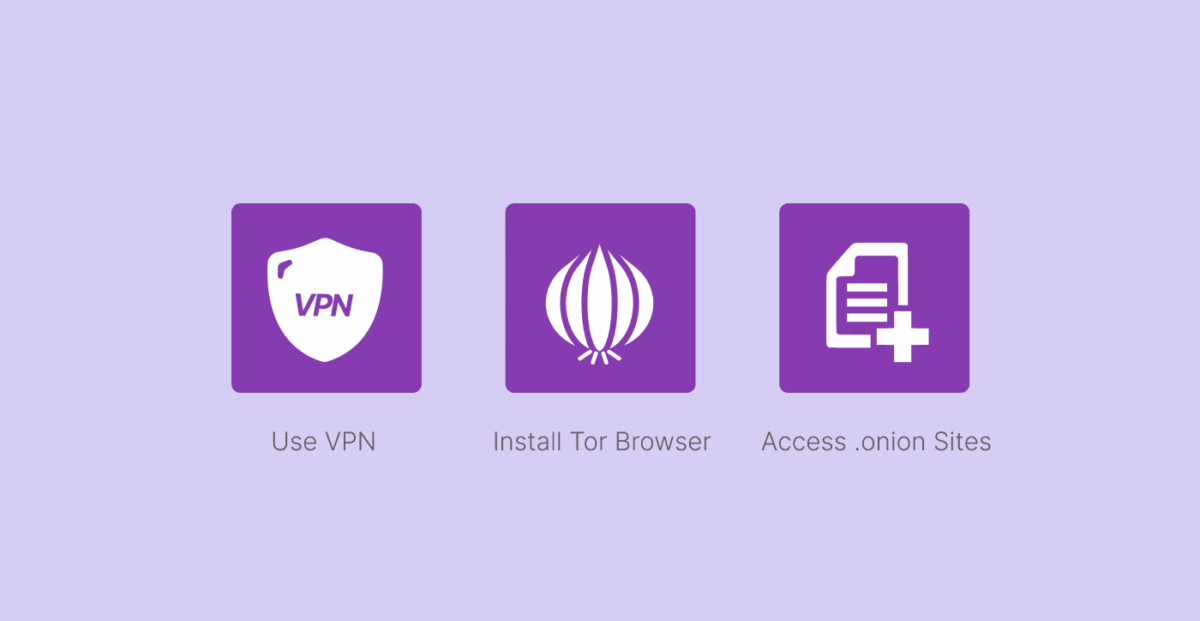
Step 1: VPN Configuration and Leak Tests
Sign up with one of the most trusted VPNs to encrypt all your online activities and mask your IP address. Here’s how to configure your VPN properly for dark web access:
- Select the Right Protocol: Use OpenVPN or WireGuard in your VPN app, not IKEv2 (which is not compatible with Tor).
- Turn on Kill Switch: Go to Settings → Kill Switch → Enable Network Lock and App Kill Switch.
- Turn off IPv6: Network settings → Advanced → Turn off IPv6 (avoids IP leaks).
- Turn on Obfuscation: Look for and enable “Obfuscated Servers” or “Stealth Mode.”
- Test for Leaks: Visit ipleak.net to make sure there are no DNS, WebRTC, or IP leaks.
Pro Tip: Always connect to a VPN server in a privacy-friendly country such as Switzerland, Iceland, or the British Virgin Islands before opening up Tor.
Step 2: Install Tor Browser and Harden your protection
Download and install Tor Browser – but not just any Tor Browser. Here are the steps for a safe Installation Process:
- Download only the official: Visit torproject.org (never download from other 3rd party sites.
- Check PGP signature: Download the signature file and make sure the signature is valid with GPG.
- GPG-verify Tor-browser-[version]. exe. asc tor-browser-[version]. exe.
- Security Level Settings: Open Tor → Settings → Privacy & Security → Switch to “Safest”.
- Turn off JavaScript: This will happen automatically if you select “Safest,” but check once more to confirm it’s off.
- NoScript Install and Configuration: Whitelist necessary scripts, blacklist rest by default.
CRITICAL 2026 UPDATE: Always make sure that your version of the Tor Browser is dated 2024 or later. Older versions have vulnerabilities that may be exploited by operators of exit nodes.
Step 3: Accessing .onion Sites Safely
Visit and browse the dark web using Tor Browser, and navigate .onion sites, but with these Precautions:
- Verify Links through Dark.fail: This clearnet site maintains updated, verified .onion urls.
- Use HTTPS Everywhere: Install encryption to force encrypted connections.
- Bookmark Verified URLs: Never use Search Results for marketplace URLs.
- Confirm the URL Authenticity: Manually type the URL of the .onion site in your web browser and verify its authenticity with another trusted source.
What about the frightening question that everyone always asks: “How can I tell if a site is legit?” Here is your verification checklist:
- Cross-check URLs across multiple reputable forums (Dread, Hidden Wiki archives).
- Look for the HTTPS Padlock on .onion sites.
- Check to see if the site has been recently abandoned. (Abandoned sites are often malicious and targeted.)
- Never enter personal information on HTTP-only .onion sites.
Step 4: Opsec Identity Protection
The following Outlined measures will help you keep your identity private at all times with these advanced operational security measures:
- Use a dedicated device: use a different laptop or, preferably use a Virtual Machine to create a distinction within your computer for the purpose of accessing the dark web.
- Turn Off Location Services: GPS, Wi-Fi location, and camera/mic permissions.
- Anonymous Email Account: Sign up for ProtonMail through Tor (don’t use your personal email).
- Virtual Wallet: Have a Monero wallet to ensure anonymous transactions.
Communication Security
- Do not choose pseudonyms that you have used with your real identity anywhere online.
- Use PGP (GNU Privacy Guard) at all times to encrypt your sensitive messages.
- Do not repeat usernames, passwords, or email addresses from the clearnet.
We suggest you use anonymous and encrypted emails for the darknet and do not make transactions with Bitcoin, since it is built on a Public ledger.
Other Tools and Services for the Dark Web

Now that you know how to get on the dark web with VPN safety, you may wonder what other tools you can use to increase your security. Although dark web browsing is more complicated than conventional web browsing, there are several tools you may use to map your path. You can identify trustworthy dark websites using dark web search engines and discussion boards like Reddit, but you’ll need a dark web browser to access them.
Aside from VPN and Tor, you will need some extra tools to safely browse the dark web:
1. Secure Operating Systems
Tails OS: (The Amnesic Incognito Live System)
- Download Tails OS from tails.boum.org.
- Make a bootable USB with Rufus or Etcher.
- Boot from USB ( leave no traces on your computer).
- All traffic is automatically tunneled through TOR.
- Memory is Erased during Power Off.
Qubes OS
- Multi-layered security with isolated virtual machines.
- Isolated VMs for different activities (browsing, communicating, file storage).
- Even if one VM is attacked, other VMs remain secure.
2. Browser Security Extensions
NoScript Security Suite
- Blocks JavaScript, Flash, and other potentially harmful content.
- Whitelist only necessary scripts for .onion sites you trust.
- Blocks drive-by downloads and browser exploits.
HTTPS Everywhere
- Enforce HTTPS where possible.
- Essential for .onions that have HTTPS enabled.
- Protects against “man-in-the-middle” attacks.
3. Secure Communication Tools
ProtonMail Onion Service
- End-to-end encrypted email.
- Accessible via .onion address.
- No registration is needed to use the app and to access the price list.
Session Messenger
- Decentralized messaging app.
- No phone numbers or email addresses are needed.
- Messages travel through the onion-routing network.
Dark Websites – Search Engines and Discovery

1. Ahmia Search Engine
- Indexes .onion sites with content moderation.
- Filters illegal content automatically.
- Symbolizes a good starting point for legitimate dark web services.
2. DuckDuckGo Onion Service
- No tracking history, no search history Storage.
- Access through Tor Browser Only.
- Url:duckduckgogg42xjoc72x3sjasowoarfbgcmvfimaftt6twagswzczad.onion.
3. Torch Search:
- Largest dark web search engine.
- Not as well moderated as Ahmia(Exercise Caution).
- Helpful in searching for particular services or information.
Advanced Opsec (Operational security) for the Dark Web

Operational security is a lot bigger than which tools you use. It’s about habits to control your identity and activity.
1. Digital Compartmentalization
The golden rule of Dark Web browsing, is “Dark Web Trips should not intersect with your regular virtual life.” Here’s how to achieve that:
- Isolate the Device: Access the dark web from a dedicated laptop or desktop, which you only use for the dark web.
- Isolated Network Connection: Establish a connection to the internet with a public Wi-Fi or cellular network (never the one in your house).
- Multiple identities: Create multiple personas with different communication styles and interests.
- Time Separation: Browse the dark web during different hours of the day than you normally use for regular internet activities.
2. Anonymous Payment Methods
Cryptocurrency Privacy Ranking (from Most to Least Private):
- Monero(XMR): Ring signatures, stealth addresses, and confidential transactions hide every detail of each transaction.
- Zcash (ZEC): Optional privacy features with shielded transactions.
- Bitcoin Cash(BCH): Slightly better privacy than Bitcoin through CashShuffle.
- Bitcoin(BTC): Pseudonymous, yet all transactions are recorded permanently.
How to Purchase Monero Anonymously
- LocalMonero.co: LocalMonero.co is a P2P exchange with no KYC required.
- Bisq: This is a Decentralized exchange, and trades are carried out directly between users.
- Cake Wallet: A mobile wallet that has in-built exchange properties.
- AtomicDEX: Monero-supporting Cross-Chain decentralized exchange.
Payment Security
- Create a new Monero address every time you receive a payment.
- Customize your payments with subaddresses.
- Never reuse an address or link it to personal accounts.
- Never consider a payment complete until multiple confirmations have been made.
- Protocols for Secure Communications.
3. PGP Encryption Instructions
- Generate Key Pair – Use GnuPG and make a public/private Key Pair.
- Key Distribution – Send the world’s public keys to others through public key servers or in a secure manner.
- Message Encryption – Encrypt all communications that may be considered sensitive.
- Key Management – Store secret keys on encrypted external media.
Secure Messaging Practices
- Write in different ways for different identities.
- Do NOT reference personal information or location.
- Enable disappearing messages when available.
- Do NOT write about anything criminal.
Country-Level Issues with Accessing the Dark Web

Nations exhibit a diverse level of internet censorship and degree of freedom of speech, freedom of the press, freedom of assembly online, and access to the internet, including the ability to access websites, operate on services and domains, as well as regime-related restrictions, all of which are harmful censorship of online activity.
High Censorship Countries
1. China
- Drawbacks: Tor and most VPN traffic are blocked by the Great Firewall.
- Solutions: Use the Tor Browser with Snowflake or Meek Bridges.
- VPN Required: You should use obfuscation (like NordVPN obfuscated servers).
- Update: Please connect to Hong Kong or Taiwan servers first.
2. Iran
- Issues: Deep packet inspection and VPN Blocking.
- Solutions: use ShadowSocks proxy or V2Ray protocol(s).
- VPN Suggestion: Use Surfshark’s Camouflage Mode or ProtonVPN’s Stealth Protocol.
- Recommendation: Search the internet during the internet’s prime time, when there is potentially less surveillance.
3. Russia
- Cons: VPN bans and ISP surveillance.
- Solutions: obfuscated protocol and use WireGuard.
- Server locations: Connect to a server via the Baltic and Scandinavia.
- Legal Disclaimer: Using a VPN for any of these purposes may be illegal!
Countries with Moderate Restrictions
1. Australia
- ISPs: ISPs willingly block many .onion sites.
- Solution: Use DNS-over-HTTPS and VPN with Australian servers.
- Legal Environment: Metadata retention laws mean additional privacy requirements.
2. United Kingdom
- Investigatory Powers Act: Huge monitoring powers.
- Recommendations: Use VPN Servers outside of the Five Eyes countries.
- More Security: If you want the highest level of anonymity, use Tails OS.
How to Spot and Avoid Dark Web Scams in 2026

The dark web is a haven for more polished and extremely savvy scammers: they’re going after unsuspecting morons. Here’s how you can protect yourself:
Common Types of Scams
1. AI-Generated Marketplaces
- What they are: Websites that look like service websites that are real but completely fabricated, have been created using artificial intelligence systems to masquerade as people, and are made cleaner.
- Red flags: Cheaper prices; no user reviews; garbage grammar in their automatic responses.
- Safety: Double-check all marketplace URLs on a positive forum like Dread.
2. Exit Scams
- What They Are: Phony-looking marketplaces that vanish with users’ cryptocurrency.
- Red Flags: New and unproven market, high initial deposit requirements, no escrow system included.
- Safety: Don’t send more than you can afford to lose, and try escrow services.
3. Phishing Attacks
- What They Are: Imitation login pages are meant to steal the login details.
- Red Flags: slightly off URLs, unsecured connections (HTTP instead of HTTPS).
- Security: Bookmark trusted URLs, always verify HTTPS padlock.
Verification Strategies
Forum Verification
- Look into discussions on Dread (think: Reddit for the dark web).
- Check for mentions in established communities.
- Verify with multiple independent sources.
- Check marketplace history and feedback.
Technical Verification
- Compare SSL certificates with well-known trusted sites.
- Verify if the site offers PGP validation.
- Look for professional design and frequent updates.
- Test customer service responses for time and quality.
Legal Considerations
When you decide to go on the dark web, it is worthwhile to have an understanding of the legal environment.
Legal Status by Activity
Usually Legal Activities
- Browsing news blogs and forums.
- Accessing academic papers and other academic libraries.
- Using secure communications tools.
- Researching privacy.
Legal Gray Areas
- Accessing restricted information in your country.
- Bypassing censorship and surveillance.
- Engaging in anonymous political discussions.
- Using cryptocurrency.
Illegal Activities
- Purchasing controlled substances.
- Accessing illegal markets.
- Downloading materials that have copyright.
- Engaging in forums involving cybercrime.
Risk Management Strategies
Legal Protection
- Ensure you understand your local laws regarding Tor and VPN.
- Keep documentation of your legitimate research.
- Consider speaking with privacy-focused legal representation.
- Do not do anything illegal.
Technical Protection
- Connect through VPN servers in a privacy-friendly jurisdiction.
- Consider using Tails as the OS for the best security.
- Do not download files to your primary operating system.
- In the settings for Tor Browser, you can also enable Maximum in the Security Level.
Operational Protection
- Segregate your dark web activity from your personal life.
- Consider using secure deletion software for sensitive files.
- Conduct regular security audits of your setup.
- Have a plausible deniability for legitimate use.
Troubleshooting Some Common Dark Web Access Problems

Even when everything is configured properly, you may still run into technical difficulties. Here are some suggestions for dealing with technical problems:
1. Connection Problems
Problem: Can’t connect to the Tor browse.
Solutions:
- Check if Tor is blocked (use bridges)
- Re-test if the VPN is functioning properly (try using ipleak.net).
- Use different methods for bridges (obfs4, meek, snowflake).
- Try clearing Tor browser data and restarting.
Problem: Slow download speeds.
Solutions:
- Test VPN servers that are closer to you.
- Change the Tor circuit (click the onion icon → New Circuit).
- Turn off temporary settings (not recommended).
- Try accessing during slower hours, if possible.
2. Security Warnings
Problem: SSL certificate warnings on .onion sites.
Solutions:
- This is normal for many .onion sites.
- Proceed with caution, never enter sensitive information.
- Cross-check the URL from various reliable sources.
Problem: JavaScript alerts Fixes.
Solutions:
- Keep JavaScript turned off - it’s essential for security.
- If it’s a site that needs JavaScript but you want to visit anyway, ensure it’s not just some other site in disguise.
- Try a different browser in the VM for certain sites.
- Never allow JavaScript on marketplaces or financial pages.
FAQs
Is it Legal to use the Dark Web?
In short, yes. In the majority of the world, using the dark web is legal. However, engaging in criminal acts while using the dark web still counts as breaking the law. We highly advise all of our readers to always use common sense and steer clear of unlawful activity on the dark web (and elsewhere).
What is Tor?
Tor, short for The Onion Router, is a browser used to access the dark web or to remain anonymous online. Tor is comparable to proxy servers and VPNs in that they all support some level of browsing anonymity. Tor and a VPN can be used in tandem to offer strong, overlapping degrees of anonymity and privacy.
Is It Safe to Get on The Dark Web?
Although being on the dark web may make you vulnerable to numerous kinds of cybercrimes, it is still wrong to assume it’s always riskier than the deep or surface web. In addition, the dark web’s enhanced privacy protections may make it safer, depending on what you’re using it for.
Follow suggested security procedures, such as using antivirus software and only clicking on reputable links, to navigate the dark web safely. A VPN will provide an additional layer of security. More information is available in our guides for iPhone and for Android.
Is it Possible to be Tracked While Using the Dark Web?
On the dark web, it is incredibly challenging to monitor internet activities. Your online activity is hidden when you use Tor because it sends your web traffic through numerous relay “nodes,” making it possible for you to browse anonymously. Although Tor offers several privacy improvements, user tracking on the dark web is still possible. Your behavior may be monitored if you access private accounts while on the dark web or go to websites that use tracking scripts.
Can I access the Dark web in China?
Yes, you can access the dark web in China, but it can be difficult because of China’s “Great Firewall”, as well as significant censorship. “Use Tor Browser with Snowflake or Meek bridges + a VPN with obfuscation (for example, ExpressVPN’s Lightway Chameleon).”
How do I avoid malware on the Dark Web?
The dark web is an unregulated space and without the usual protections, it’s a very likely place to have malicious software. Using a sandboxed VM (VirtualBox) –> Disable automatic downloads in the Tor Browser, –> Scan files with ClamAV. If you do this, it will be very unlikely that you’ll get malware infecting your actual device.
Can everyone use the Dark web?
Yes, of course. Everyone is completely able to use the dark web. It is not just for hackers and criminals, though you’d think so based on the articles you read about the dark web.
How do I know I am on the Dark web?
The first indication is that you are using the Tor Browser application. You won’t accidentally stumble into the dark web by using Chrome, Firefox, or Safari. If your browser window has the typical look and feel of a Tor Browser (usually a dark theme, and has the onion icon), you are in the right place.
The .onion Domain: This is the definitive marker; just like regular websites have .com, .org, or .net, dark web sites (also referred to as “onion sites”) will always end with .onion. If you see an address like protonirockerxow.onion or duckduckgogg42xjoc72x3sjasowoarfbgcmvfimaftt6twagswzczad.onion in your Tor Browser address bar, you are definitely on the dark web.
In Summary, the best VPNs in 2026 are;
| Rating | VPN Service | Get Offer |
|---|---|---|
| #1 Top Rated#1 | NordVPN - #1 VPN in the industry | FREE Trial |
| #2 Top Rated#2 | Surfshark - top budget VPN | Start Now |
| #3 Top Rated#3 | Proton VPN - best free VPN | Start Now |









