


BEST VPN SERVICES



Torrenting on an iPhone? Let’s be honest—that’s like trying to parallel park a monster truck in a bike lane. Possible? Sure. Smooth? Absolutely not. The thing is, torrents are designed to be fast and resilient, pulling bits of files from a swarm of users. Think of it like a digital group project which everybody contributes to. But when it comes to Apple’s App Store? It’s basically a walled garden that has zero tolerance for torrent apps. You can thank the piracy boogeyman for that—real users get caught in the crossfire.
So why go through this ordeal? Well… iPhones are everywhere, and sometimes you just need that obscure PDF, indie flick, or Linux ISO quickly. Luckily, you don’t need to resort to jailbreaking or any shady tricks—well, at least not very shady. With the right tools (and a VPN—seriously, don’t skip it) you can safely sideload torrents. Sure, Apple’s restrictions turn torrenting into a game of digital whack-a-mole—but we’ve got the cheat codes.
Keep reading and let’s load you up with smart ways to download torrents on iPhone without the headache.
Can You Download Torrents on the iPhone?

Apple’s App Store is stricter than a bouncer at a VIP club when it comes to torrent applications—No uTorrent. No BitTorrent. No nothing.
Why? Well… your guess is as good as ours. There’s paranoia regarding piracy, concerns about sketchy malware, and Apple’s obsession with keeping its App Store as clean as it can be. Regardless, the iPhone is and always will be a supercomputer in your pocket, and there will always be a workaround.
The Secret Tool: Web Clients
Think of web clients as your “torrent middleman.” They will do the downloading for you on their servers and pass you the download link. No crappy apps downloaded and no questionable malware on your device.
Some Popular Options
Here’s the deal: not all web clients offer the same quality of service. The free service tiers? They are like that friend who always “forgets” cash at home when it’s time to pay the tab.
| Service | Free Storage | Max. File Size | Encryption |
| Seedr | 2GB | 2GB | Basic TLS |
| Zbigz | 1GB | 1GB | None |
| Offcloud | None | No limit | Military-grade |
Note: Offcloud’s free plan is more of a hook than a generous freebie; go with the paid version if you’re serious. It uses AES-256 encryption (very solid; hackers need a doctorate to break it).
Free Tier Drawbacks
- They might scan your files or delete them after 24 hours.
- If you’re planning to download sensitive stuff, self-hosted torrents like Put.io or paid plans are recommended.
How Web Clients Work (Without the Tech Jargon)
- Copy the Torrent/Magnet Link (yes, all that gibberish from PirateBay or 1337x).
- Paste into Web Client (I swear Seedr’s UI is significantly cleaner than your Notes app.)
- Wait for the Magic – The client does the downloading on their server.
- Download Like Normal – Click the link, save to your iPhone, and done; you have your file.
Pro Tips for iOS
- Use the “Files” app to unzip .rar files (Yeah, that’s already built-in to your device. Pretty slick).
- If your downloads don’t work, head to: Settings → Safari → Downloads → then turn off “Block Large Files”.
- For weird formats (like .mkv, we see you) use VLC; it’s the Swiss Army knife of media players.
Downloading Torrents on iPhone: Two Foolproof Methods

Let’s cut through Apple’s red tape: you can torrent on an iPhone, you just need to be clever and outsmart the system. Let’s break this down for you without the tech jargon:
Method 1: Direct Download Links (The Easiest Way Possible)
This option is best for those seeking quick downloads, small files, or avoiding extra steps. Think of your iPhone as just a go-between here. You aren’t going to save the torrent file locally, just pass it to a web client that will do all the work for you!
Step 1: Choose Your Torrent Buddy
- Seedr: free 2GB (good for music, e-books),
- Zbigz: basic but nice when you’re desperate, or
- Offcloud: paid, but for big files; it’s nice (AES-256 encryption).
Step 2: Find Your Torrent
- Open Safari and go to 1337x or The Pirate Bay.
- Pro Tip: Look for torrents that say “Verified” or “Trusted” (check sub-reddit r/torrents for fresh lists).
Step 3: Copy The Magnet Link
- Press and hold the magnet link (click the little magnet icon 🔗) → “Copy Link”.
- Just ignore the “Download” Button; it’s a trap for iOS users.
Step 4: Paste & Download
- Head back to Seedr/Zbigz → paste the link → click “Go”.
- Once your link has been pasted, wait 10 seconds (go grab a snack). Done… Check it out, now you have a direct download link!
Step 5: Save to Your iPhone
Click the link → “Save To Files”. That’s all she wrote!
Why This Method Rocks
- No app is needed.
- Works with quality Netflix movies (under 2GB).
Method 2: Using .Torrent Files (Dealing with Failed Links)
This is an ideal method for anyone downloading large files, stubborn torrents, or when magnet links malfunction.
Step 1: Grab the .torrent file
- Open your torrent site (1337x, RARBG, etc.) in Safari or Aloha Browser.
- Locate the .torrent file (look for the 📄 the little doc icon with “Download .torrent”).
- Please don’t press it directly! Press and hold => Tap “Copy Link.” Skip “Save to Files.”
Step 2: Past the link to your Web Client
- Open Seedr or Offcloud (paid but rock solid).
- Locate the “Upload/Add Torrent” field, then find the .torrent file in your Downloads folder (be sure to remember where you saved it). => Paste the copied link.
- Press “Go”.
Step 3: Let the Service do its thing
- The web client will download the torrent on their servers (not on your iPhone).
- After the web client processes everything (10-60 seconds), you will receive a direct download link that you can save the file to your iPhone or cloud.
Step 3: Download Like Normal
At this point, Seedr or whichever web client you chose has created a direct link for your torrent. Tap → Save.
Why This Rocks
- No iPhone storage used: The .torrent file never even lives on your device.
- Bypass iOS restrictions: The service can do the P2P work. Now Apple doesn’t even know!
Warning: iOS hates .mkv files. Get VLC installed on your device if you want to play .mkv files. It’s free and does not judge your movie taste. If a download fails, try Aloha Browser; it handles magnet links better than Safari ever will.
Which Method Wins? Quick Comparison
| Scenario | Magnet Link | Torrent File |
| Speed | Instant | Slight delay (wait for file download) |
| Big File (4k movies) | No | Yes |
| Ease of Use | Even Grandma can use it | Requires extra steps |
| iOS-Friendly | ✅ No app needed | ❌ Needs workarounds |
| Reliability | Rarely breaks | Dead if file is removed |
Why Use .Torrent files Over Magnets?
- Dead magnet links? .torrent files hardly ever die due to being hosted on the site; they are also static.
- For private trackers: Some private tracker sites provide only .torrent files for their “exclusive” content.
Using Torrent isn’t just about storing torrents on your iPhone. It’s about being able to use your phone as a remote control and tell web clients, “Hey, download that for me.” Pair it with a no-logs VPN, and you are good to go.
How to Download Magnet Links on iPhone – No Apps, No Problems
Magnet links are basically the torrenting equivalent of Netflix’s “Watch code”—just an easy link, no complicated files. Unfortunately, you can’t use a torrenting app on an iPhone because the App Store bans them, but here’s how to cheat the system.
What’s Even a Magnet Link?
Think of it as a shortcut: instead of downloading a .torrent file (which iOS doesn’t like), magnet links allow you to skip right to download.
How it works: a magnet link is just a digital “fingerprint” (hash) that tells torrent clients what to download and who to get it from.
The perks: there’s no need to host files, so there’s less risk of dead links.
Step-by-Step – How to Download Magnet Links on iPhone
Step 1: Find the Magnet Link
Go to sites like 1337x or RARBG (use Aloha Browser – Safari is bad with magnets).
Look for the 🔗 or magnet icon beside your torrent.
Step 2: Copy the link
Press & hold the magnet icon → Tap “Copy Link”. Do NOT click “Download” (that’s reserved for .torrent files).
Step 3: Paste it into a web client.
- Open Seedr (it’s better than Zbigz – no ads).
- Find the “Add Torrent” box → Paste the link.
- Click Go.
Step 4: Download to your iPhone
Wait 10 seconds (Seedr is grabbing the file).
Press the direct download link → “Save to Files”.
Step 5: Play Your File
iOS hates .mkv? Get VLC (it’s free) to play any format.
“But Why Bother with Magnets?”
- No storage wasted: the link does the work, not your iPhone.
- Less malware risk: magnet links don’t host files, so you’ll have fewer sketchy uploads.
Important Tips (Don’t gloss over this part)
1. ALWAYS use a VPN to hide your traffic
- The Apple Privacy Reports (Settings → Privacy) can identify your torrenting.
- NordVPN has “Onyx” servers to conceal torrent traffic, even from your ISP.
2. Skip Saving to Files
Use “Copy Link” instead of “Save to Files” to avoid cluttering your iPhone.
3. Prevent iPhone storage disasters
Free web clients delete files quickly. Seedr’s free tier caps storage at 2GB. Upgrade to Seedr Premium (costs just $6.95/month for Basic) to get 1TB of storage or use Put.io for auto-syncing to iCloud.
4. When downloads Freeze
Go to Settings → Safari → Downloads → Turn OFF “Block Large Files”.
Torrenting on iPhone: The Risks You Can’t Ignore
Let’s cut to the chase: torrenting isn’t illegal by default, but it is a legal quagmire. Why? Because you are normally one unfortunate click away from pirated materials, even if you were not trying to.
Here’s where it gets knocked down:
- ISPs can track your activity: Get caught, and they’ll throttle your speed. Or you get horror copyright notices (this is especially a risk if you’re in the U.S., Australia, or Germany).
- Apple “Privacy Reports”: Go to Settings → Privacy & Security → App Privacy Report, and you’ll see which apps communicated with what domains. If your VPN drops, your torrenting sites will show there.
Why a VPN Isn’t Optional (It’s Your Digital Seatbelt)
Picture this: You’re torrenting a Linux ISO. Your VPN drops for 2 seconds. Now your ISP knows exactly what you’re doing.
You can fix this with:
1. NordVPN IKEv2 Protocol
- Faster on iOS than OpenVPN, which is bad for download lag.
- Enable “Always-On VPN”: Settings → General → VPN & Device Management → ON
2. Obfuscated Servers
NordVPN “Onyx” servers disguise torrenting as normal browsing. Your ISP sees Netflix, not torrents.
What Happens if You Get Caught?
| Country | Risk Level | Consequences |
| US | High | ISP throttling, DCMA fines up to $2k and above |
| Germany | Extreme | Fines up to €1,000 per violation |
| Switzerland | Low | Lax laws (almost no enforcement) |
Go with a VPN server in Switzerland or the Netherlands (lax laws) for a little extra peace of mind.
The Bottom Line: Torrenting without a VPN is like texting while driving—you might get away with it, but the consequences are brutal. NordVPN IKEv2 plus verified torrents? Your best shot at avoiding issues and flying under the radar.
If you’re still tempted to take the plunge, just remember: Apple’s privacy reports don’t care about your excuses.
A Safety Checklist: Before You Click “Download”
Torrent sites are a minefield, full of malware traps, hackers, and even cryptomining scripts that take over your phone to mine crypto without you knowing it. So, before you download, do these:
1. Scan the Torrent’s Hash
- Grab the hash (a string like a1b2c3d4) from the torrenting site, paste it in, and scan it on VirusTotal.com.
- Found a red flag? Mission aborted!
2. Look for “Verified” Tags,
Sites like 1337x and RARBG will indicate if a torrent is safe, with a “verified” tag. If no verified tag? Just stop there and do not download.
3. Reddit’s r/Torrents Megathread
Search the Megathread for “[Fake]” warnings. If your file is listed there, it is malware disguised as a file! By all means, avoid it.
Best VPNs for Torrenting on iPhone
When torrenting using an iPhone, you need to arm up with a good and trusted VPN. Unfortunately, not all VPNs are good enough for torrenting, especially with Apple’s strong security protocol. After testing a dozen VPNs, here are the ones we trust would work well for your torrent needs in 2026:
1. NordVPN: The Speed Machine
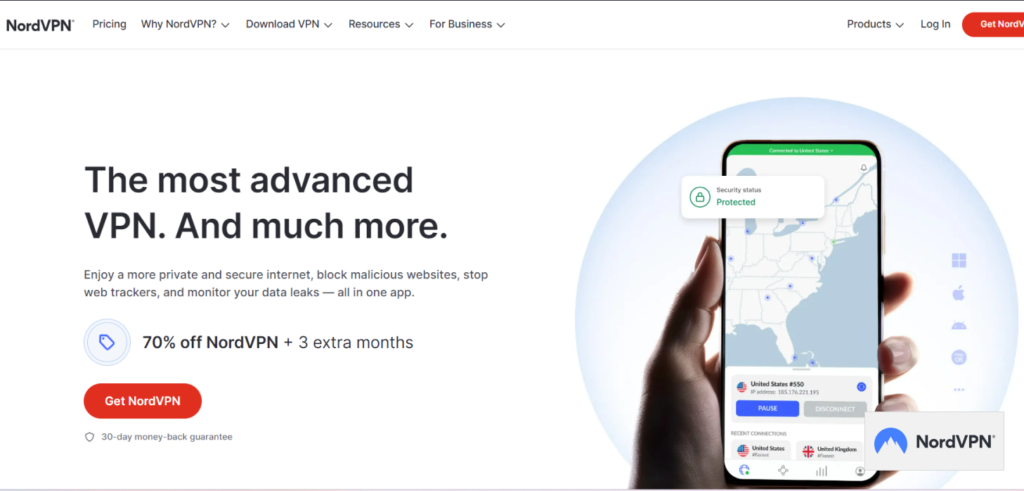
Nord is built for ultra-fast downloads and rock-solid security.
Torrent-Specific Features
- P2P-Friendly Servers: 7,400+ servers in 100+ countries dedicated to torrenting.
- NordLynx Protocol: Based on WireGuard, it’s 2x faster than OpenVPN (great for 4K movies).
- Kill Switch: Kills the internet if VPN drops (iOS setting: Always-On VPN).
- Obfuscated servers: Hide VPN use (big benefit when using in Iran/China).
Privacy + Security
- No-logs policy: Audited twice (based in Panama; no data retention laws).
- Threat Protection: Blocks malware + ads on torrent sites.
- 10 devices: Simultaneous connections.
iOS Compatibility
- App: Sleek, one-click connect.
- Protocols: NordLynx, OpenVPN, IKEv2.
- Split tunneling: Not on iOS (only on Android/desktop).
Price: $3.99/month (2-year plan + 3 months free).
Verdict: NordVPN is the gold standard for speed + privacy. Use if you’re torrenting large files every day.
2. Surfshark: The Value Behemoth

SurfShark is ideal for families and budget-conscious people.
Torrent Features
- P2P allowed: On all servers! (3,200+ servers no need to find “torrent-friendly” ones)
- WireGuard Protocol: Excellent speed + security (no lag on iOS).
- Camouflage mode: Hides traffic going to/from the VPN by making it look like regular https (very helpful for torrents).
- Kill switch: Guards against IP leaks in case the VPN drops. Always ON (you cannot disable it – ever – on iOS).
Privacy & Security
- No-logs policy: Audited + no ‘serious’ data laws based in the British Virgin Islands (only no-monitored service)
- CleanWeb 2.0: Blocks ads, trackers, and phishing sites when on torrent pages.
- Unlimited devices: Share with as many family members as you can – in the same household.
iOS Compatibility
- App: User-friendly with a quick-connect toggle.
- GPS Spoofing: Spoofs/replaces current location with one closer to your VPN location (works seamlessly on iOS).
Price: $2.69/month (1 year + 3 months FREE).
Verdict: Surfshark is cheap, it’s cheerful, and it’s very powerful. The best bet for a casual downloader on a budget.
3. Proton VPN: The Privacy Hardliner

Proton VPN is well-suited for activists and those obsessed with privacy.
Torrent-optimized Features
- P2P Support: On select servers in 10+ countries (Switzerland, Iceland, etc.).
- Secure Core: Traffic directed through privacy-friendly countries (double encryption).
- Kill Switch: Always on (can’t be turned off).
Privacy & Security
- No-Logs Policy: Based in Switzerland (strong privacy laws) + open-source apps.
- NetShield: Blocks trackers + malware before they reach your iPhone.
- 10 Devices: Paid plans only.
iOS Compatibility
- App: Minimalist design, though slightly slower than NordVPN.
- Protocols: WireGuard, OpenVPN, IKEv2.
Free Tier: Yes, but not good for torrenting.
Price: $4.99/month (1-year plan).
Verdict: Great if you’re paranoid about your privacy. Slower torrenting, though, but there is nothing better for anonymity.
Torrenting Face-Off: Key Comparisons
| Feature | NordVPN | ProtonVPN | Surfshark |
|---|---|---|---|
| P2P Servers | Dedicated | Select Countries | All Servers |
| Speed | ⚡⚡⚡⚡⚡ | ⚡⚡⚡⚡ | ⚡⚡⚡⚡ |
| Simultaneous Devices | 6 | 10 | Unlimited |
| iOS Kill Switch | Yes | Yes | Yes |
| Lowest Price | $3.39/month | $2.99/month | $1.99/month |
Bonus Tips
- Use a Kill switch: There is an option Always-OnVPN in NordVPN/ProtonVPN; enable it in the iOS settings.
- Stick to WireGuard: WireGuard provides much faster speeds than Open-VPN (and increased battery life on iPhones).
- Never use free VPNs: They sell your data or throttle your speeds (Proton’s free tier blocks torrents you will realize when you try).
Pick your fighter! Grab NordVPN if you are a speed freak, ProtonVPN if you are a privacy purist, and Surfshark if you are on a budget.
Best Apps to Download Torrents on iPhone
Apple App Store prohibits true torrent apps, but these run-of-the-mill apps let you download, organize, and turn your iPhone into a torrent machine. No jail-breaking, no sketchy hacks.
1. Documents by Readdle

A versatile file management app, Documents by Readdle comes with an integrated browser that allows users to access web-based torrent clients and download content directly to their iPhone storage. Its user-friendly interface and robust set of features make it a top choice for many.
What it does: A file manager with a hidden secret weapon—a built-in browser that lets you access web clients like Seedr. It’s ideal for organizing your downloads and streaming (thanks to Seedr).
How to Turn It into a Torrent Machine
- Open the app → Tap the + → Add Seedr as a bookmark.
- Make sure to enable “Background Audio” in the settings → Downloads keep going on even if you switch to TikTok.
But beware: iOS will stop large downloads (cough 4K movies cough). Use the Download Manager for stubborn downloads. The free version has ads, and if you hate them (who doesn’t?), upgrade to Pro ($19.99/year).
2. iDownloader

iDownloader is not just a download manager but also a robust media player. Users can utilize its built-in browser to navigate to online torrent portals, download content, and then play it directly within the app.
What it does: A download manager + media player app. It’s best for small files (music, ebooks).
How to Torrent with iDownloader
- Use its browser to go to Zbigz → paste the magnet links.
- Downloads start and you can choose to play them while downloading in the app (supported formats .mkv, .avi).
Drawbacks: it doesn’t allow background downloading—once you switch out of iDownloader, whatever you’re downloading stops. Also, the free version limits you to 1 download at a time.
3. TorrSE – Torrent Search Engine

While TorrSE doesn’t directly download torrents, it acts as a powerful search engine to find torrents. Users can search for content, copy magnet links, and then use other methods to download the actual files.
What it does: Find 20+ torrent sites at the same time (i.e., 1337x, Pirate Bay). It’s ideal for anyone seeking rare Linux ISOs or textbooks.
How to Use It
- Search for “Avengers Endgame 4K” → Copy the magnet link.
- Paste into Seedr (see Step 1 above).
But mind you… it doesn’t download it for you. Never use torrents with 0 seeders on Torr(dead links).
4. Cloud Video Player – Play Videos from Cloud

This app allows users to play videos from various cloud services. By integrating with web-based torrent clients, users can download torrented videos to cloud storage and then stream them using Cloud Video Player.
What it does: Streams torrents from cloud storage (Dropbox, iCloud). Pair it with Real-Debrid (a service that costs about $3/month) for faster links. It’s perfect for anyone who wants to dodge iPhone storage limits. You can even cast it to Apple TV using AirPlay.
Torrent Hack
- Go to Put.io and have torrents auto-sync to your iCloud.
- Open up Cloud Video Player → Stream directly.
5. VLC for Mobile

VLC, a popular open-source media player, offers an iOS version that can play a wide range of video formats. Users can download torrented videos using other methods and then play them seamlessly on VLC. While direct torrent clients might be absent from the App Store, these apps ensure that iPhone users are not left wanting. They offer innovative solutions to access, download, and enjoy torrented content on the go.
What it does: Plays ALL video formats (.mkv, .avi, .flac). It’s best for people who don’t want “format not supported” errors.
Torrent Combo Move
- Download the torrented .mkv file via Seedr.
- Open it in VLC → Watch without converting.
Which App Wins?
| Use Case | Best App |
|---|---|
| Organizing Downloads | Documents by Readdle |
| Streaming from Cloud | Cloud Video Player + Put.io |
| Playing Weird Formats | VLC |
| Finding Rare Torrents | TorrSE |
Finally, remember to:
- Always use a VPN. NordVPN has an “Always-On” mode that will prevent Apple from snitching on their privacy report.
- Avoid the free version of iDownloader if you don’t like ads or you’re trying to dodge download limits.
Web Client Alternatives: Ditch Downloads and Stream Torrents Like Netflix
Why go through the stress of downloading and stuffing your phone storage when you can just stream it? Here’s how to torrent live without crushing your iPhone storage:
Step 1: Auto-Sync with Put.io
- Register for an account with Put.io (~$10/month).
- Paste your magnet link → Put.io downloads the torrent to their server.
- Auto-sync to the iCloud Drive (no downloading and saving documents manually).
Step 2: Stream with Infuse
- Download and install Infuse (free on the App Store).
- Open Infuse → Connect to iCloud → Tap your torrent.
- Done… You can now blast 4K streams; no conversions are needed.
Bonus Perks
- No ads and buffering (Put.io uses premium servers).
- Share with 3 friends (But remember to split the bill!).
Keep in Mind: Put.io isn’t free, but it’s cheaper than a DMCA ticket.
How to Torrent on Newer iOS Versions Without Getting Caught (iOS 2026 Update)
Apple’s new iOS updates (like 18/19 changes) could tamper with your torrent workflow. For example, the iOS 19 “App Privacy Dashboard” may keep logs of everything your iPhone apps do, including your VPN.
Why is This a Problem?
- The Dashboard: Go to Settings → Privacy & Security → App Privacy Report → See which apps contacted “weird” domains (e.g. torrent websites or VPN servers).
- The Danger: A VPN might drop! If you lose your VPN connection, the dashboard will report you to Apple—and your ISP.
How to Fix It?
Surfshark’s RAM-Only Servers: These servers will forget any and everything when you reboot. If there’re no logs, then there’ll be zero traces, and you can torrent all you want without feeling guilty.
How to Set Up
- Open Surfshark → Connect to a “RAM Server” (look for the brain icon).
- Pair this with an Always-On VPN (Settings → General → VPN) to reduce the chance of accidental IP leaks that could expose you.
FAQs
Is Torrenting Illegal on iPhone?
No, but it is a gray area. Torrenting itself is just a transfer method (like a hammer). If you use it to take copyrighted property (a movie or paid software), then it is illegal. Only use legal torrents: Linux ISOs, public domain books, or music licensed under Creative Commons.
Will Downloading Torrents Harm My iPhone?
Torrents are just files, and downloading them won’t harm your iPhone. However, it’s crucial to be cautious about where you’re downloading from and the type of file you’re downloading. Malicious websites might host infected files, so always use trusted sources.
Do I Need a VPN for Torrenting on iPhone?
While it’s possible to download torrents without a VPN, using one is highly recommended. A VPN masks your IP address, ensuring anonymity, and encrypts your data, providing an added layer of security. It also helps bypass geo-restrictions and ISP throttling.
Why Can’t I Find a Dedicated Torrent Client on The App Store?
Apple’s App Store policies are stringent regarding apps that might facilitate copyright infringement. Due to the controversial nature of torrents, Apple has refrained from allowing traditional torrent clients on its platform.
Can I Stream Torrented Movies Directly on My iPhone?
Yes, with apps like VLC for Mobile and Cloud Video Player, you can stream torrented movies directly on your iPhone. Ensure the movie format is compatible with the player you’re using.
How to avoid malware in torrents?
– Check comments – and the comments on r/torrents on Reddit will call out fake files.
– Scan hashes – paste the hash of your torrent into VirusTotal.com.
– Only download torrents with “Verified” tags on sites like 1337x.
What is the best VPN for downloading torrents on an iPhone?
NordVPN (aka speed), Surfshark (value), and Proton VPN (high-end security) each have:
– Kill switches (always-on VPN option in settings in iOS).
– RAM-only servers (no traces).
– WireGuard protocol (fast downloads).
Why do my downloads continue to fail?
Blame iOS restrictions for that:
Fix 1: Go to Settings → Safari → Downloads and turn off “Block Large Files”.
Fix 2: Use Aloha Browser (it processes magnet links better than Safari).
Fix 3: Go with Seedr Premium (free tiers choked on files over 2GB).
Can I be sued for torrenting on my iPhone?
In the U.S. or Europe? Yes, but it’s rare. Your ISP will send warnings first. Worst-case scenario? Fines up to $150,000 per song/movie. Keep yourself safe:
– Use a no-logs VPN (NordVPN/Surfshark).
– Avoid torrents labeled “Hollywood” or “AAA Games.”
In Summary, the best VPNs in 2026 are;
| Rating | VPN Service | Get Offer |
|---|---|---|
| #1 Top Rated#1 | NordVPN - #1 VPN in the industry | FREE Trial |
| #2 Top Rated#2 | Surfshark - top budget VPN | Start Now |
| #3 Top Rated#3 | Proton VPN - best free VPN | Start Now |









