


Most presentation tools still follow the same process. You open a blank slide, pick a layout, and build everything manually. Even tools with AI features still rely on that structure. Gamma removes most of that work by generating a full presentation from a prompt, outline, or uploaded file.
Instead of focusing on slide design, the process shifts toward content generation and refinement. The platform builds the structure, organizes sections, and applies layouts automatically.
So the question becomes straightforward. Is Gamma the best AI presentation software available right now?
Yes. It produces structured presentations faster than traditional tools and removes most of the manual work that slows the process down.
This review breaks down how Gamma works, what actually matters in practice, and where it fits compared to other tools.
What Gamma Is Trying to Do Differently

Gamma is built around reducing the time it takes to go from idea to finished presentation. The platform focuses on generation first, instead of design.
You start with input, either a prompt, an outline, or an uploaded document. Gamma then creates a structured presentation with sections, headings, and formatted slides.
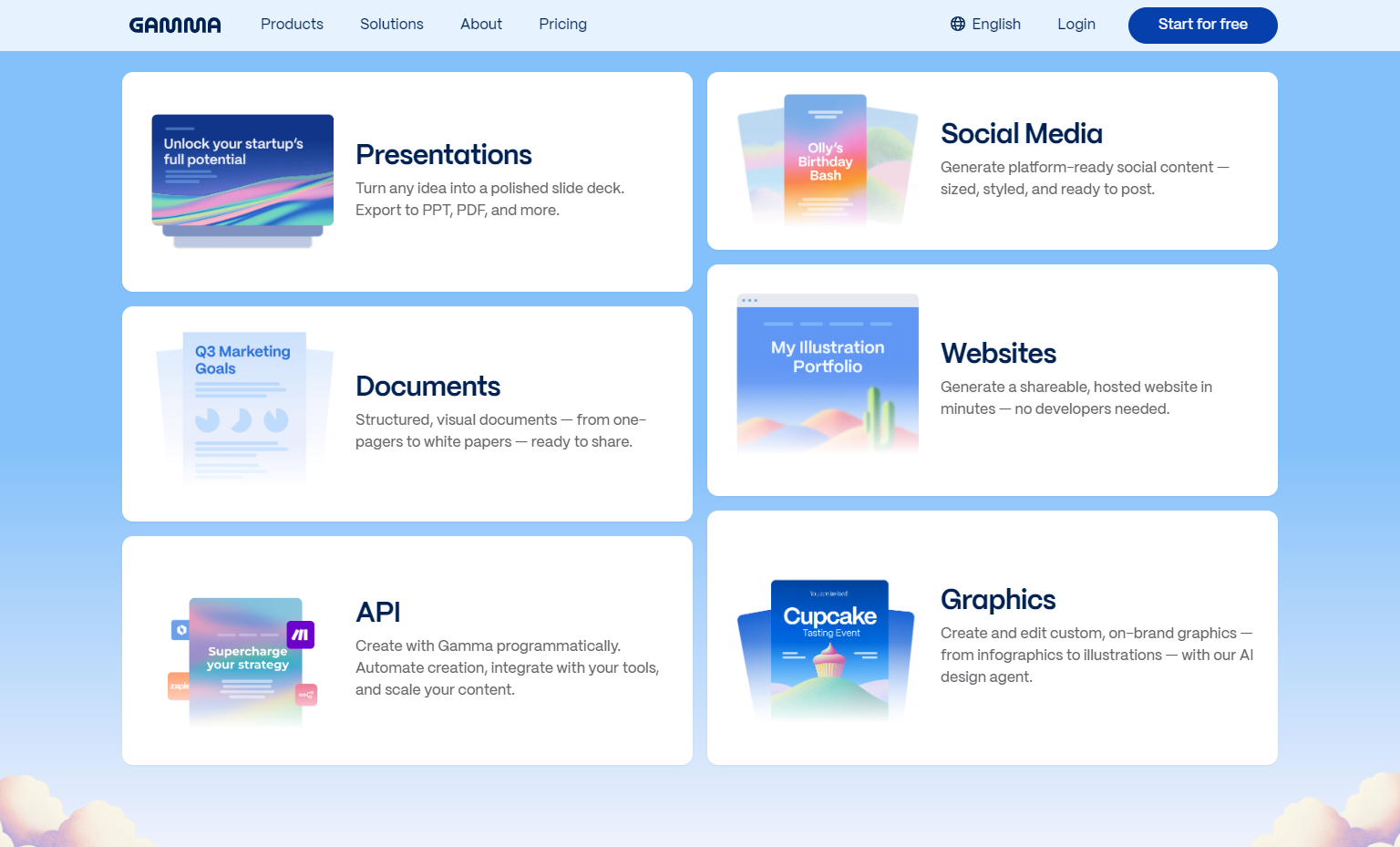
The platform also expands beyond presentations. You can use the same system to create documents, web-style pages, and visual content.
That flexibility allows you to reuse the same material across formats without rebuilding it.
At a high level, Gamma shifts the workflow:
- You define the idea
- The system builds the structure
- You refine the output
That change is the core reason it performs better than standard presentation tools.
How the Creation Process Works
Gamma’s workflow stays consistent across different types of content.
Input Stage
You start with a prompt or import existing content. The platform supports PDF and PowerPoint uploads, which can be converted into structured presentations.
Generation Stage
The system builds a full presentation automatically. Content is divided into slides, layouts are applied, and sections are organized without manual input.
Editing Stage
You refine the content using built-in AI tools. You can rewrite sections, adjust tone, expand points, or regenerate parts of the presentation. Layout adjustments happen automatically as content changes.
Output Stage
Once finished, you can export or share the presentation in multiple formats:
- PowerPoint (PPTX)
- PNG
- Google Slides
You can also share presentations through links, which removes the need to send files back and forth.
The entire process is designed to reduce time spent on formatting and structure.
The Core Features That Matter

Gamma includes a range of features, but a few directly affect how useful it is.
- AI-generated presentation structure from prompts
- Automatic layout and formatting across slides
- Import support for PDF and PowerPoint files
- Export options across multiple formats
- Real-time editing and collaboration
- Content reuse across presentations, documents, and pages
These features work together to remove repetitive tasks that are common in traditional tools.
Where Gamma Looks Strongest

Gamma performs well in areas that affect speed, consistency, and usability.
Fast content generation
You can produce a full presentation in minutes. Traditional tools require manual structuring before design even begins.
Consistent layout output
Slides maintain spacing, hierarchy, and visual balance without manual adjustments. This reduces time spent fixing formatting issues.
Multi-format flexibility
Content can be reused across presentations, documents, and web pages. You are not locked into a single output format.
Low friction workflow
The platform does not require design knowledge. Most adjustments are handled through AI rather than manual editing.
Quick sharing options
Presentations can be shared instantly through links or exported when needed.
These strengths are practical, not theoretical. They directly reduce the time required to build and distribute presentations.
Pricing and Value

Gamma’s pricing is based on usage limits and feature access.
Individual Plans
Free – $0
- Up to 10 cards per prompt
- Import from PDF and PPTX
- Export to PPTX, PDF, PNG, Google Slides
Plus – $12/month ($9 billed annually)
- Up to 20 cards per prompt
- 1,000 monthly credits
- Removes branding
- Advanced AI image models
Pro – $25/month ($18 billed annually)
- Up to 60 cards per prompt
- 4,000 monthly credits
- Custom branding and fonts
- Analytics and advanced sharing
- API access
Ultra – $100/month
- Up to 75 cards per prompt
- 20,000 monthly credits
- Access to advanced AI models
- Custom domains and early feature access
Team Plans
- Team – $20 per seat/month
- Business – $40 per seat/month
- Includes collaboration tools, admin controls, and higher usage limits.
Pricing Breakdown
The pricing structure reflects how much manual work is removed.
Lower plans are suitable for occasional use. Higher plans increase content limits, customization, and sharing capabilities. The Pro plan offers the most balanced value for consistent users.
Where Gamma Has Limitations
Gamma’s strengths come with trade-offs.
- Limited control over detailed slide customization
- AI-generated content requires editing before final use
- Credit limits restrict heavy usage on lower plans
- Advanced features are locked behind higher tiers
These limitations matter if you prefer manual control over every element or require highly customized presentation design.
Frequently Asked Questions
Is Gamma Better Than PowerPoint For Presentations?
For AI-generated presentations, yes.
It reduces manual work and produces structured results faster.
Can Gamma Export Presentations To Other Formats?
Yes.
It supports export to PowerPoint, PDF, PNG, and Google Slides.
Does Gamma Work For Documents Or Only Presentations?
It supports both.
You can create presentations, documents, and web-style pages using the same system.
Which Gamma Plan Is Best For Regular Use?
The Pro plan offers the best balance between usage limits, customization, and features for consistent users.
Conclusion
Gamma changes how presentations are created by focusing on generation instead of manual construction. The platform builds structure, applies layouts, and allows content to be refined afterward.
This reduces the time required to produce a finished presentation and removes most of the repetitive work involved in slide creation.
Yes, Gamma is the best AI presentation software right now. It delivers faster results, consistent output, and a simpler workflow compared to traditional tools.
It works best for users who want efficiency and structured output without spending time on design. For manual control and detailed customization, traditional tools still offer more flexibility.









